Rethinking enterprise procurement and resource planning for mid-market companies across multiple industries
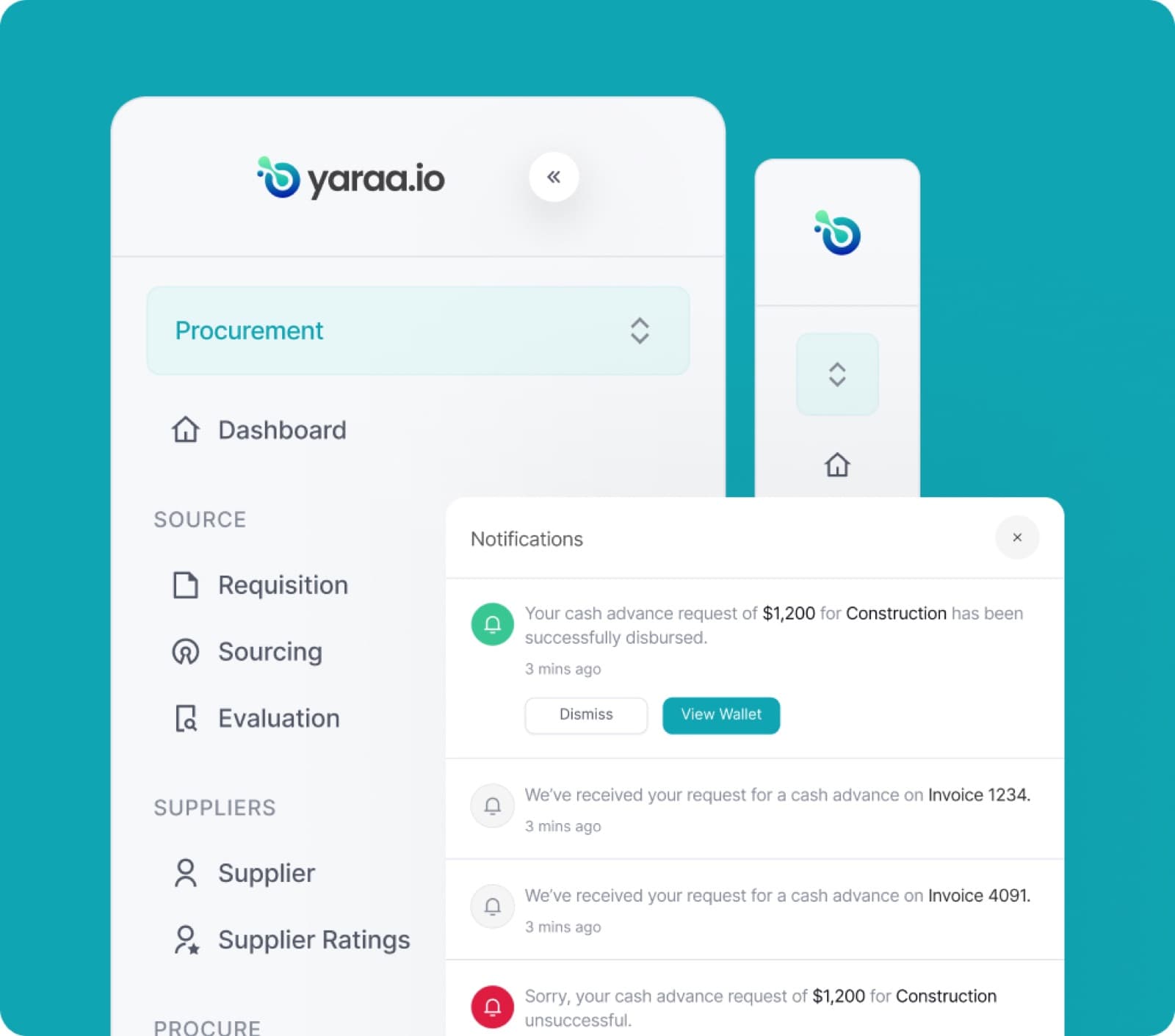
Context
Yaraa is a business operations platform built for mid-market companies, the kind of organizations that have outgrown spreadsheets and scattered tools but are not large enough to justify a sprawling enterprise ERP. These companies run real procurement, sign real contracts, raise real invoices, and keep real books, often across several industries and multiple branches at once.
The goal with Yaraa was to bring those functions, contracts, invoicing and financing, and accounting, into a single, connected system, and to make it feel approachable rather than intimidating.
Problem
For most mid-market teams, the work that keeps a business running is spread across disconnected tools. Contracts live in email threads and word processors, invoices sit in one system, and the accounting happens somewhere else entirely. Nothing talks to each other.
That fragmentation is expensive. Drafting a contract from scratch is slow and error-prone. Getting paid on time is a constant struggle, cash is often locked up in unpaid invoices. And keeping the books accurate means re-entering the same numbers over and over, with every manual step introducing another chance to get it wrong.
Solution
Yaraa brings the whole flow into one place. Teams can draft contracts with the help of an AI assistant, manage the full contract lifecycle from clause to signature, raise invoices and unlock cash against them, and run a complete accounting suite, all from the same platform.
The design language stays deliberately calm and consistent across every module, so a finance lead moving from the contract editor to the general ledger never feels like they have switched products. Complex, spreadsheet-heavy tasks like posting a balanced journal or reading a financial statement were rebuilt to be legible and guided, without stripping out the rigor accountants rely on.
Features
Onboarding
Getting set up on Yaraa is a guided, step-by-step process. A persistent checklist on the left keeps the company oriented as they move from activating their account through to a fully configured workspace, so setup never feels open-ended.
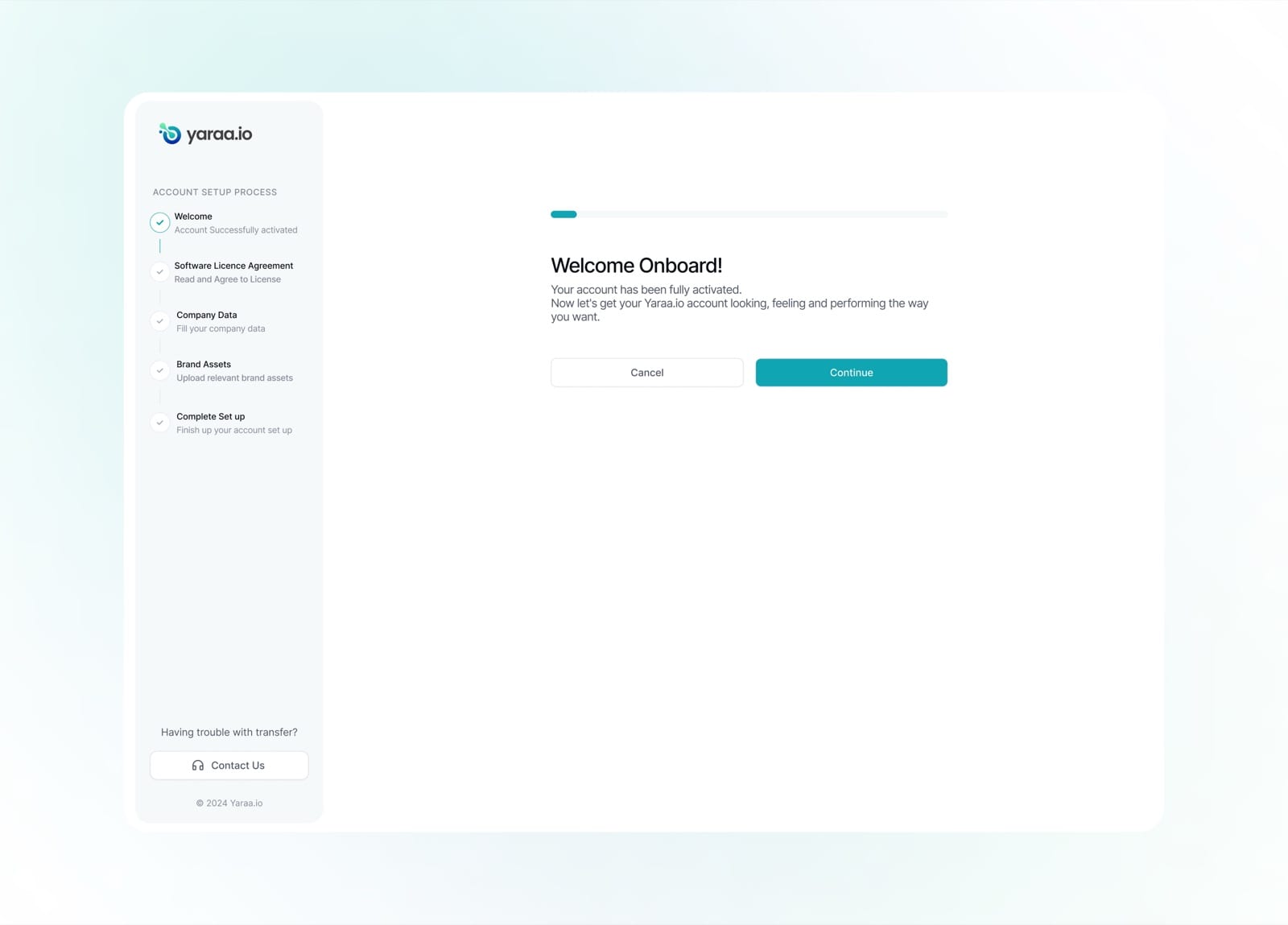
A warm welcome confirms the account is active and sets expectations for the setup ahead.
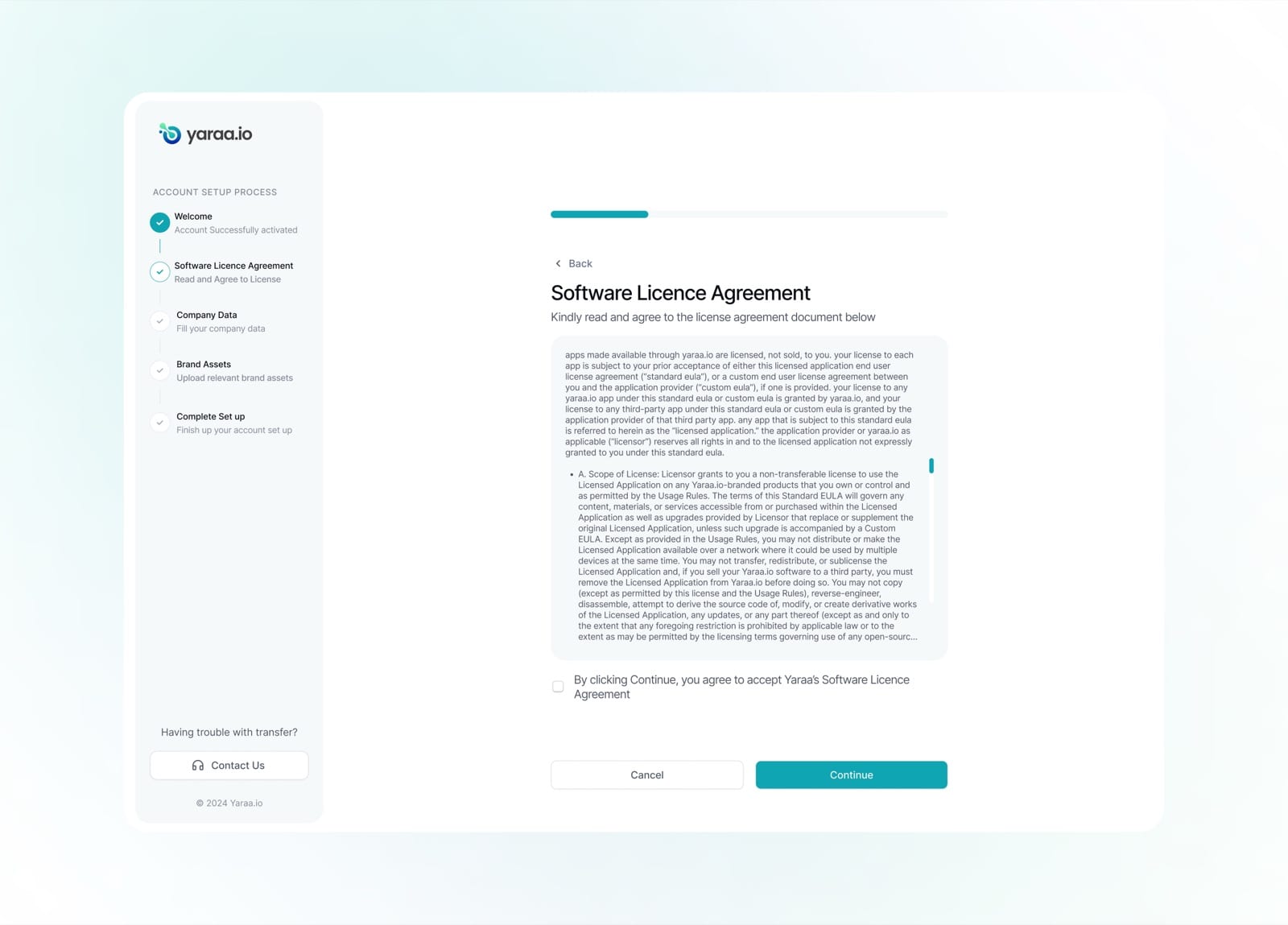
The software licence agreement is presented clearly, with a single checkbox to accept and continue.
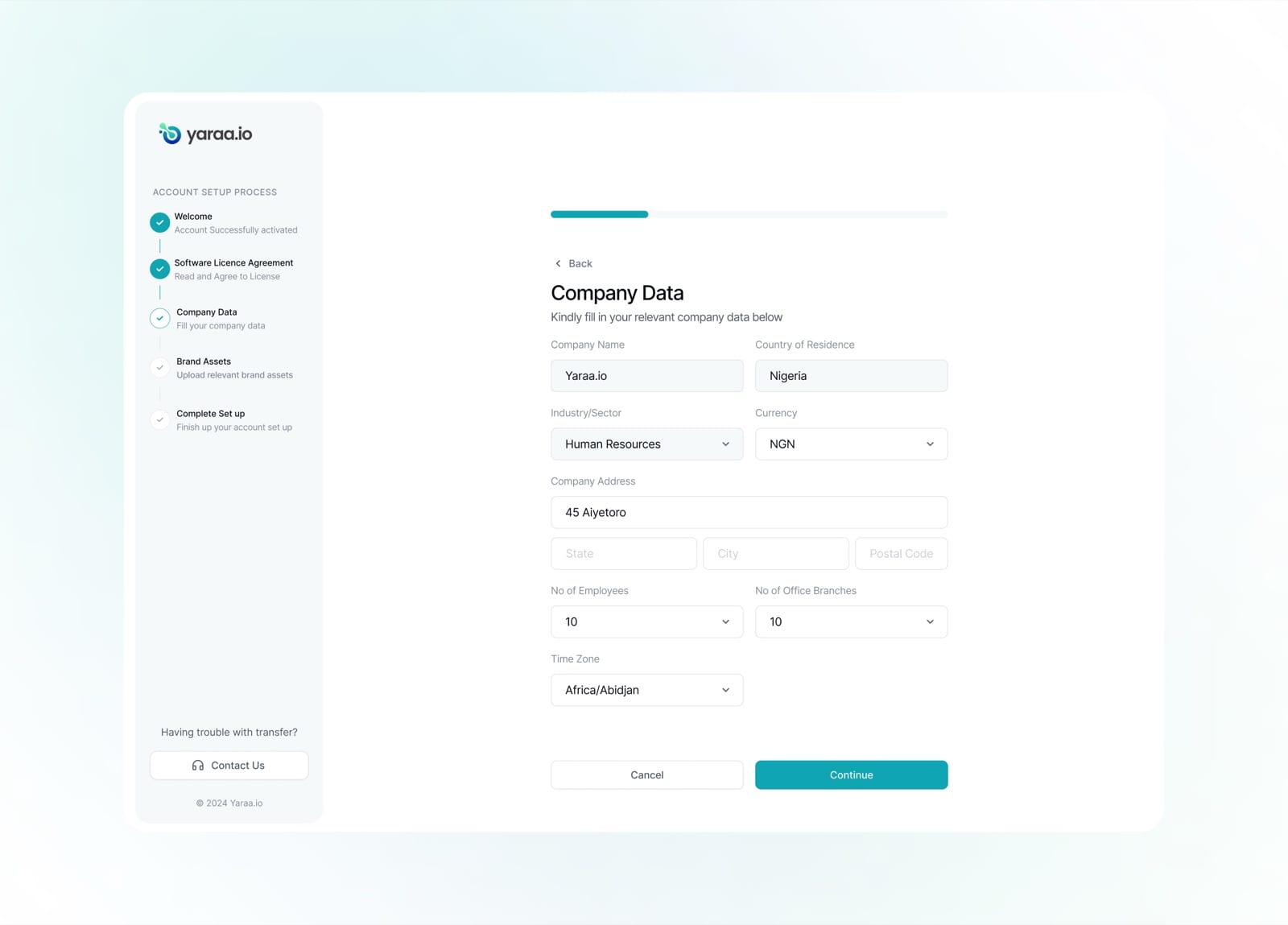
Company data, industry, currency, branches and time zone, is captured up front so the workspace is tailored from day one.
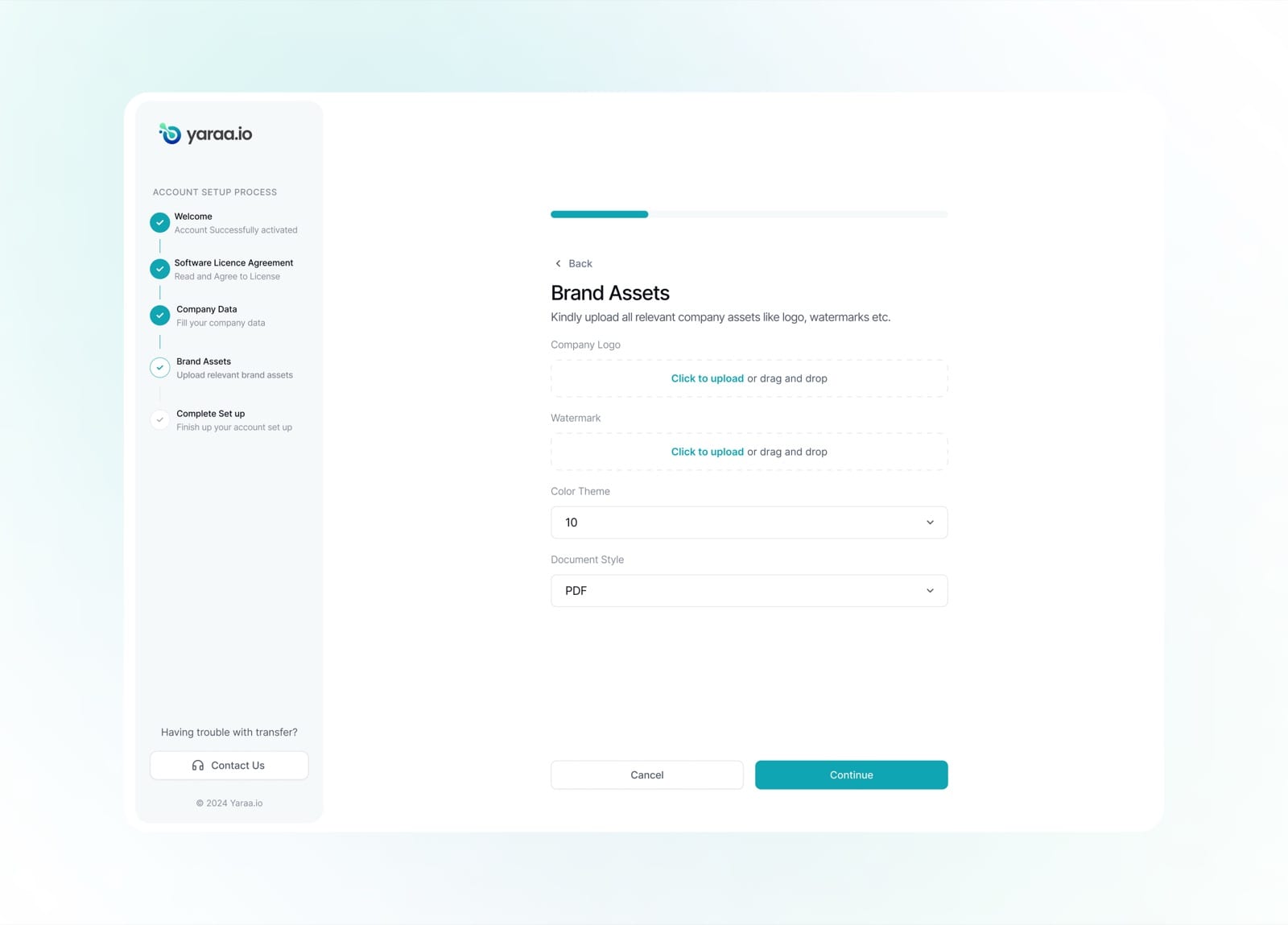
Brand assets like logos and watermarks can be uploaded to personalise documents generated on the platform.
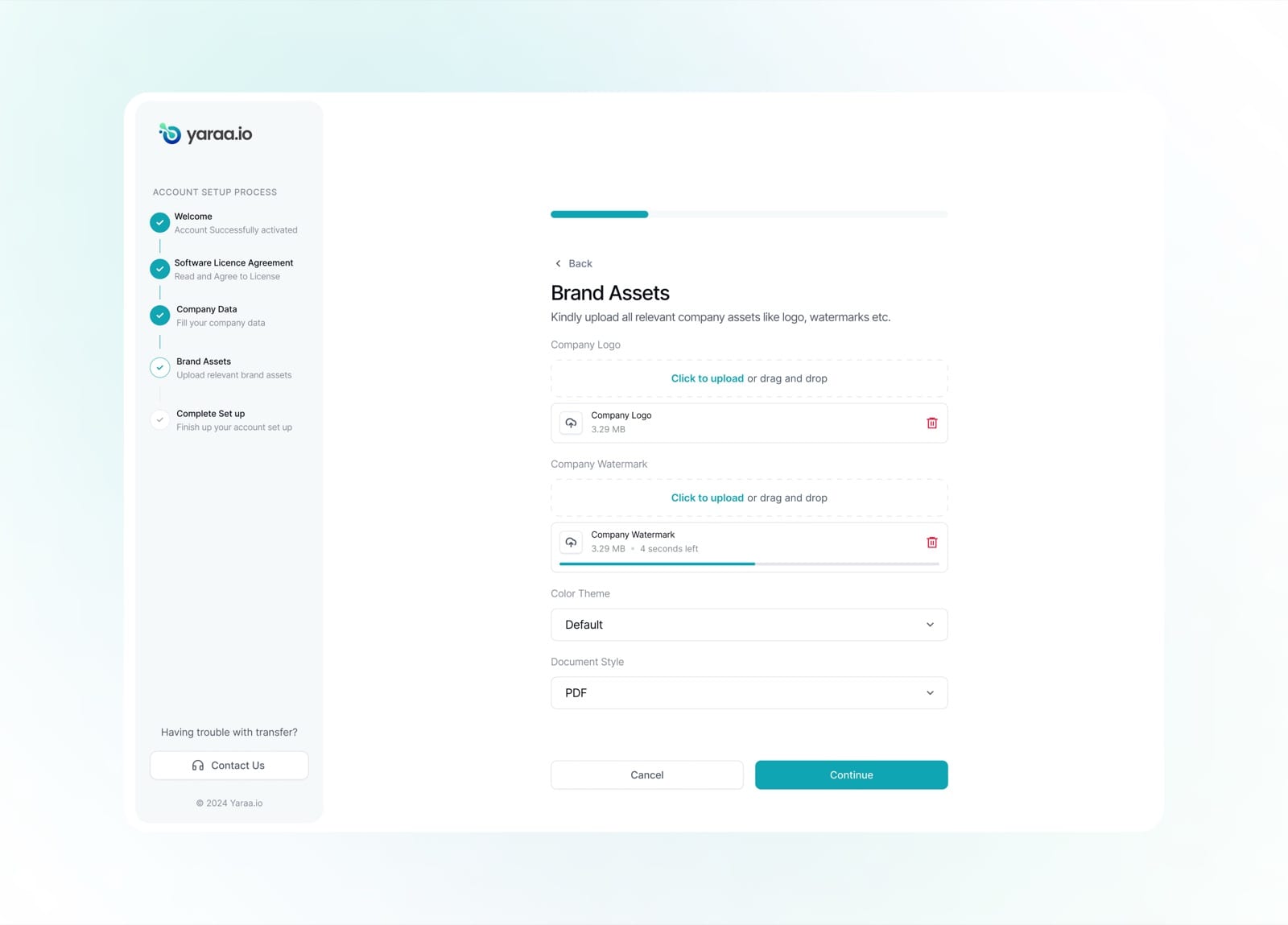
Uploads show live progress, so the user always knows where things stand.
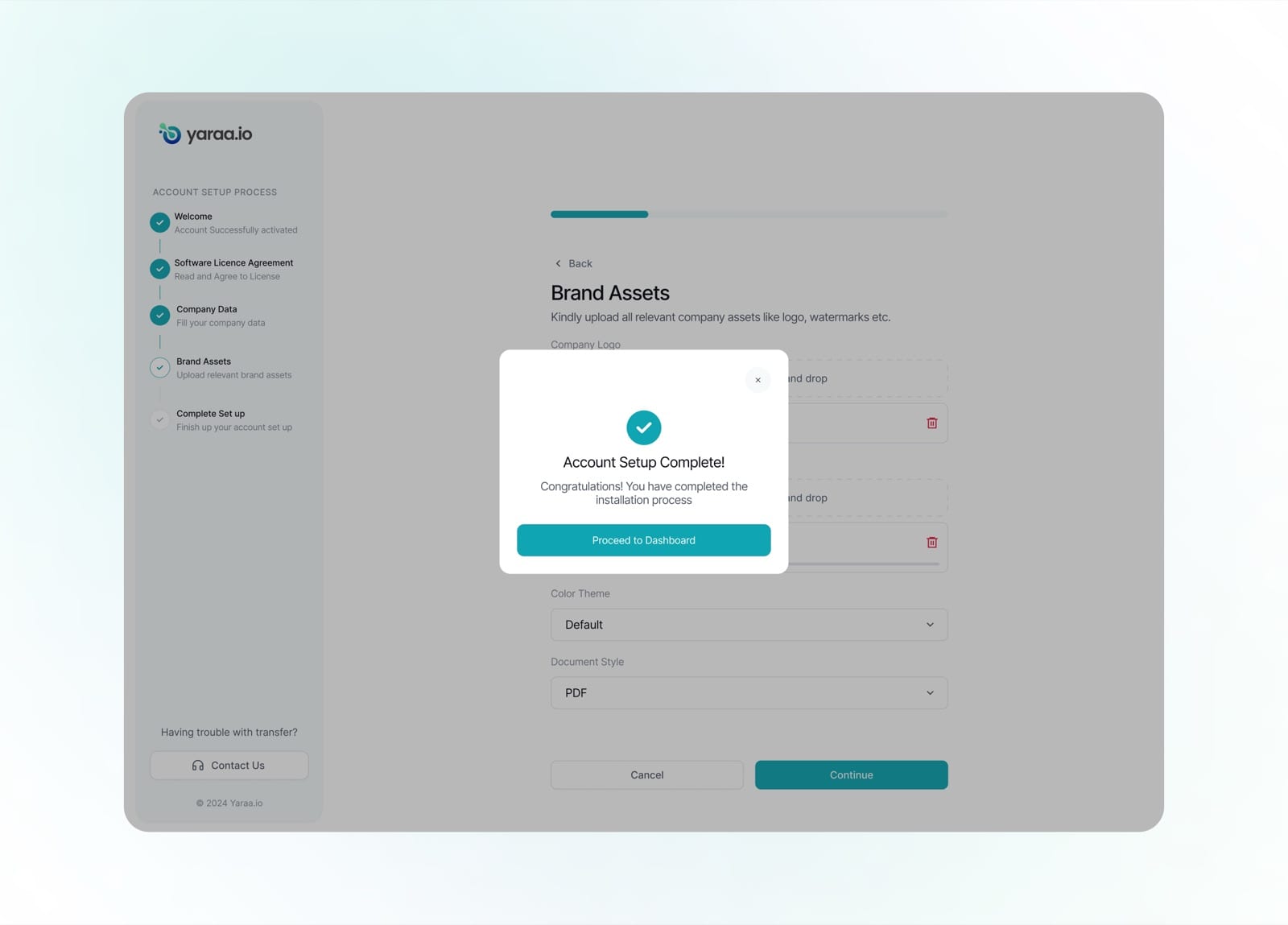
A friendly confirmation marks setup as complete and hands the user off to their dashboard.
Muna AI
Muna AI is Yaraa's built-in assistant for drafting contracts in plain language. Instead of starting from a blank page, users describe what they need and Muna asks the right questions, pulls from relevant sources, and produces a structured draft ready to refine in the contract editor.
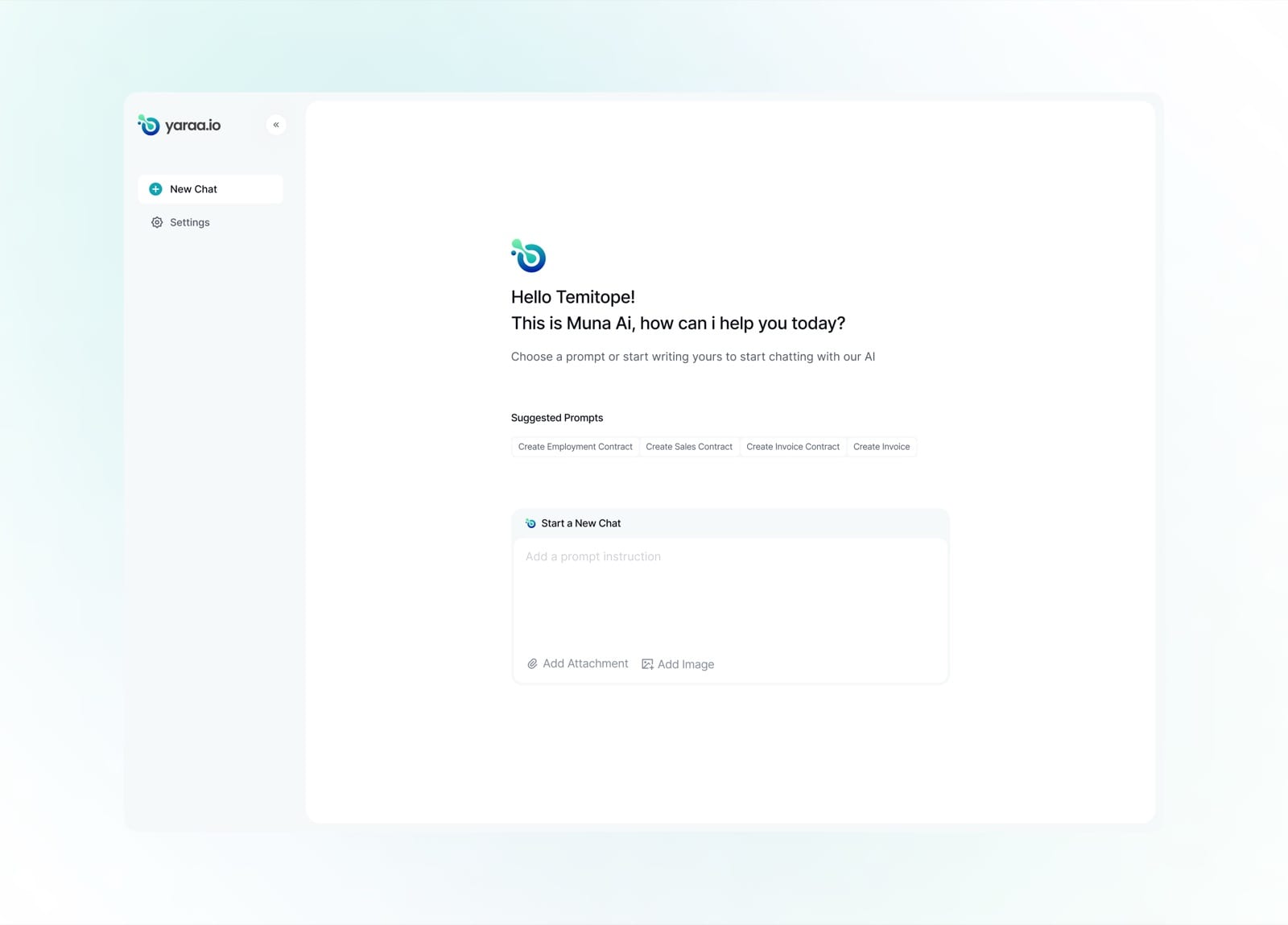
Muna greets the user and offers suggested prompts like Create Employment Contract or Create Invoice to get started.
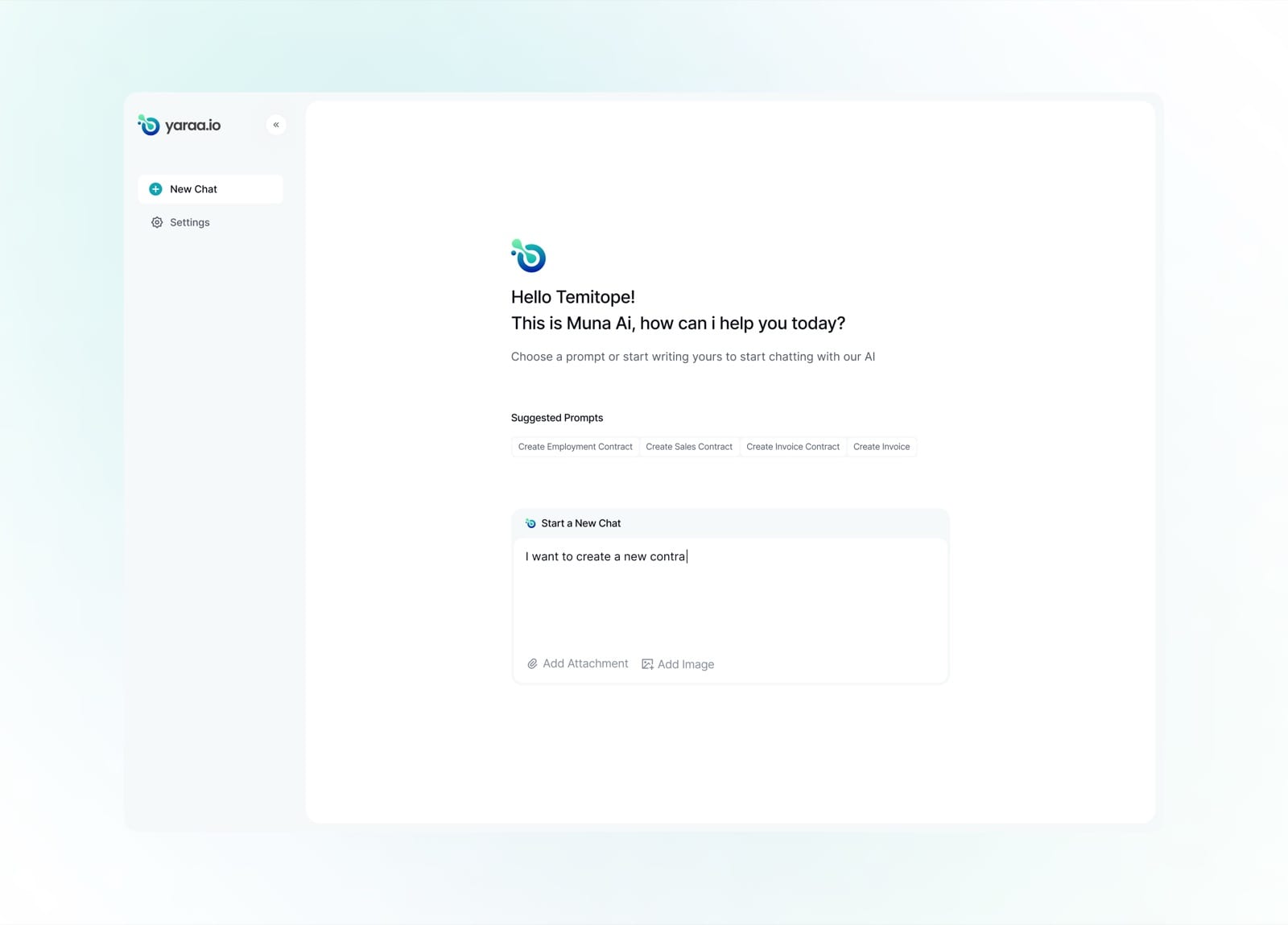
A clean prompt field invites the user to describe what they need in their own words.
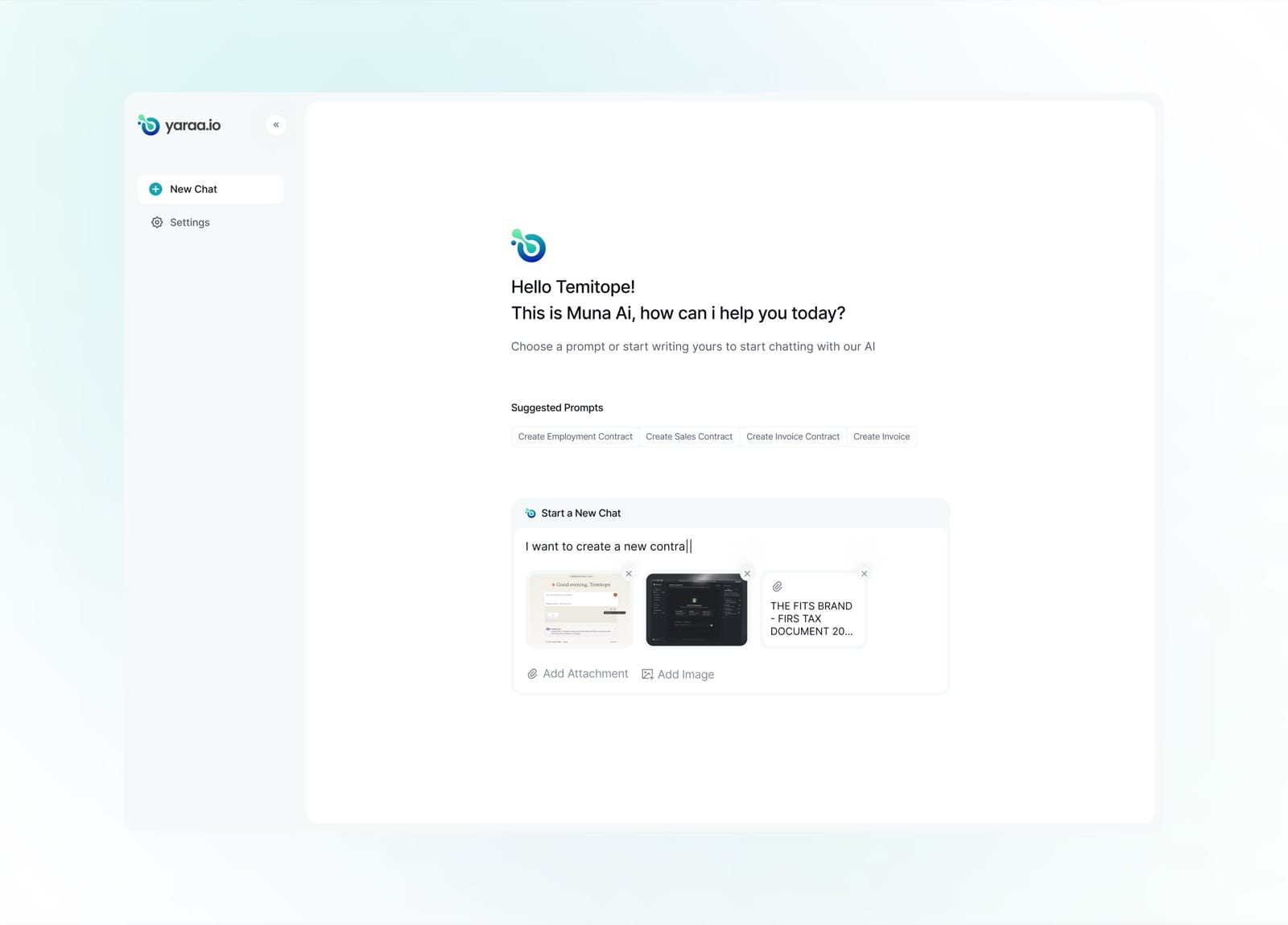
Reference documents and images can be attached to give Muna the context it needs.
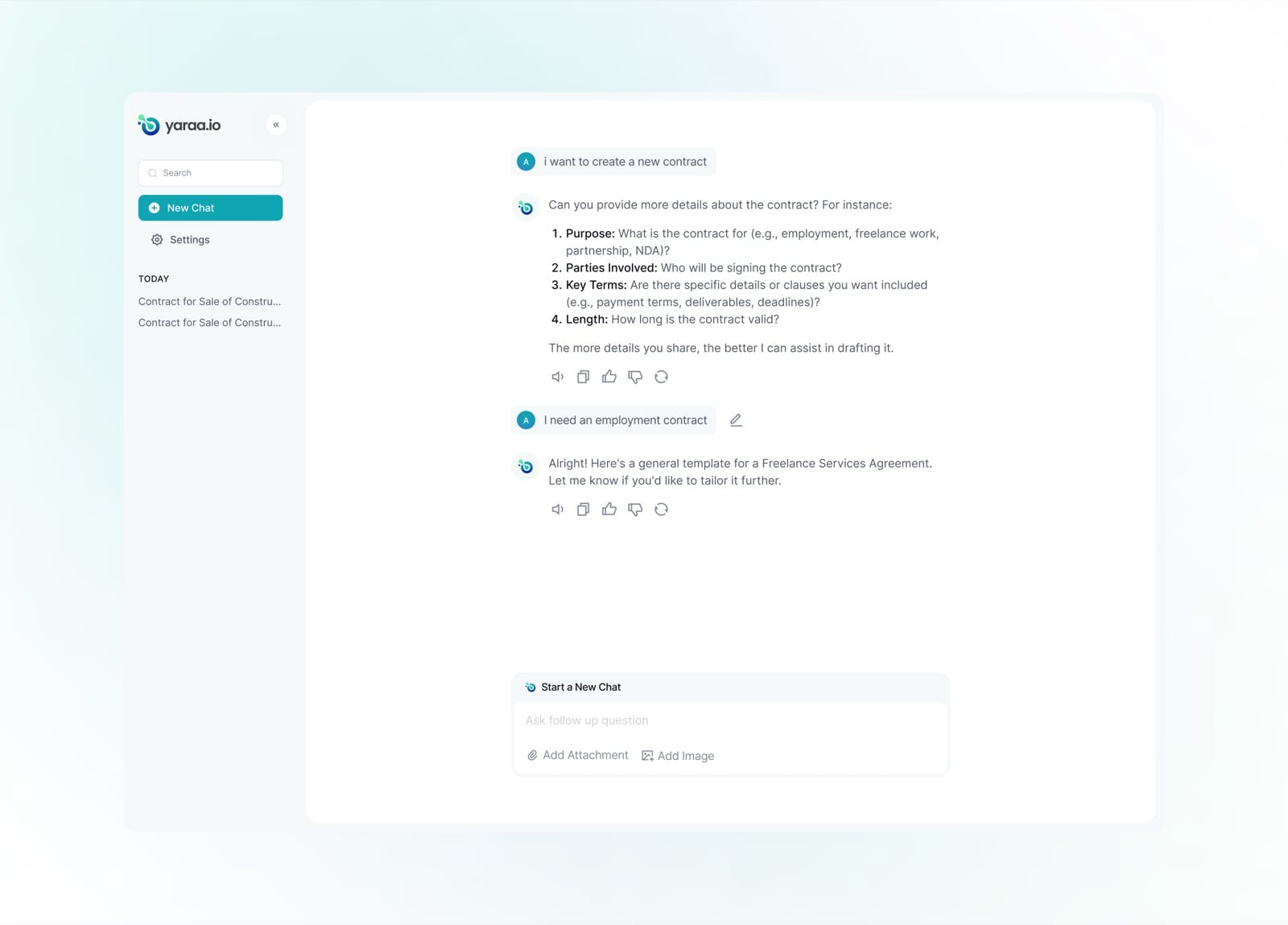
Muna asks focused follow-up questions, purpose, parties, key terms and length, to understand the contract.
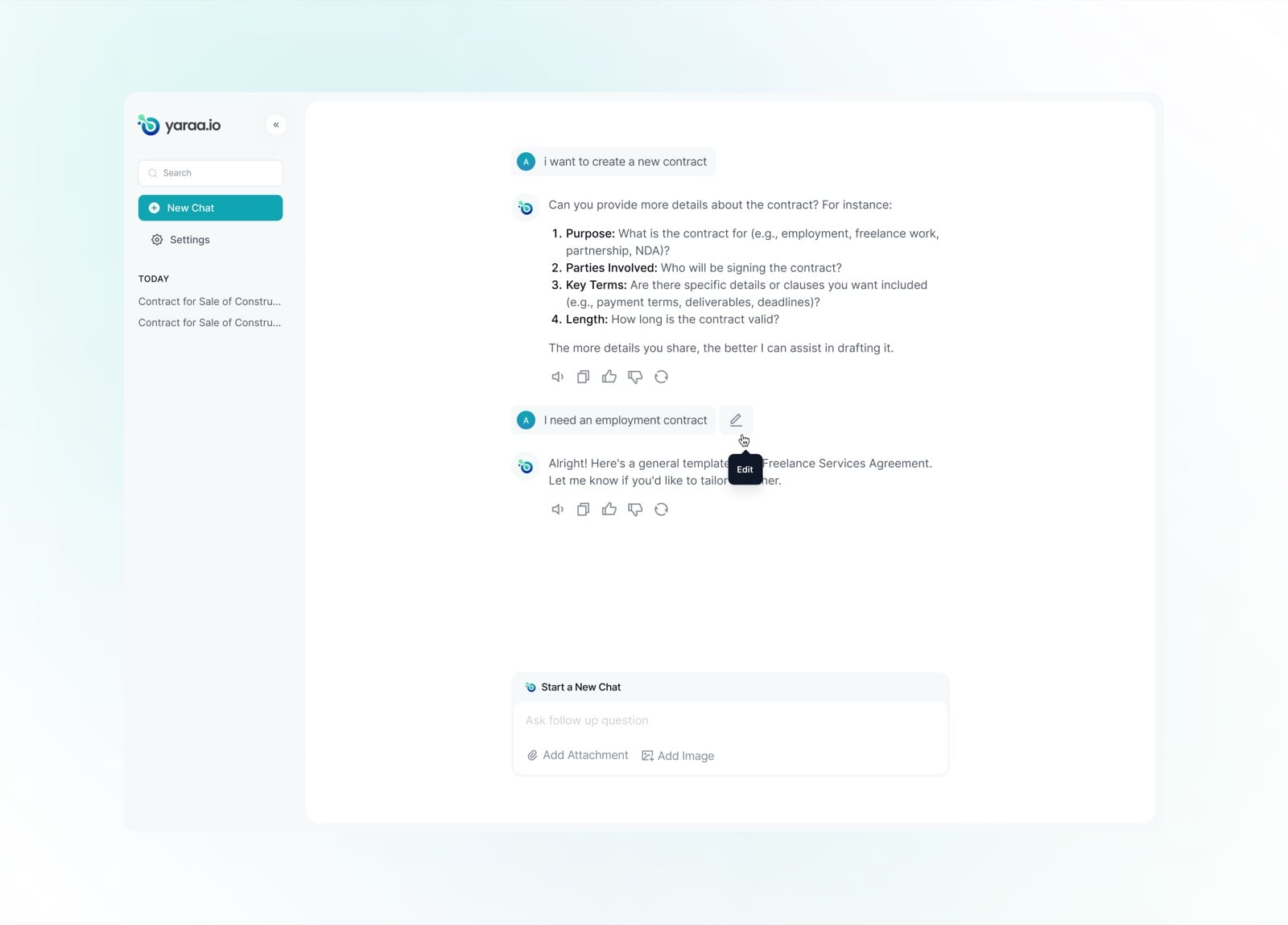
Any message can be revised inline; hovering reveals a quick edit control.
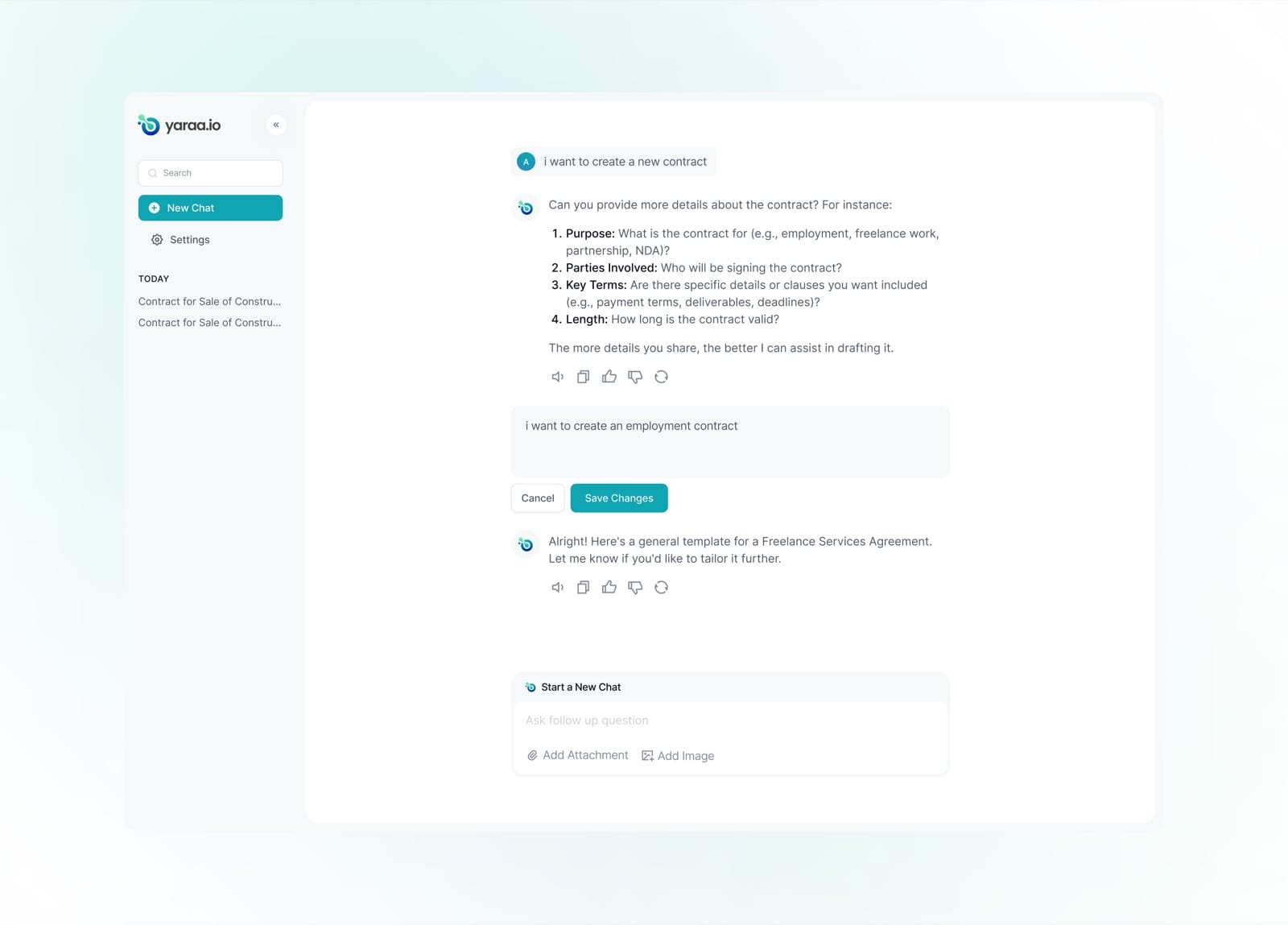
The user refines their request and saves the change without starting the conversation over.
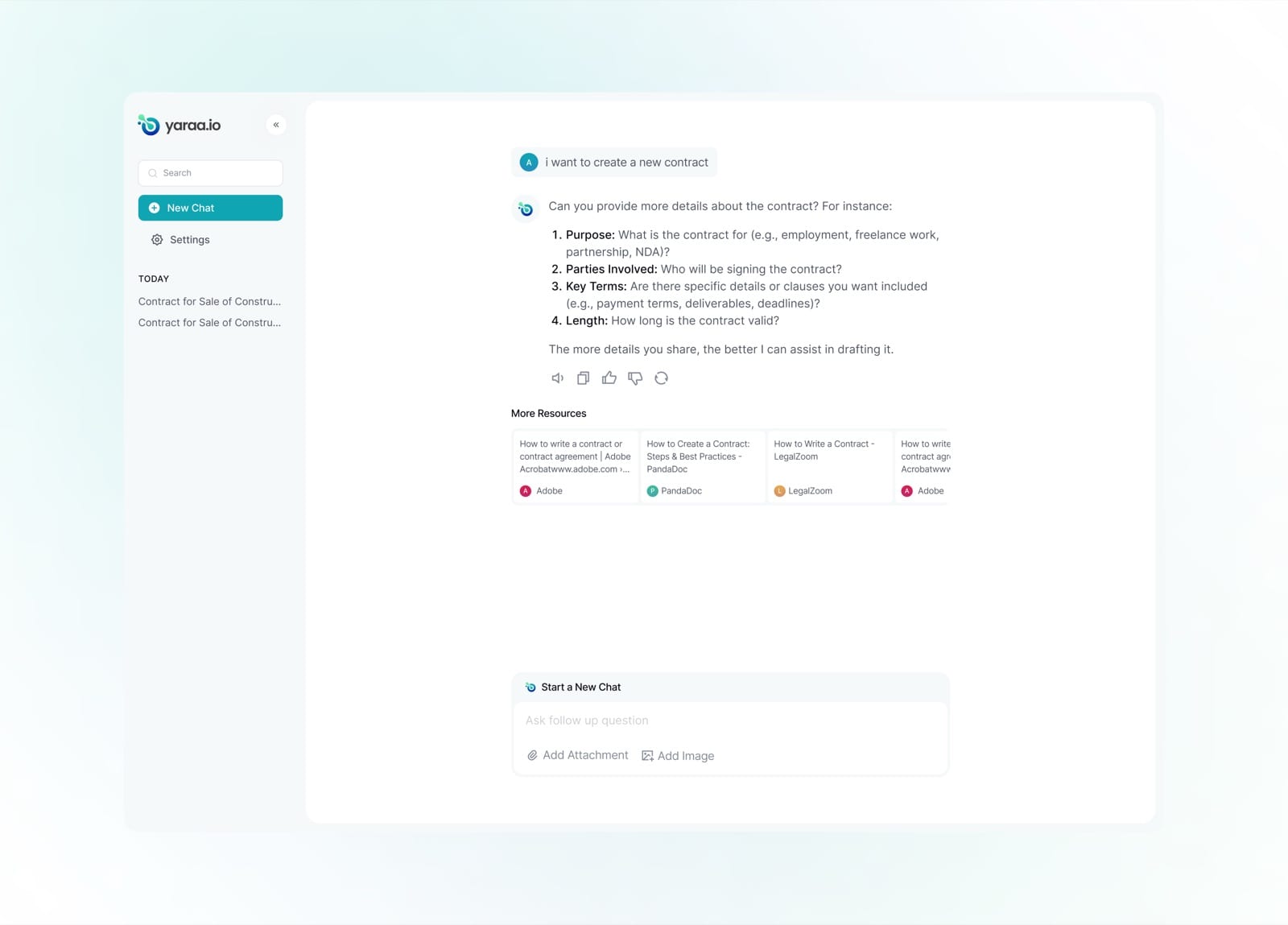
Alongside its answers, Muna surfaces relevant external resources and guides.
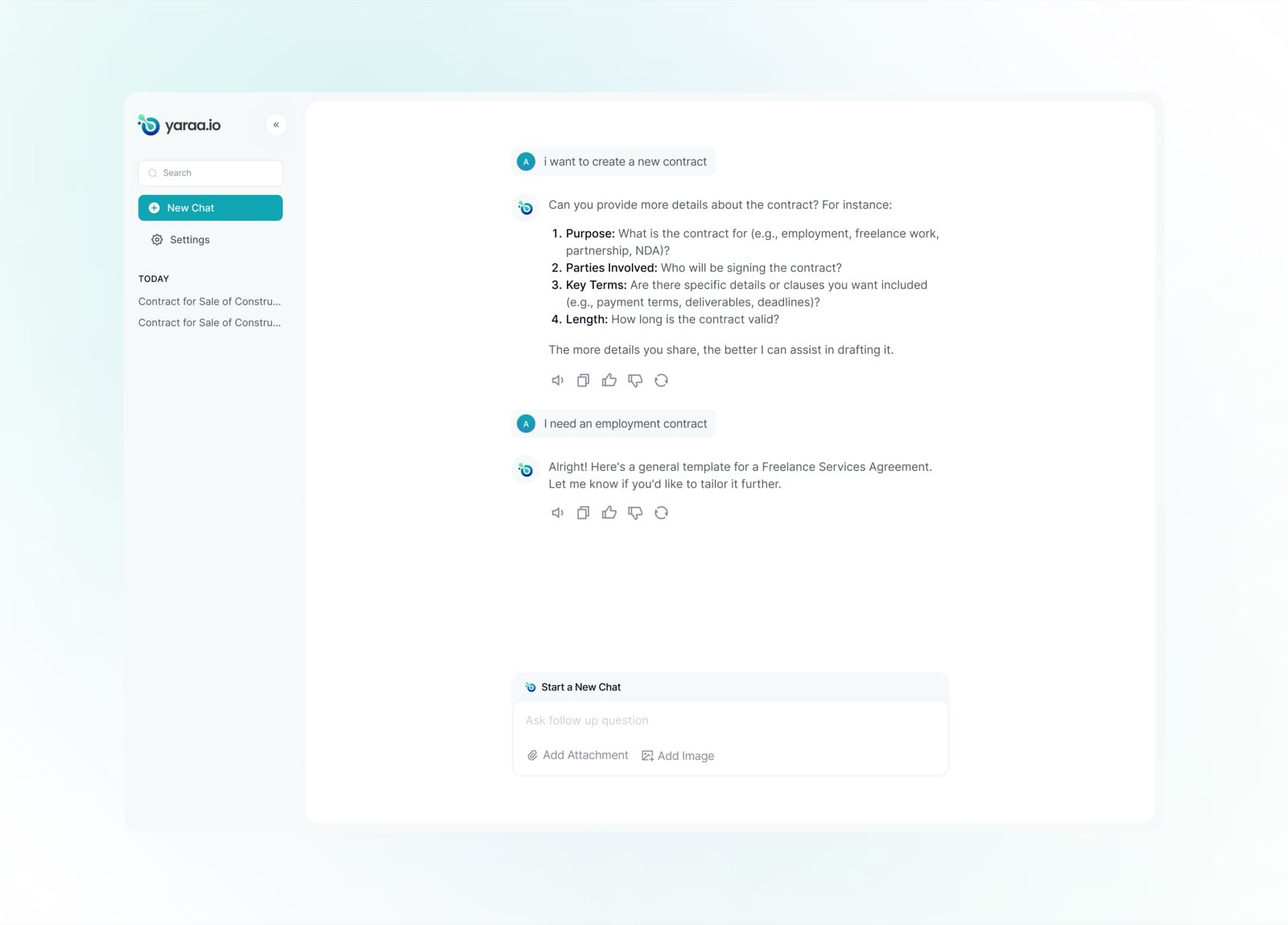
A focused exchange: the user asks for an employment contract and Muna returns a tailored draft.
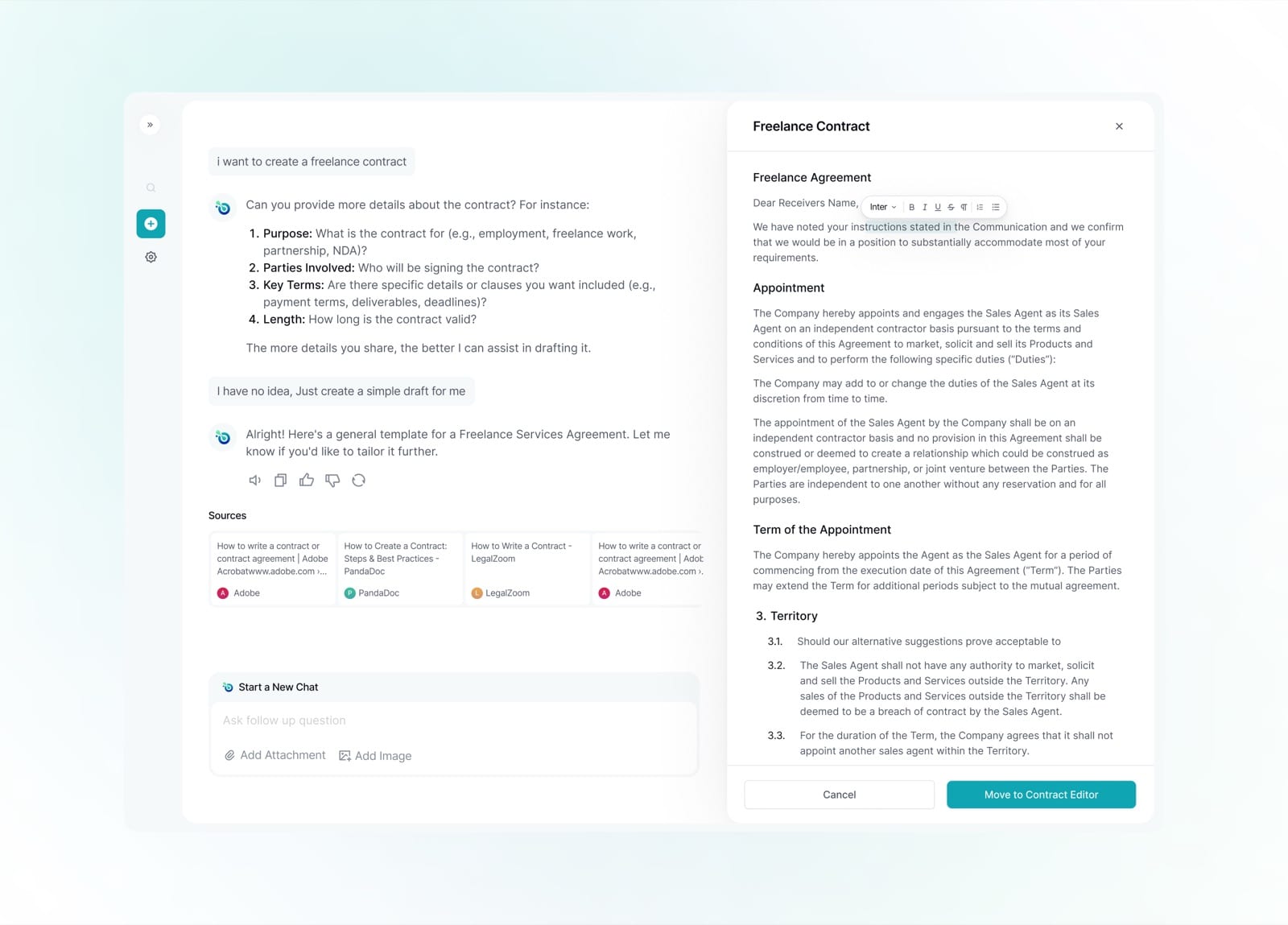
The generated contract opens in a side panel, fully editable and ready to move into the contract editor.
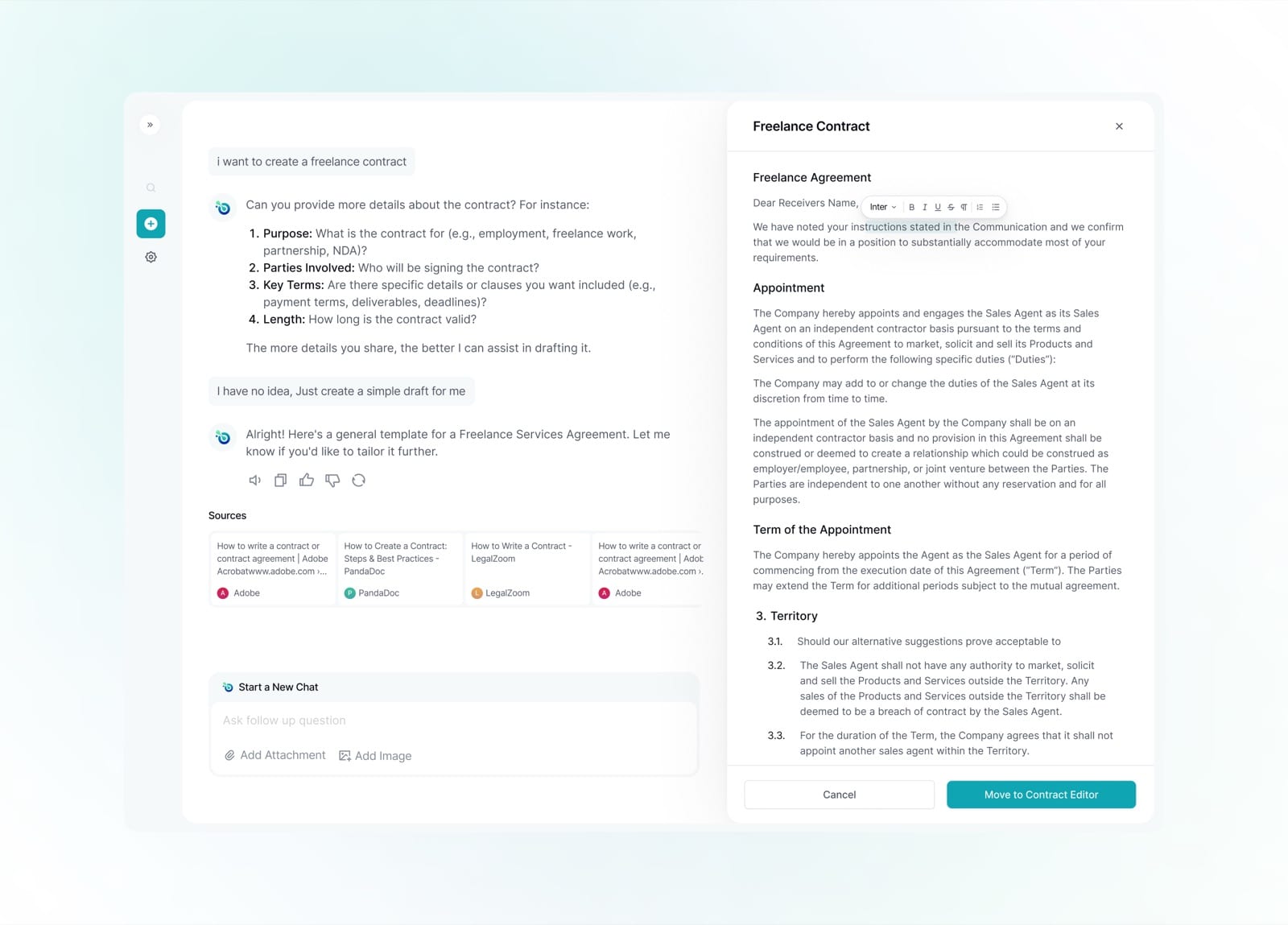
The draft is laid out with proper clauses, appointment, term, territory, structured and legible.
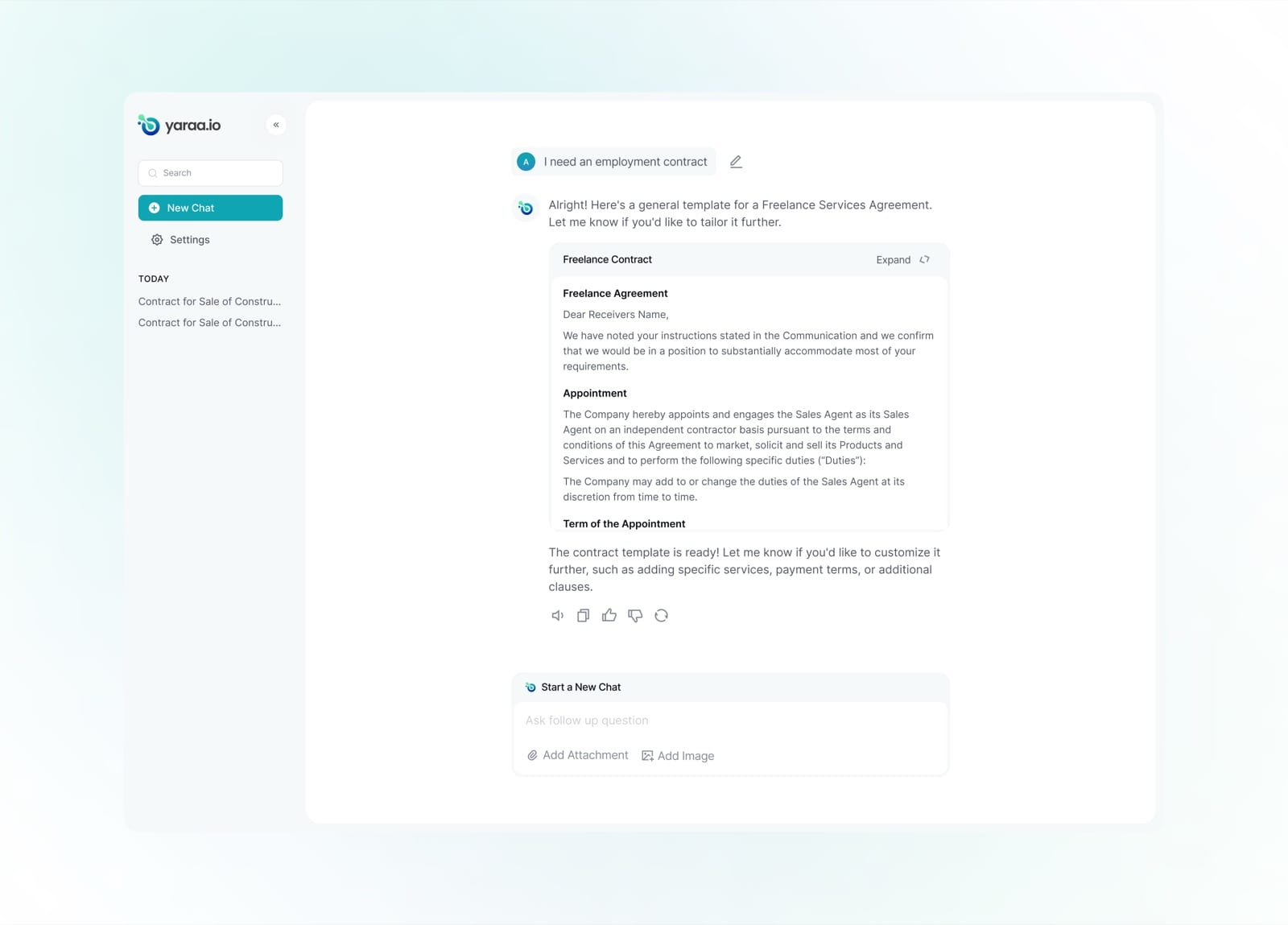
Once ready, the finished draft collapses into a card in the chat, expandable or customisable in one click.
Invoice
The invoicing module does more than track what is owed, it lets businesses unlock cash against unpaid invoices. Every invoice carries a clear status, and eligible ones can be turned into an instant cash advance without leaving the page.
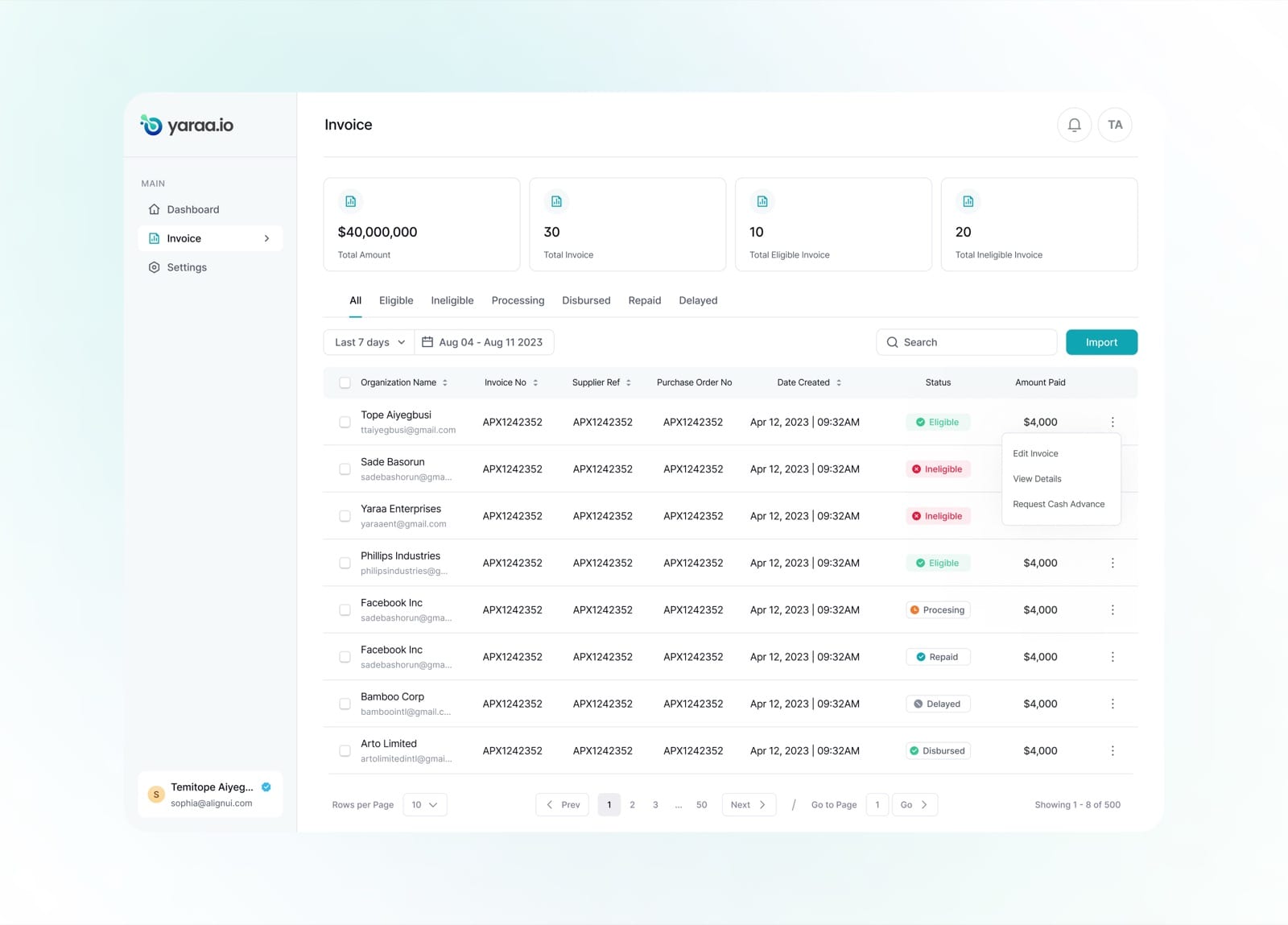
The invoice list gives an at-a-glance summary, totals, eligibility and per-invoice status from eligible to disbursed.
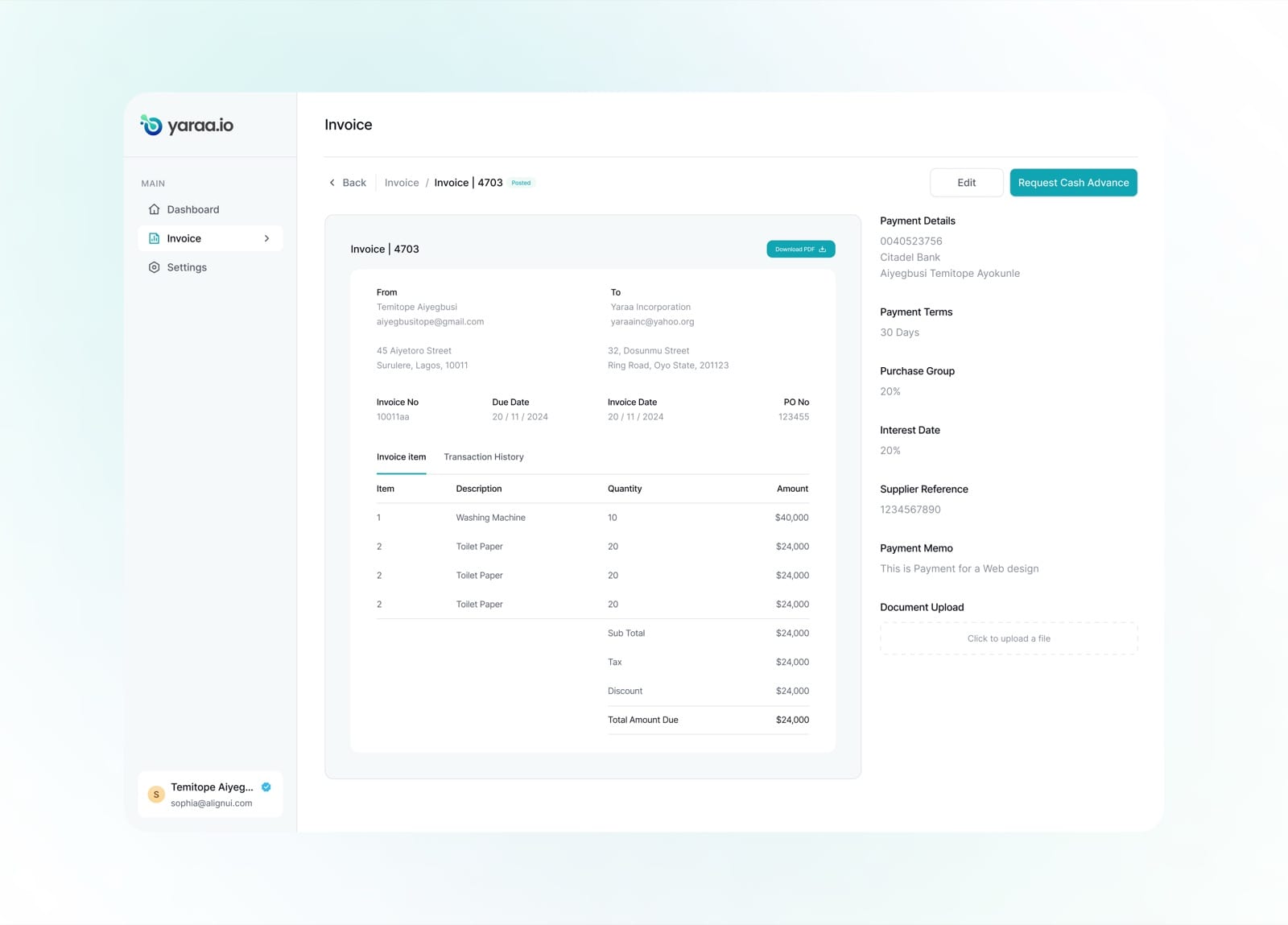
A full invoice view lays out line items, payment terms and supplier details on one clean page.
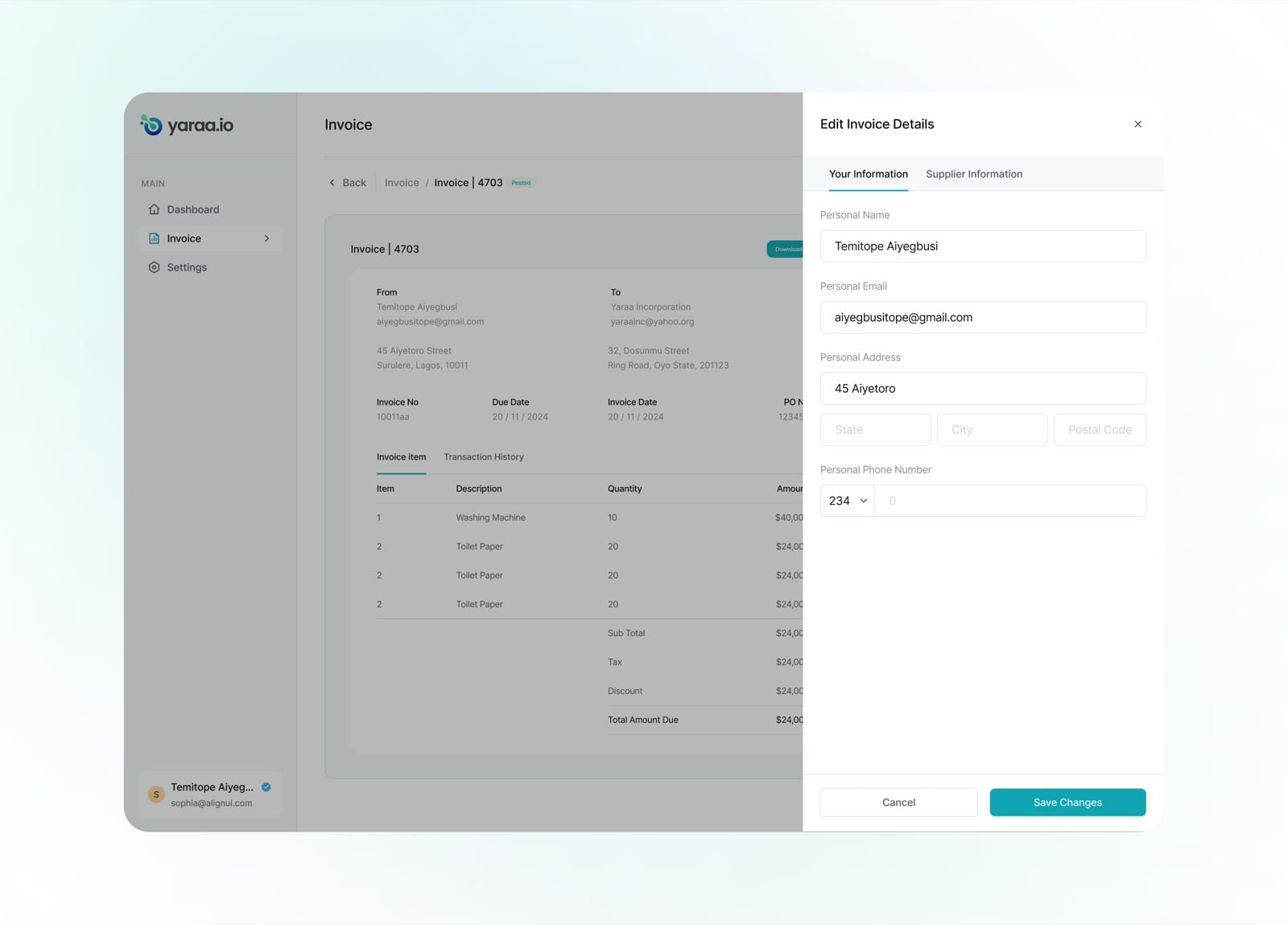
Invoice details can be edited in a focused side panel, starting with the sender's own information.
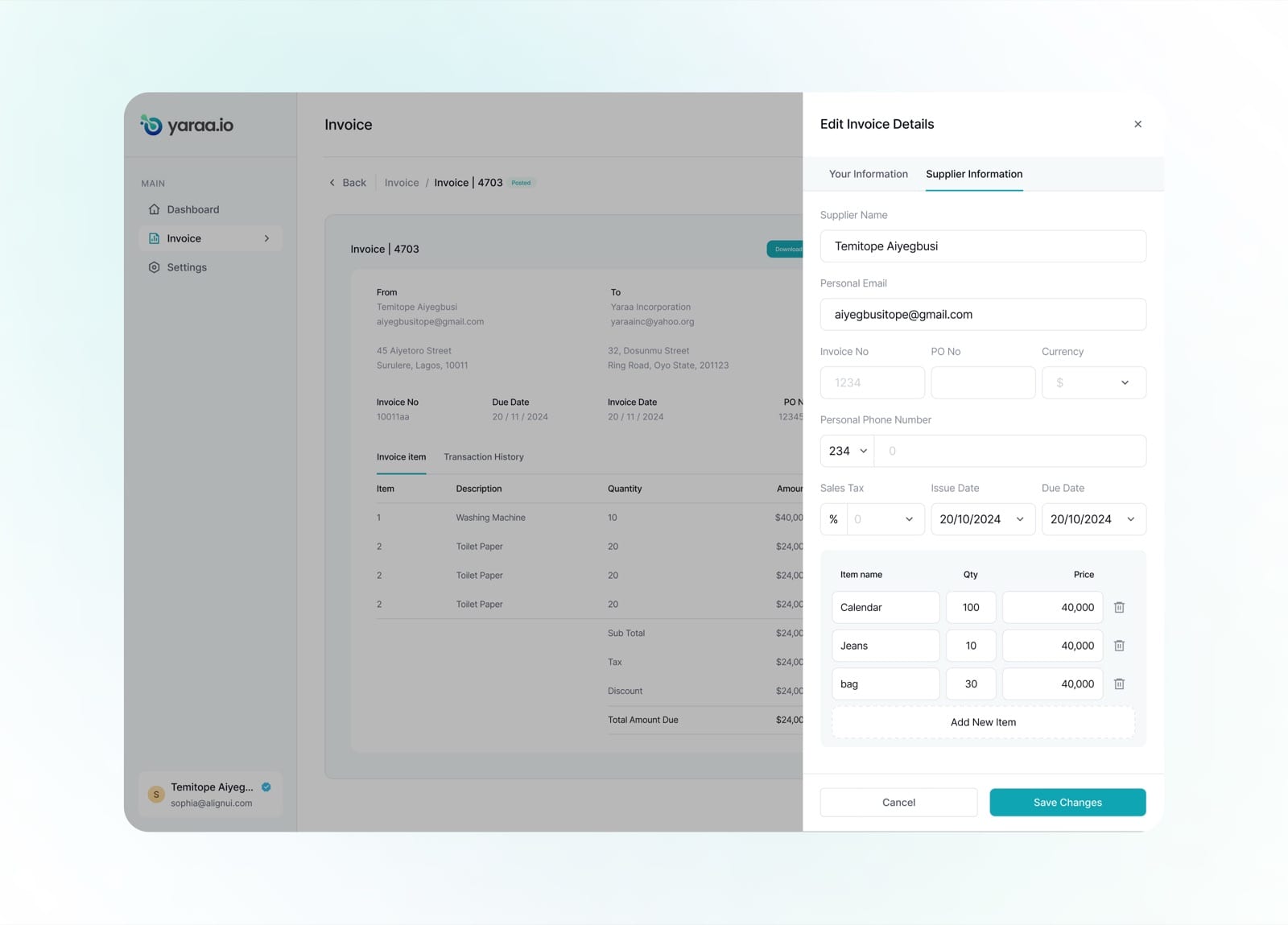
A second tab captures supplier information and line items, with the ability to add as many as needed.
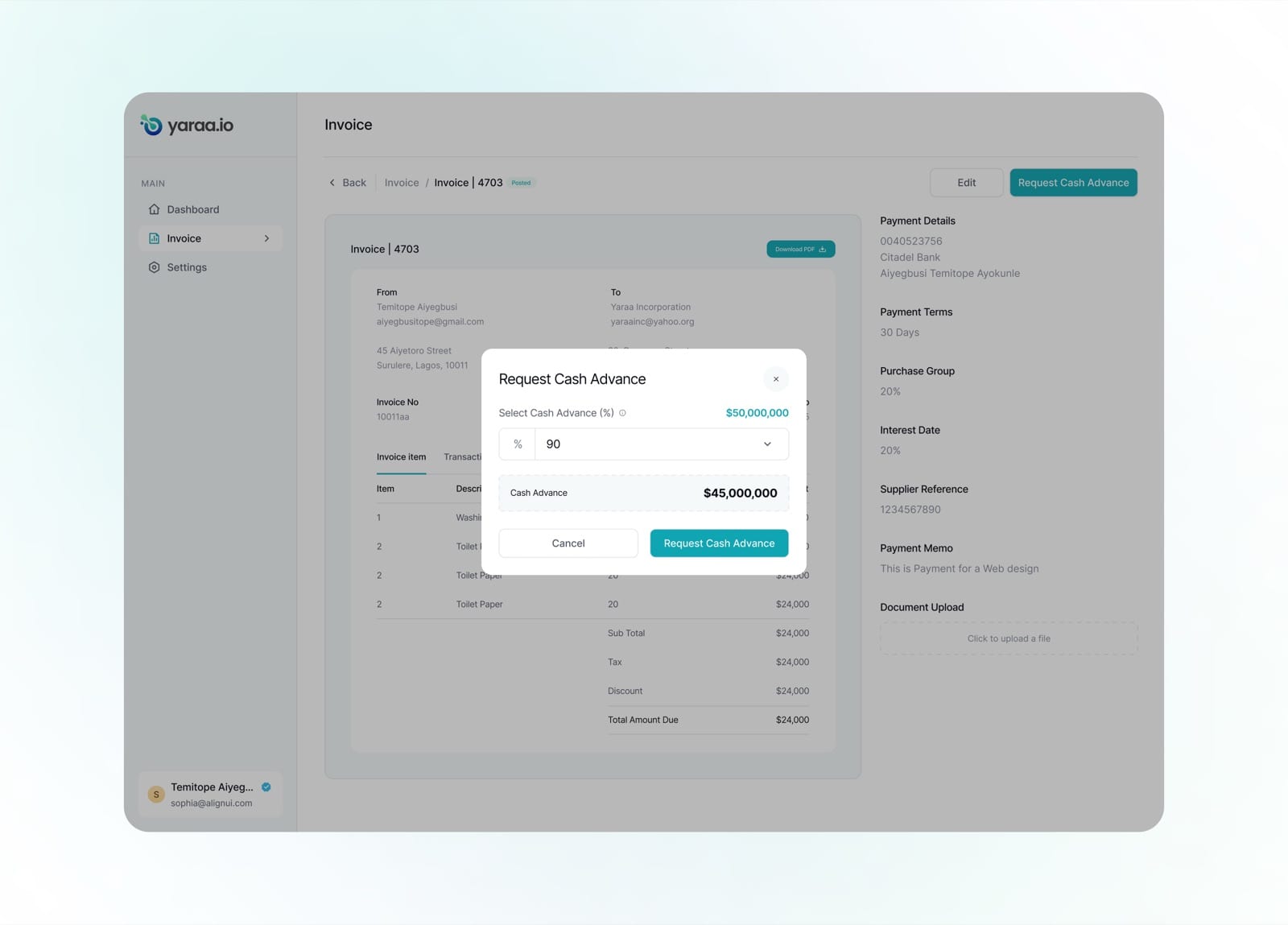
Eligible invoices can request a cash advance, the user picks a percentage and sees the payout instantly.
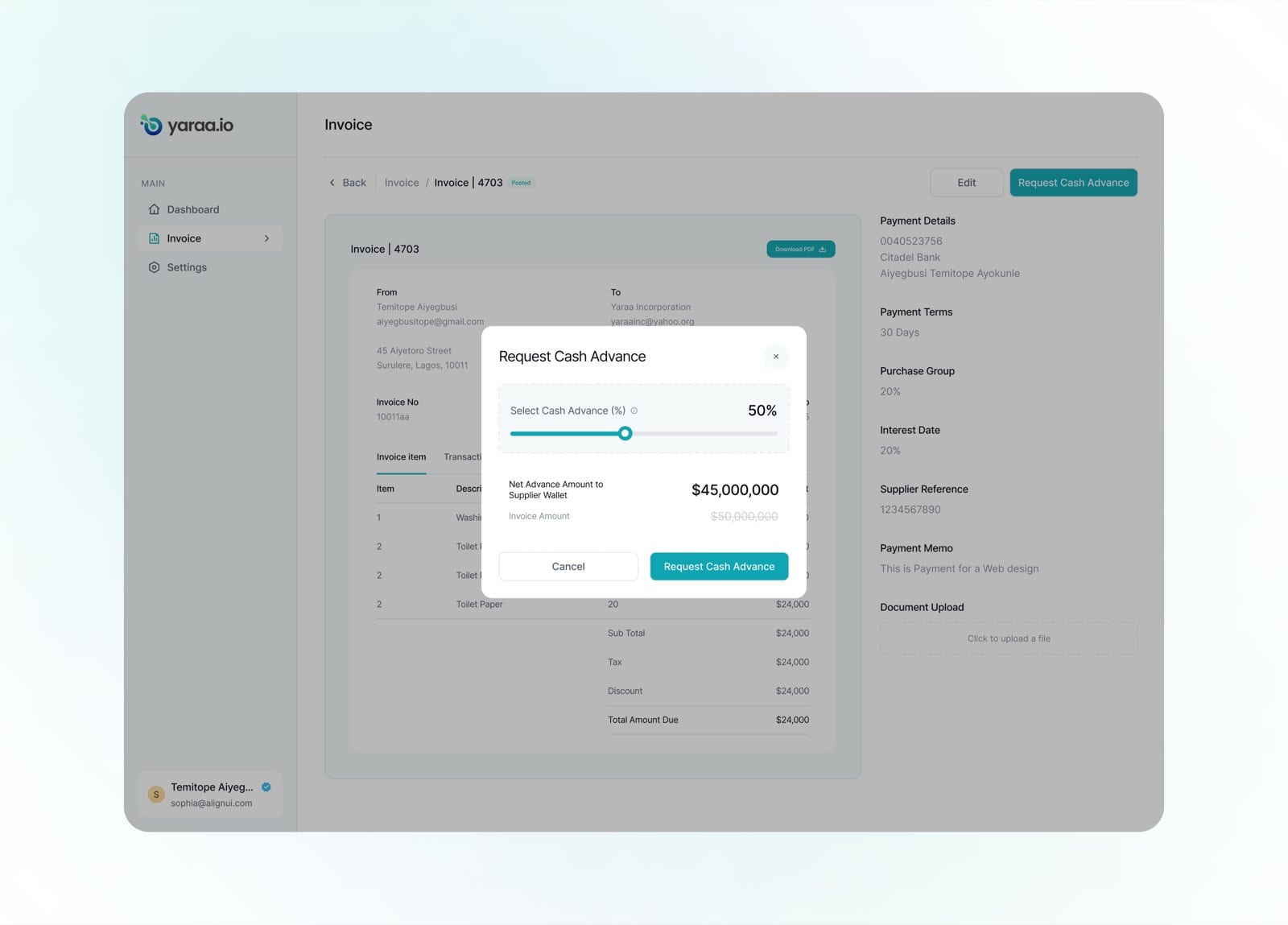
A slider makes choosing the advance amount tactile, with the net figure updating in real time.
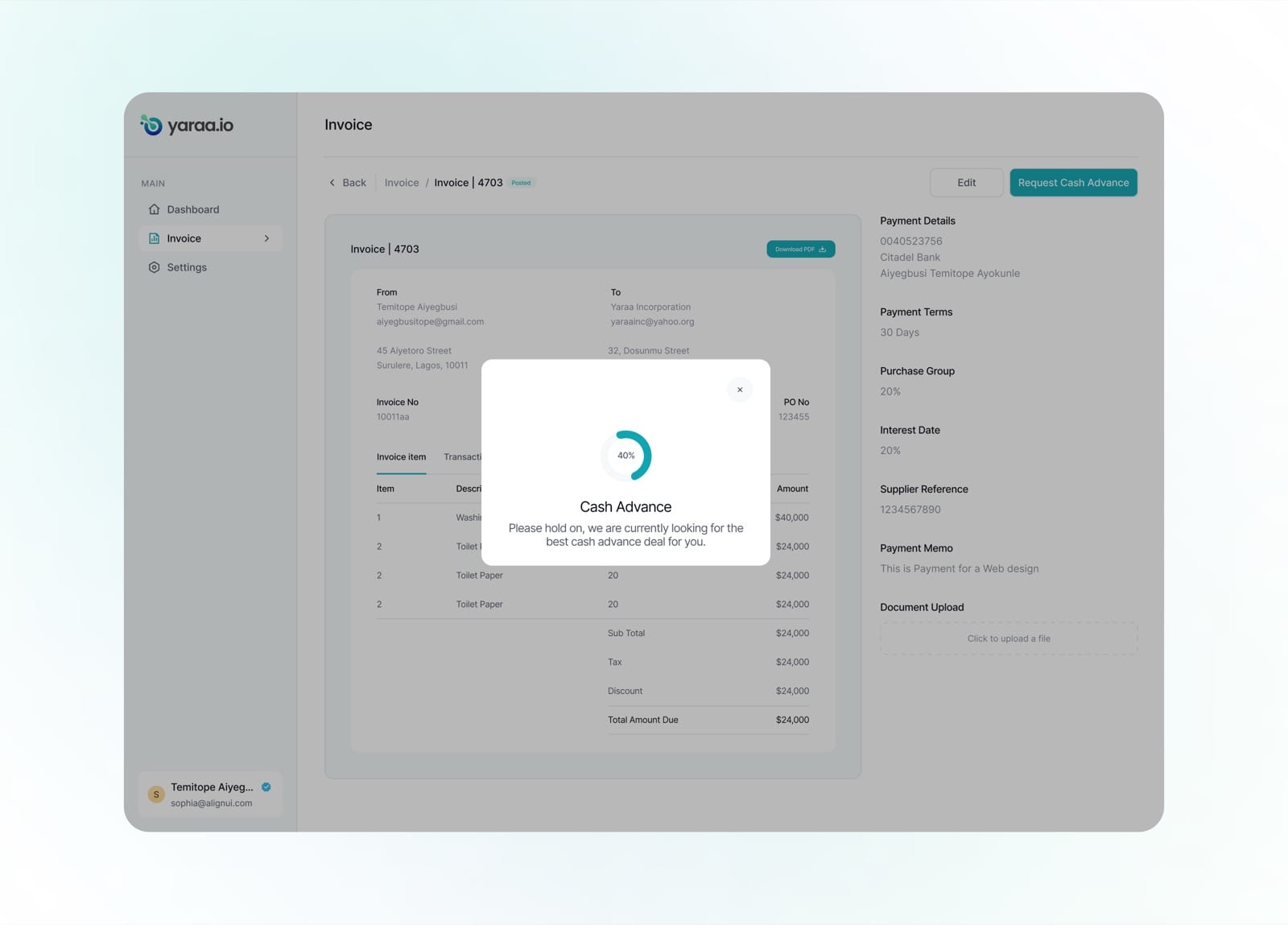
While the request processes, a clear status screen reassures the user the best deal is being found.
Contract
The contract module manages the full lifecycle of an agreement, from draft to pending approval to published. A single dashboard shows every contract, its type, its business partner and where it sits in the pipeline.
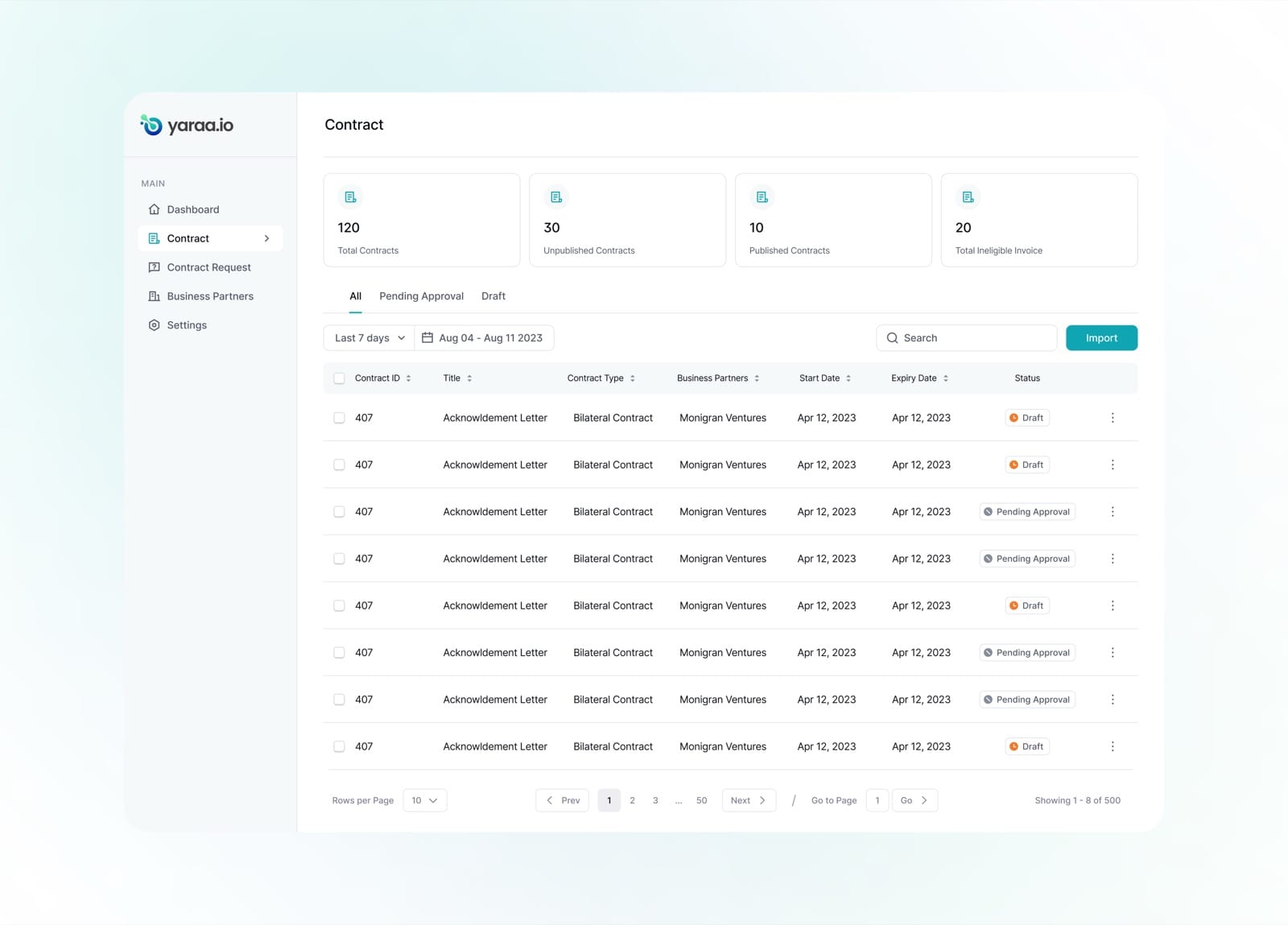
The contract dashboard summarises totals, published, unpublished and pending, and lists every agreement with its status.
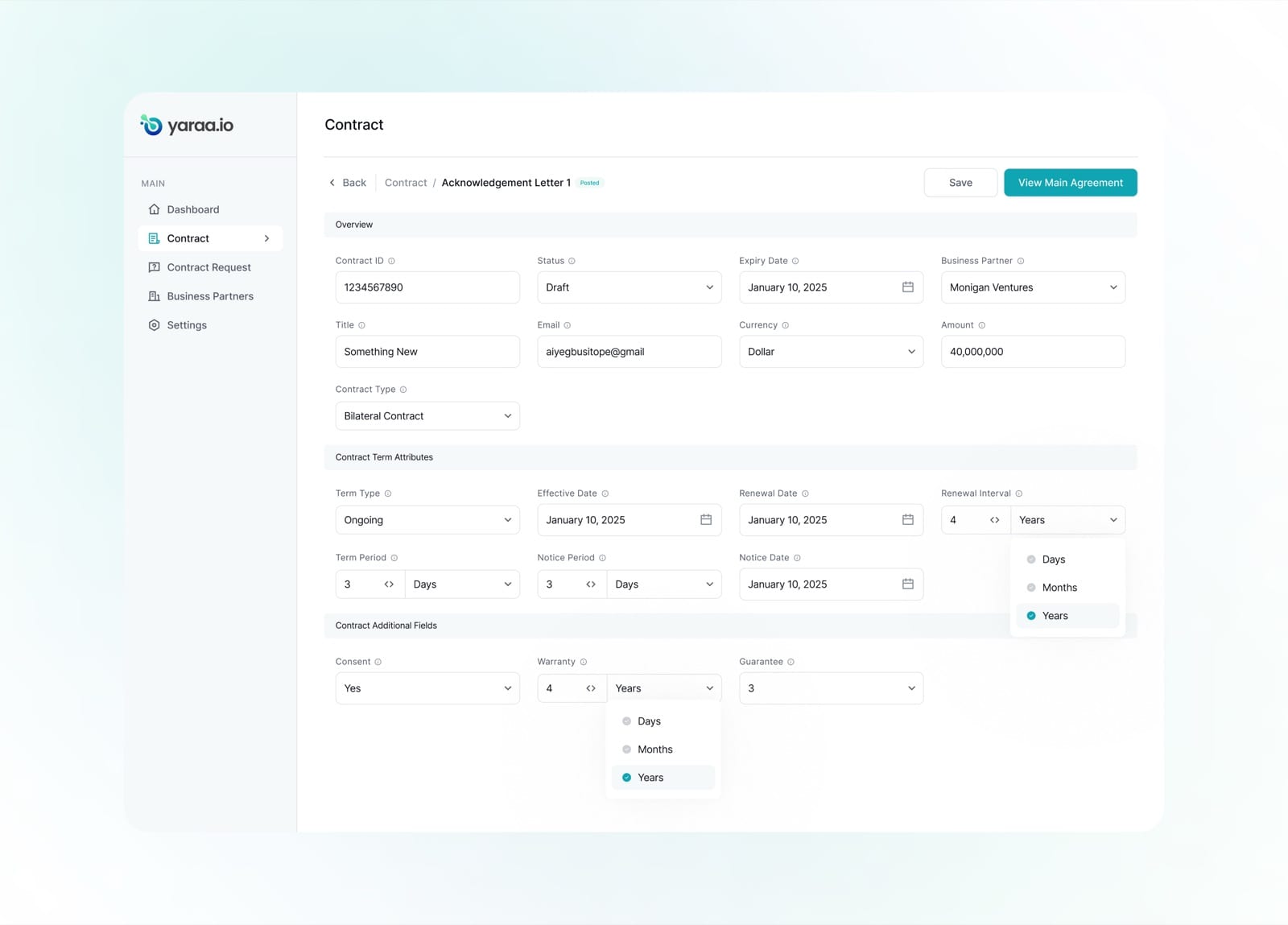
A structured form captures contract terms, renewal intervals, notice periods and additional fields with clear units.
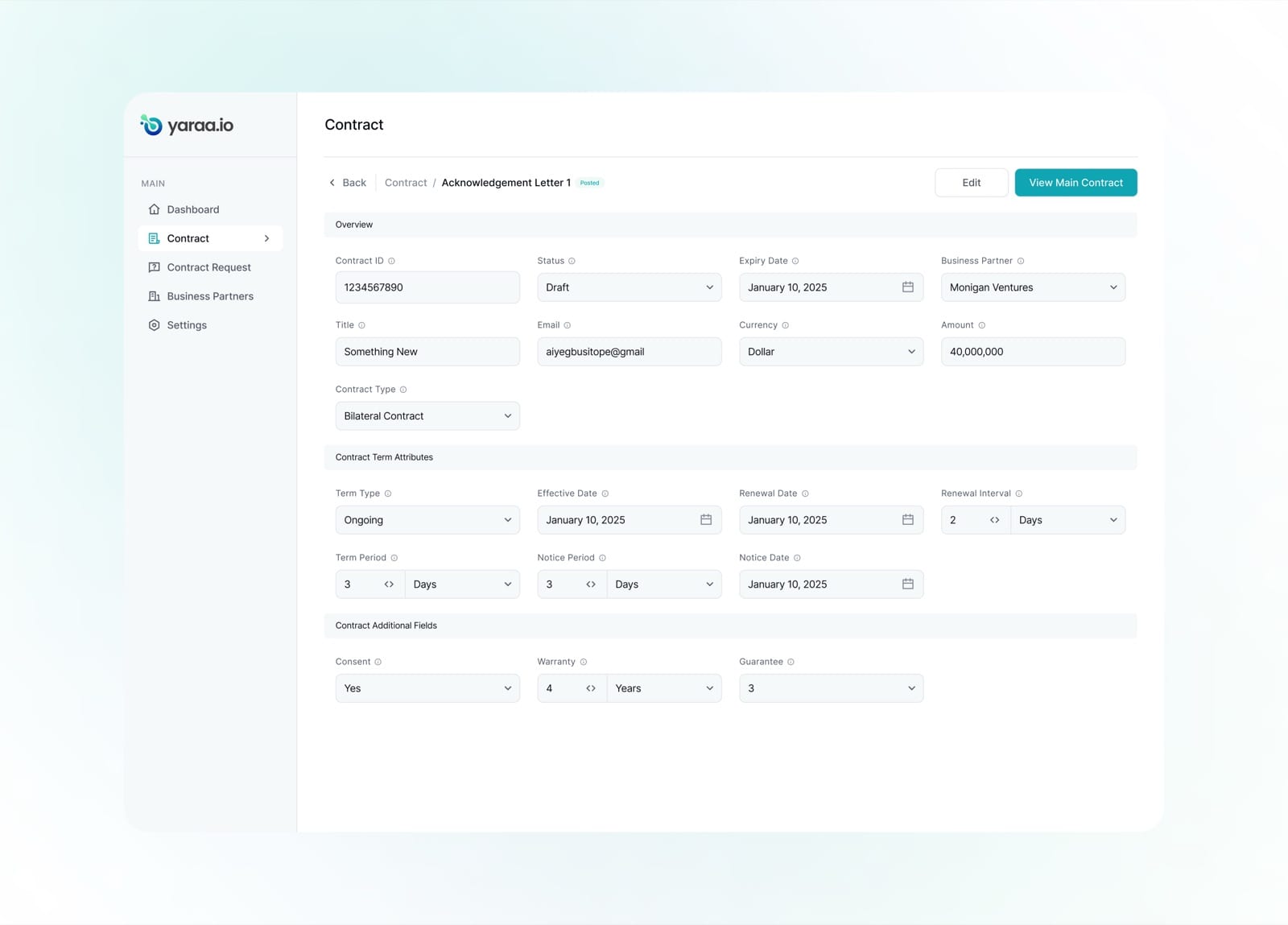
The detail view brings all overview and term attributes together in a single, scannable read.
Create Contract
Contracts are built from modular clauses on a block-based canvas. Each clause can hold rich text and dynamic variables, text, numbers or dates, so a single template can be reused and personalised for any counterparty.
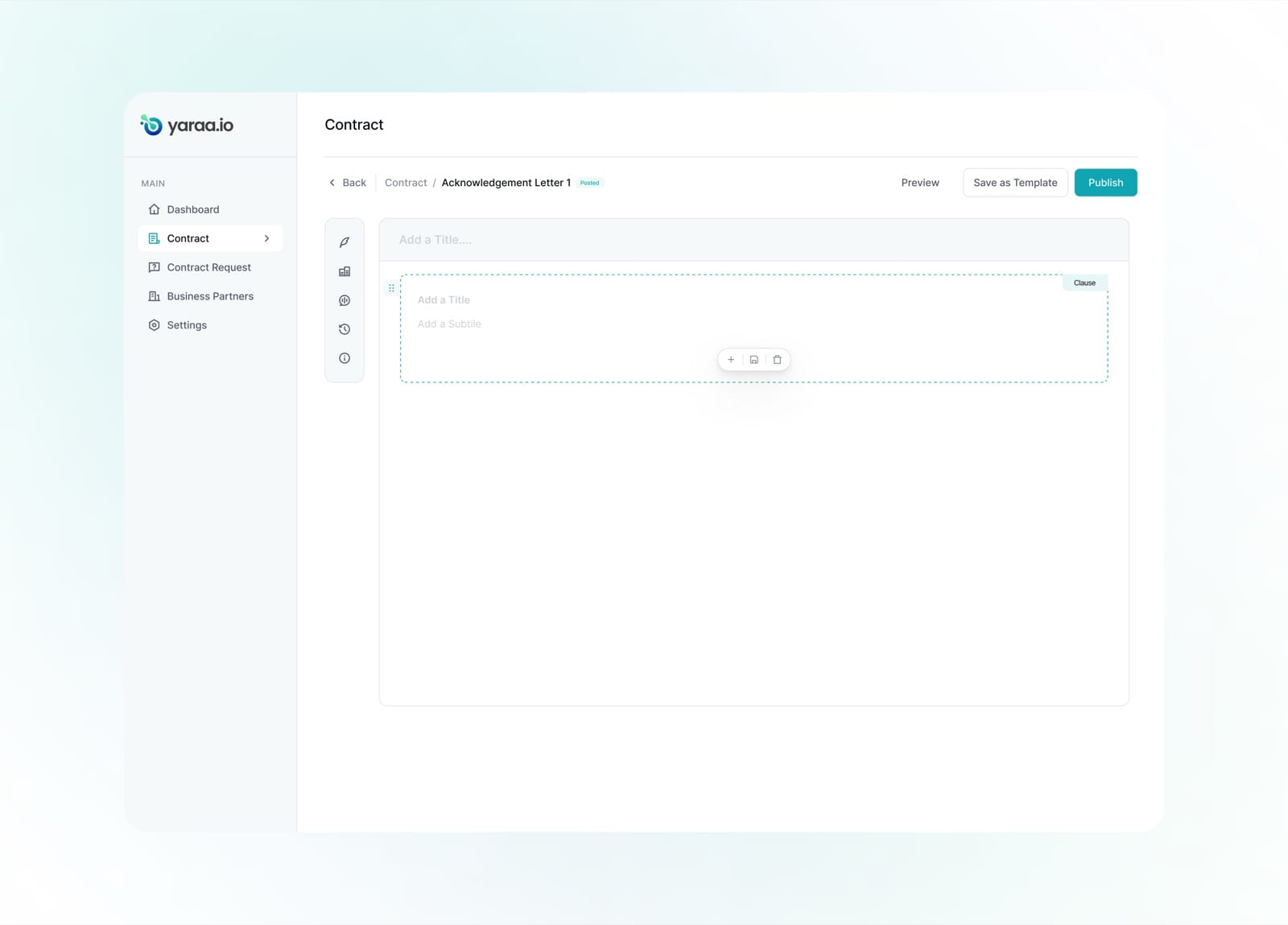
The builder starts with an empty clause block and a toolbar for adding, saving and organising content.
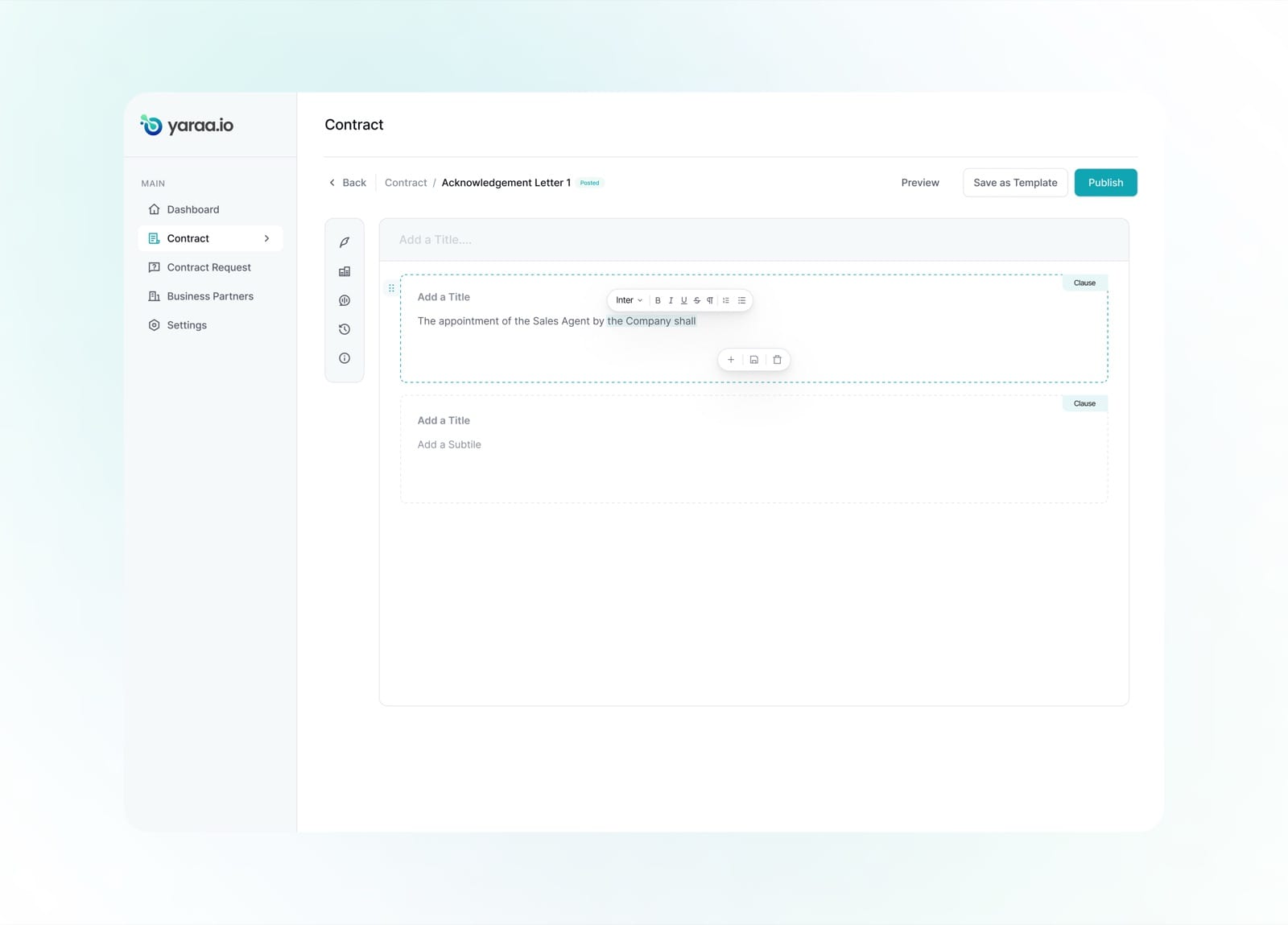
Clauses support full rich-text formatting, so legal language reads exactly as intended.
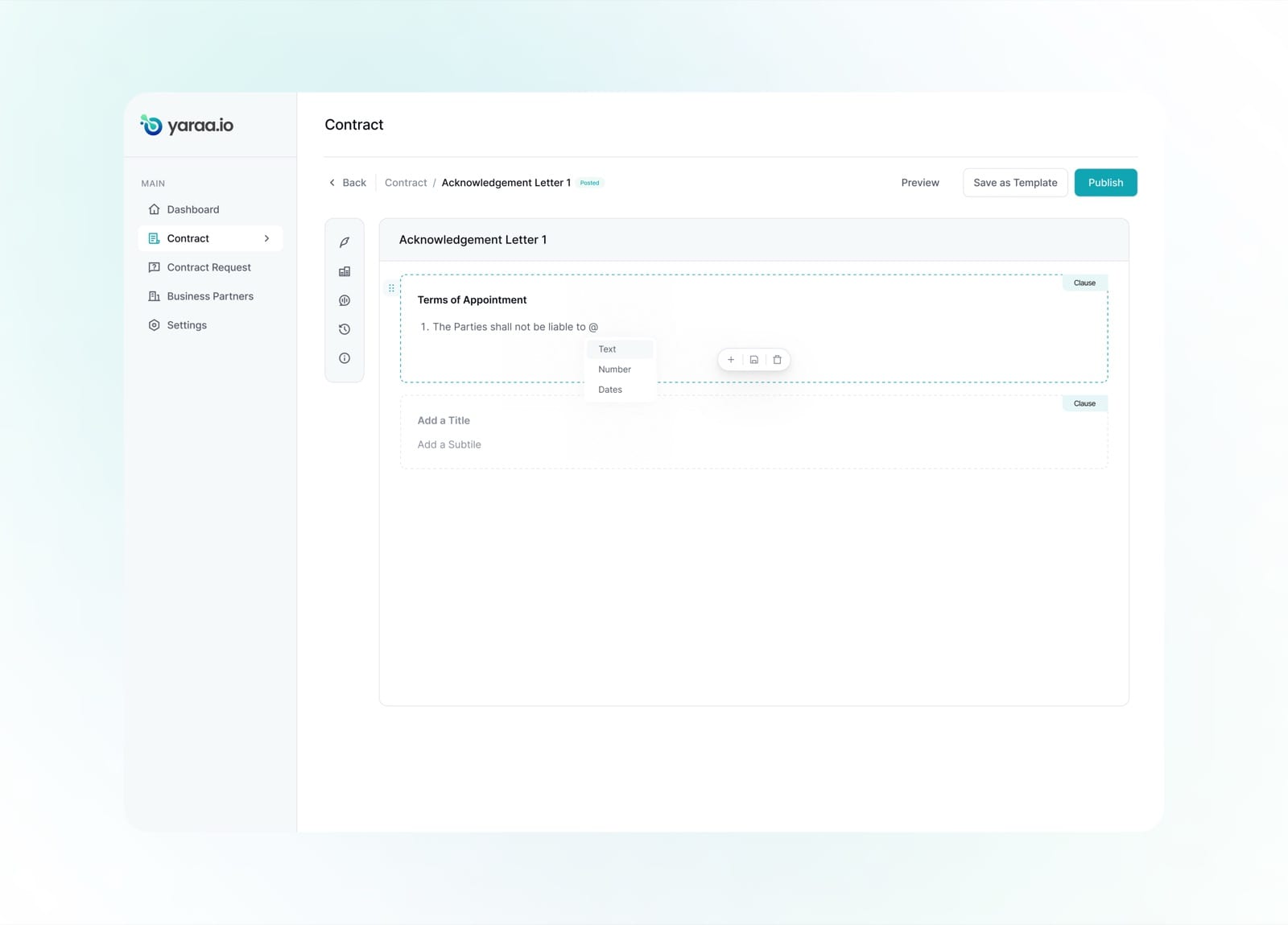
Dynamic variables can be inserted mid-sentence, choosing between text, number or date placeholders.
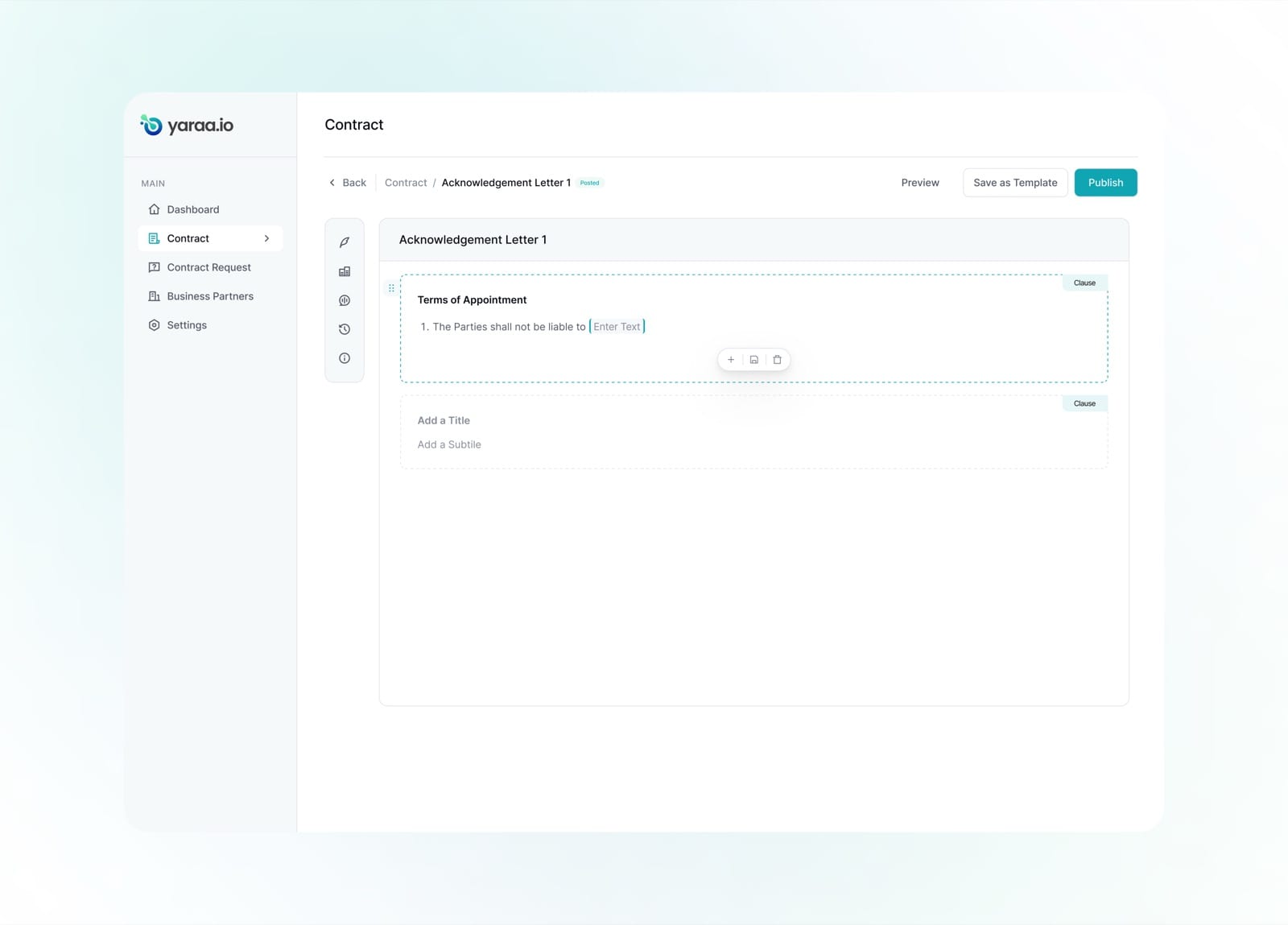
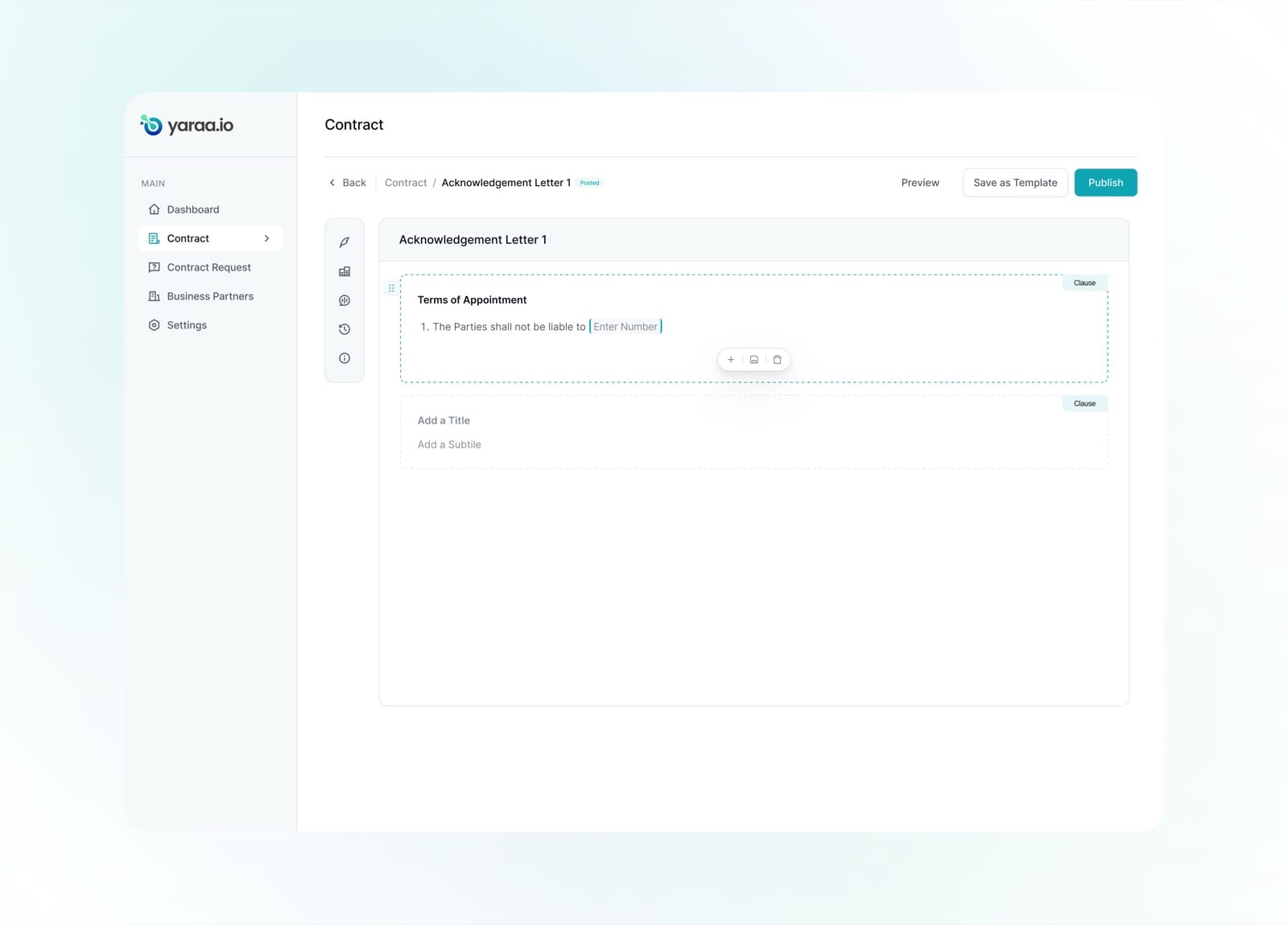
A text placeholder becomes a fillable field, turning a static clause into a reusable template.
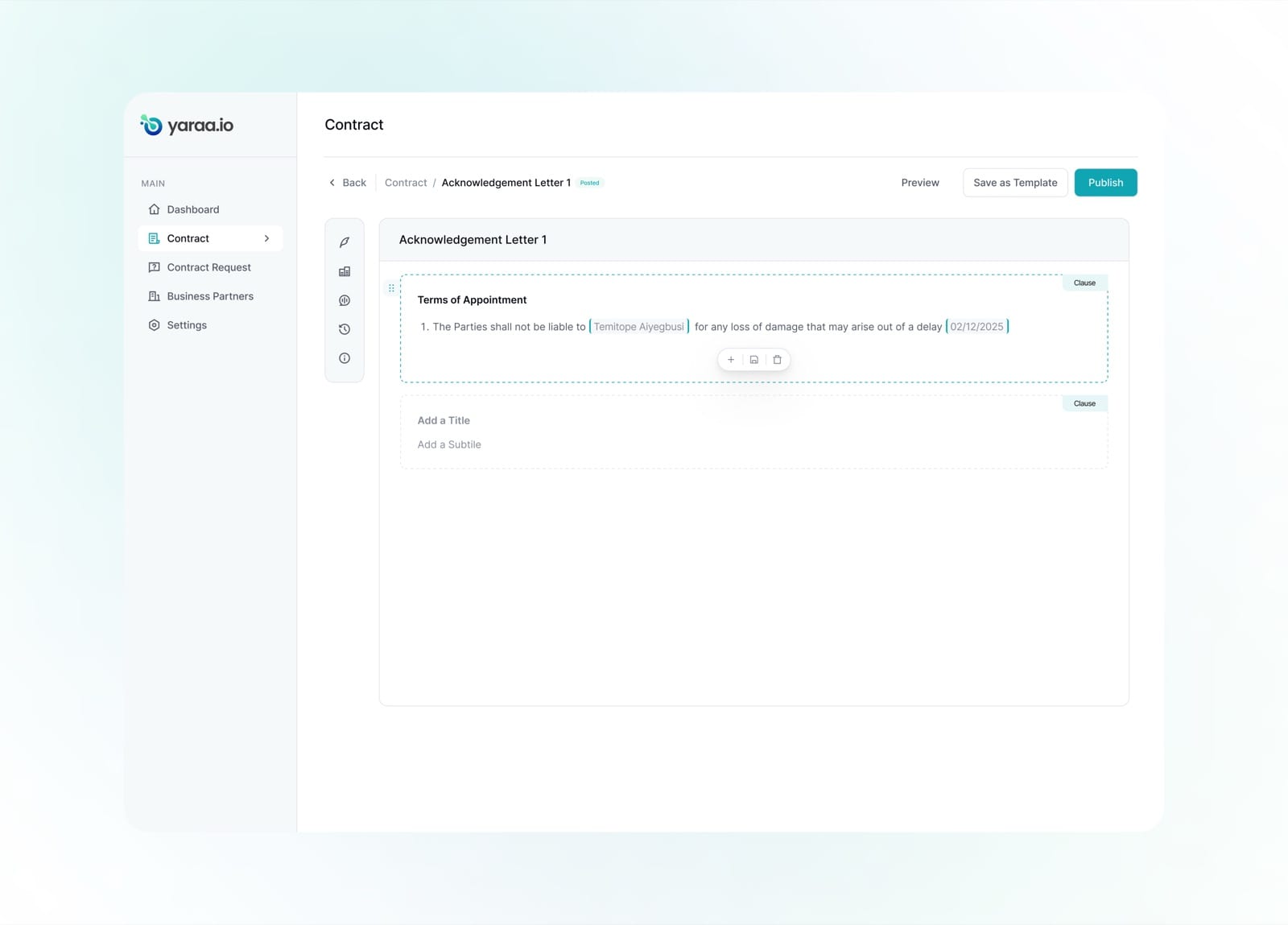
Filled variables, a partner name and a date, flow naturally into the clause's language.
The finished contract reads as a clean, structured document, each section clearly a distinct clause.
Move Contract Clause
Because every clause is its own block, reordering a contract is as simple as dragging. Teams can restructure an agreement, moving an appointment clause above the terms, without cutting and pasting or breaking formatting.
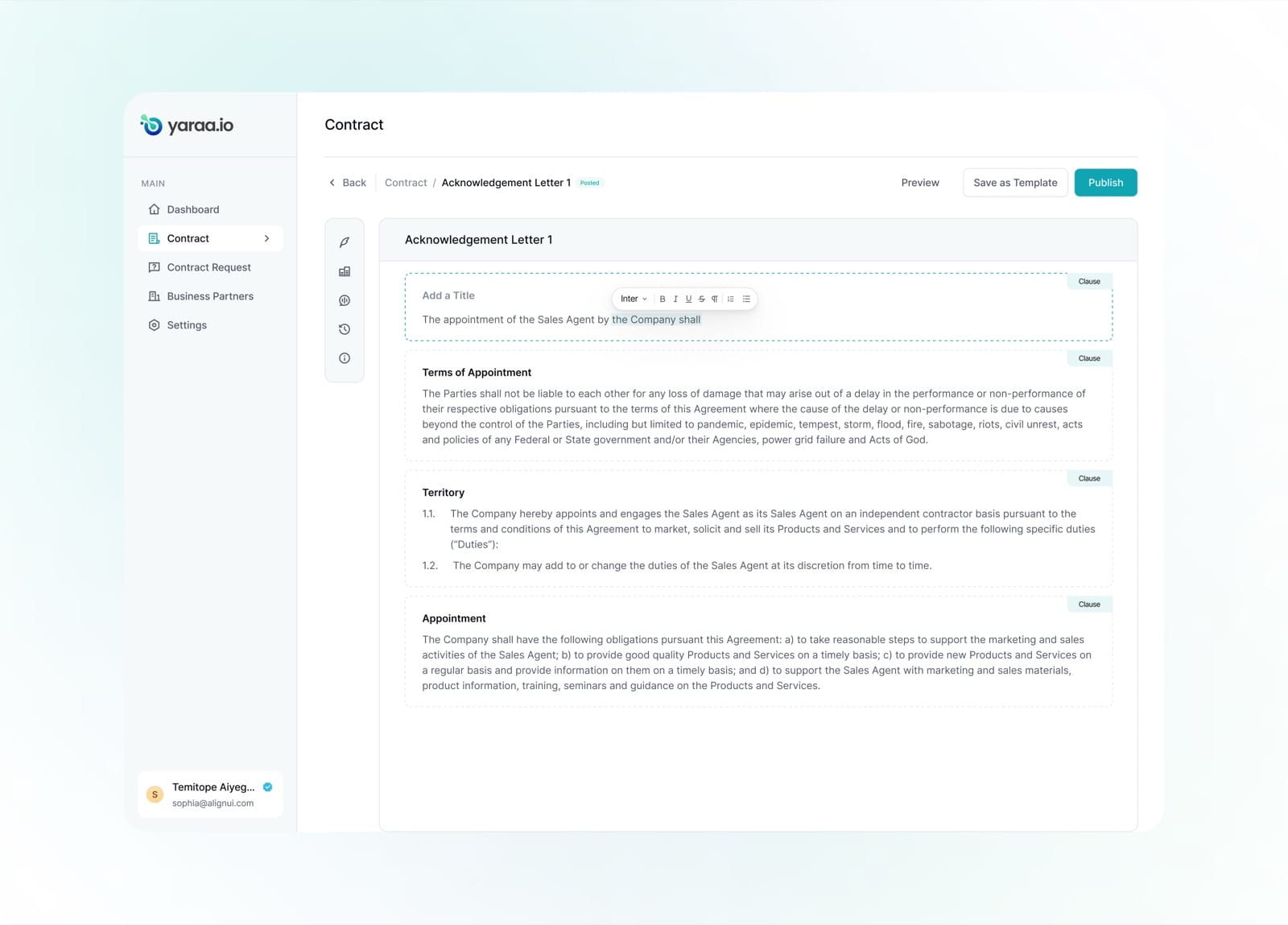
The signatory panel sits alongside the document, so parties can be managed while the clauses stay in view.
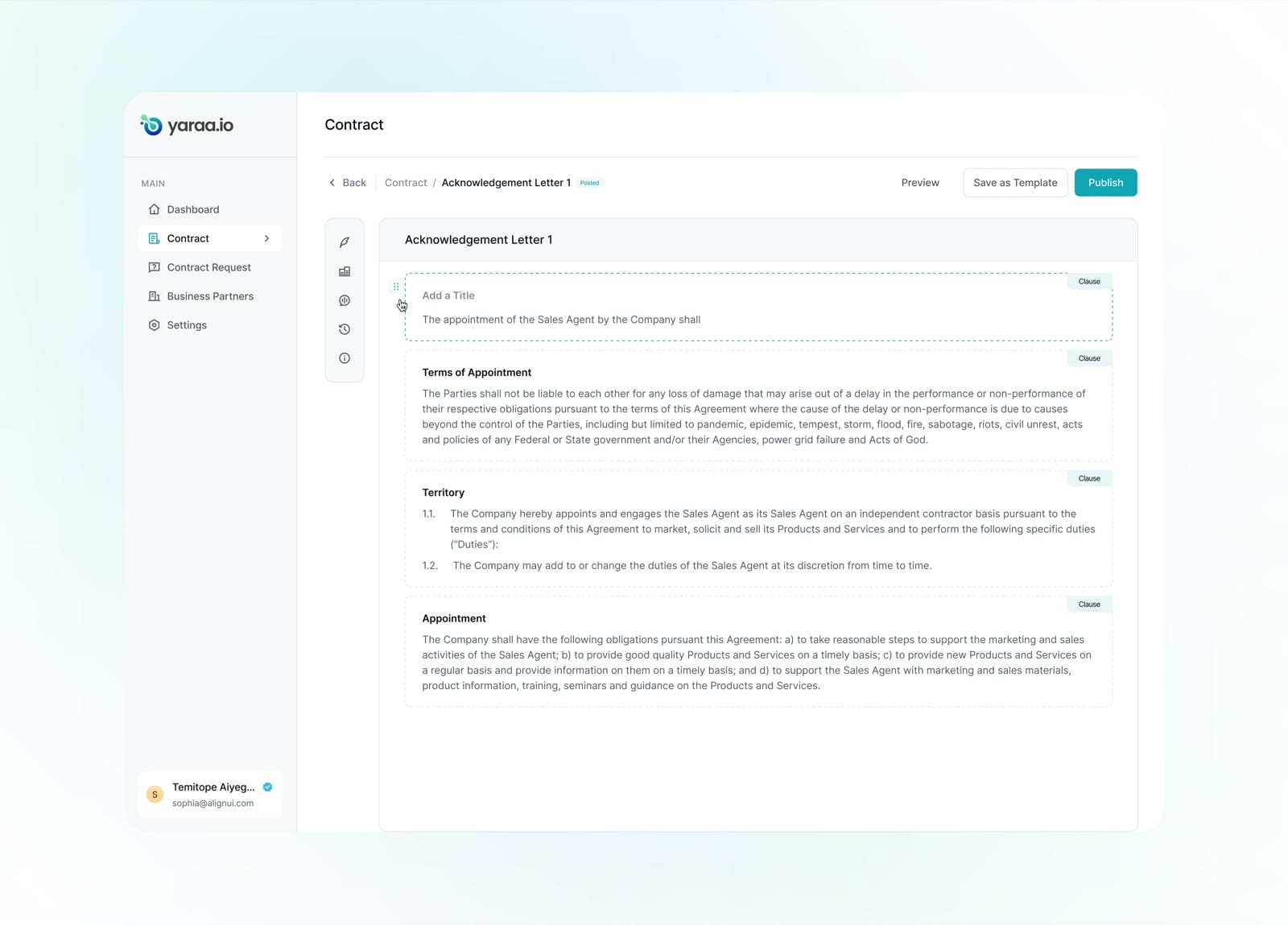
Each clause carries a drag handle, making its position in the contract easy to change.
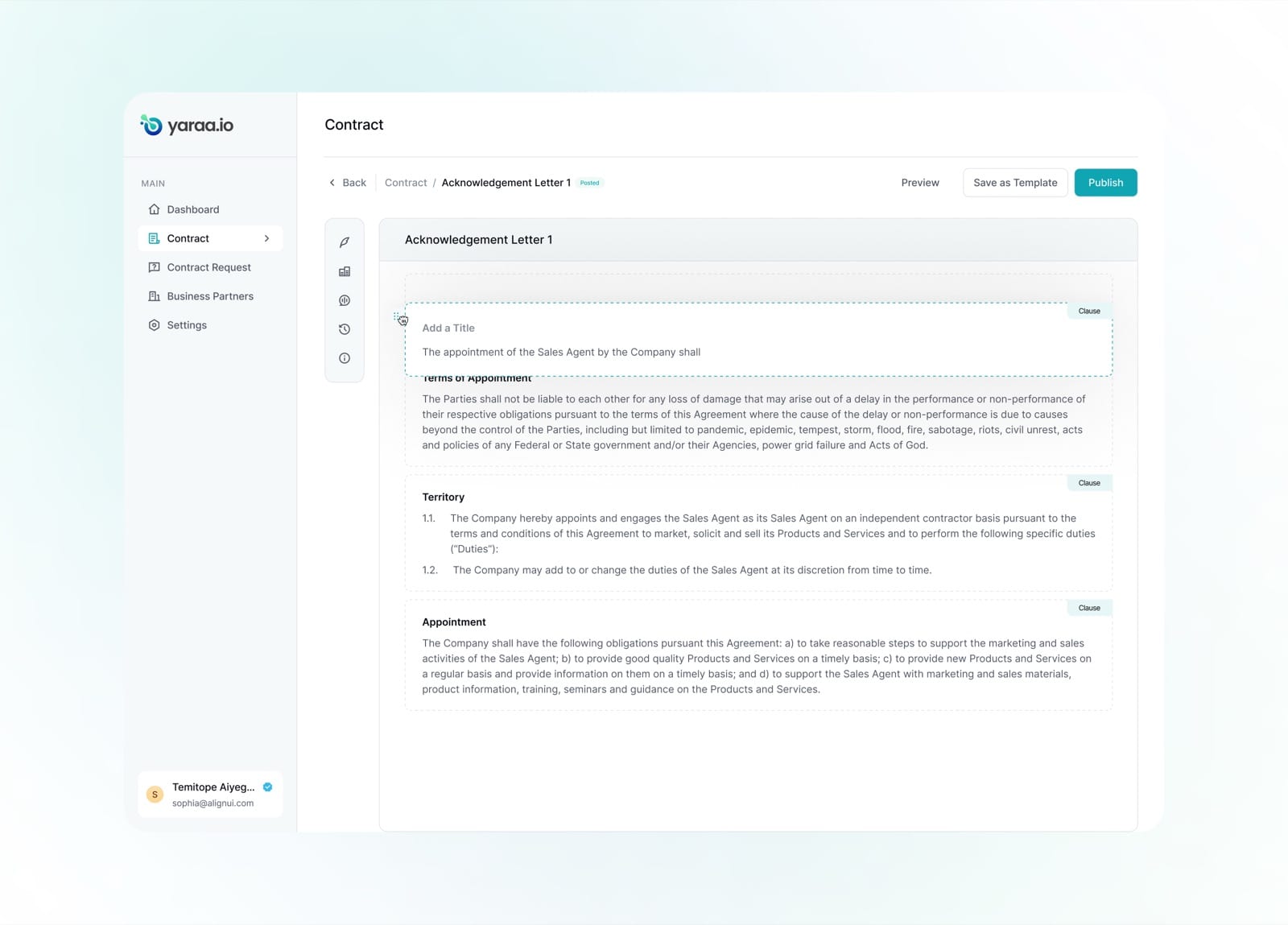
A clause lifts as it is dragged, with the rest of the document reflowing to show where it will land.
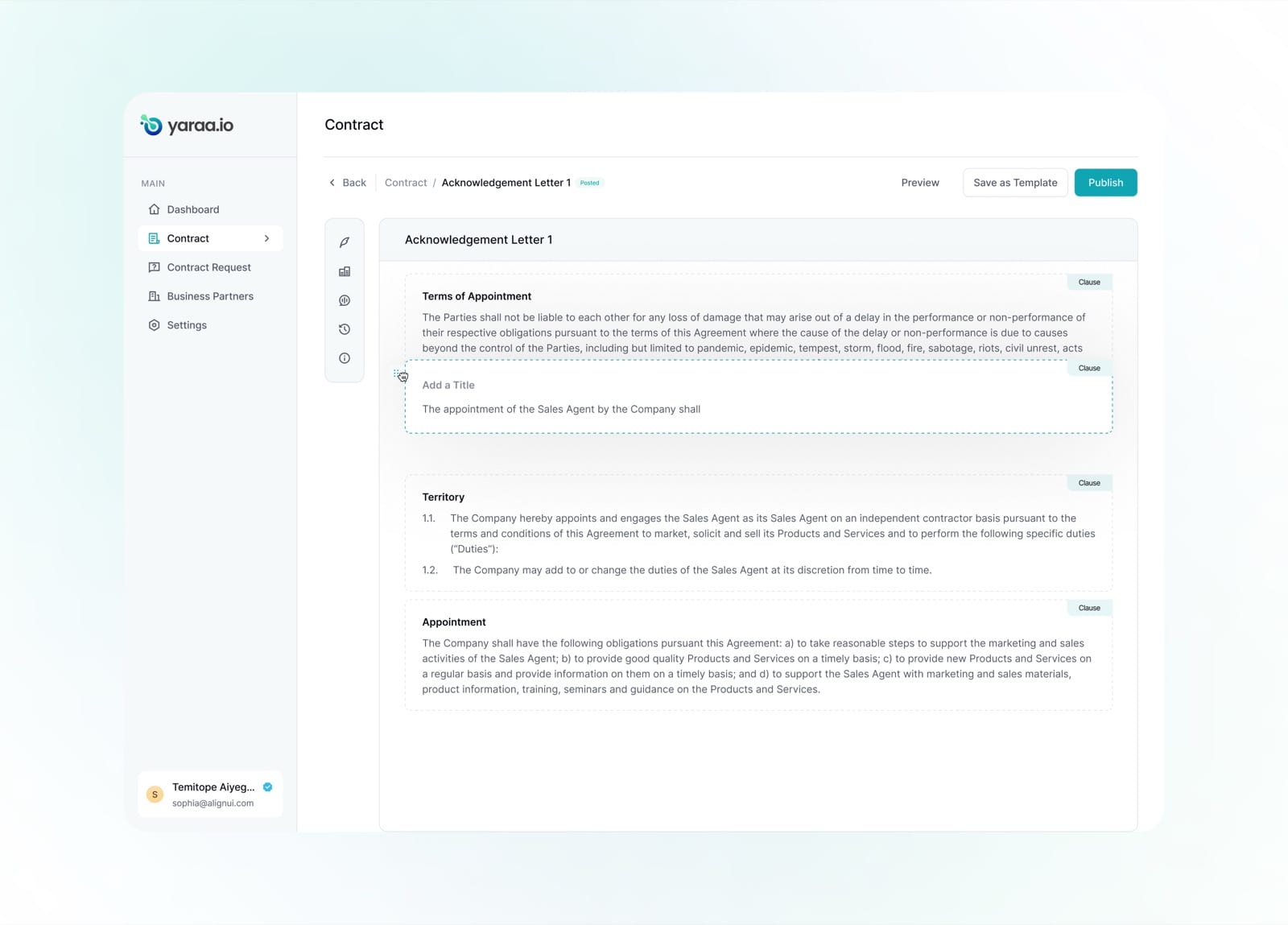
Dropped into its new position, the clause settles seamlessly into the reordered agreement.
Contract Details
Every contract carries a rich set of side panels, signatories, contract fields, comments, version history and document info, so the full context of an agreement lives right next to the document itself.
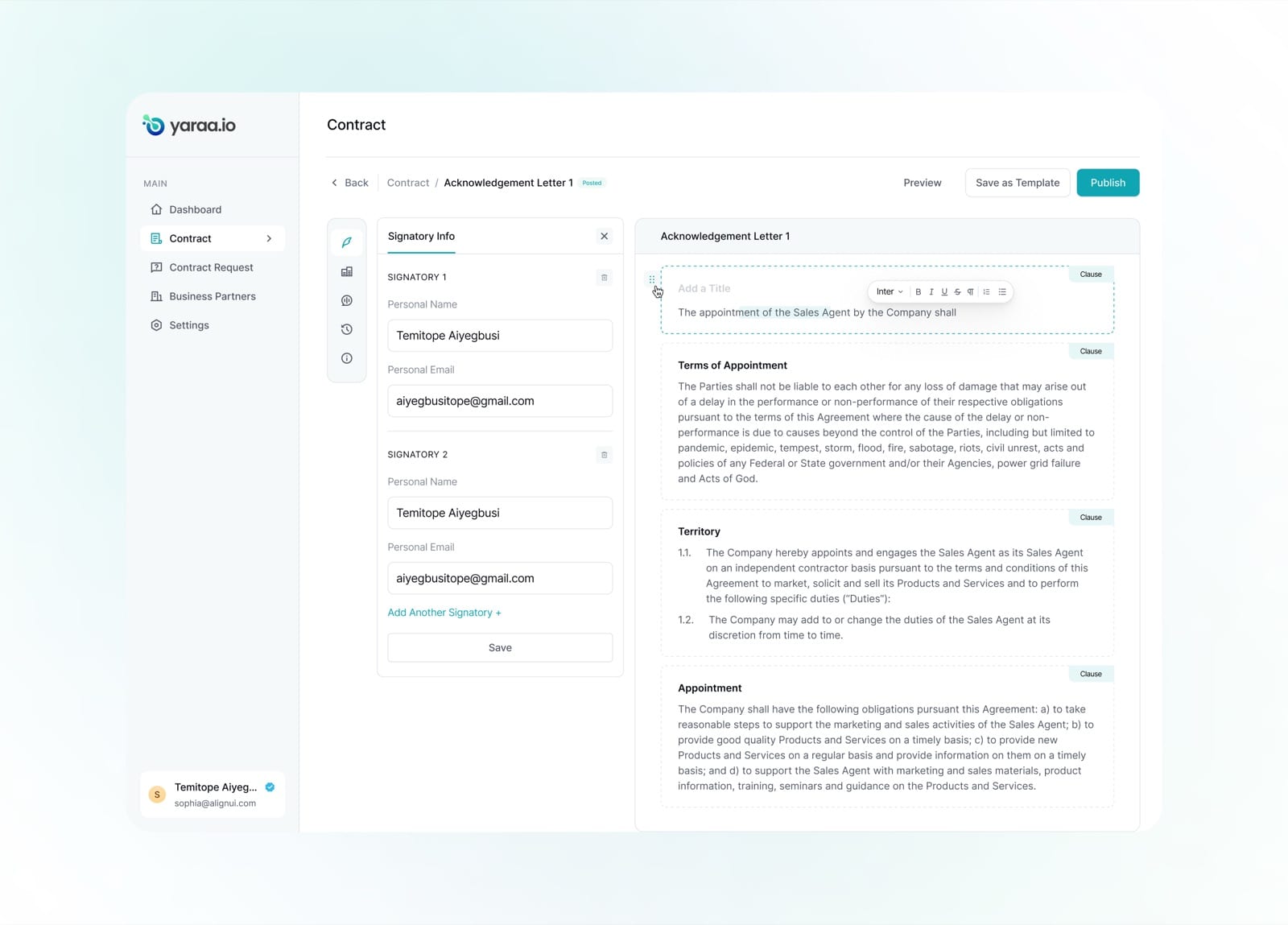
Signatories are managed in a dedicated panel, with as many parties added as the agreement requires.
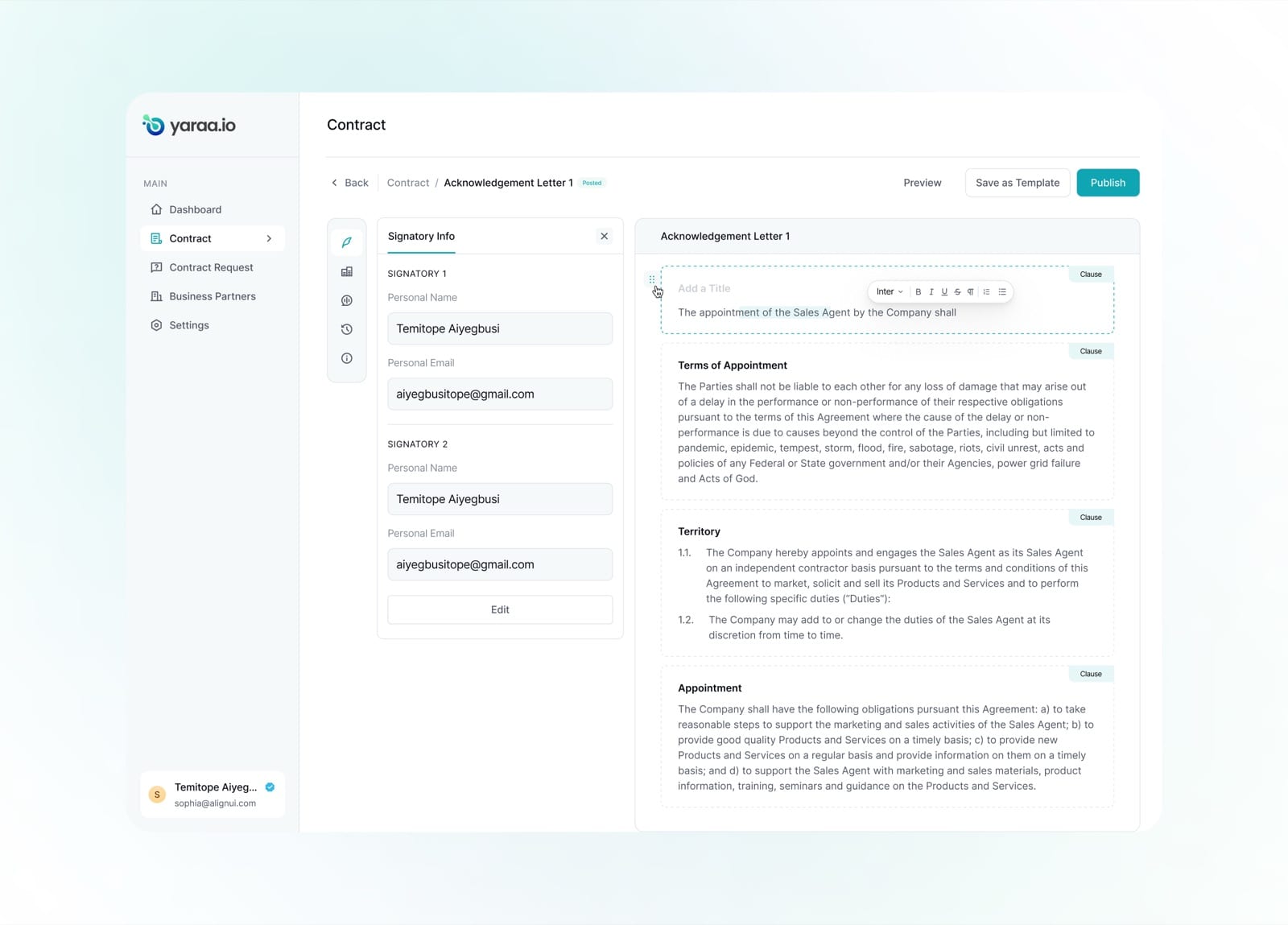
Saved signatory information stays editable, so details can be corrected without leaving the document.
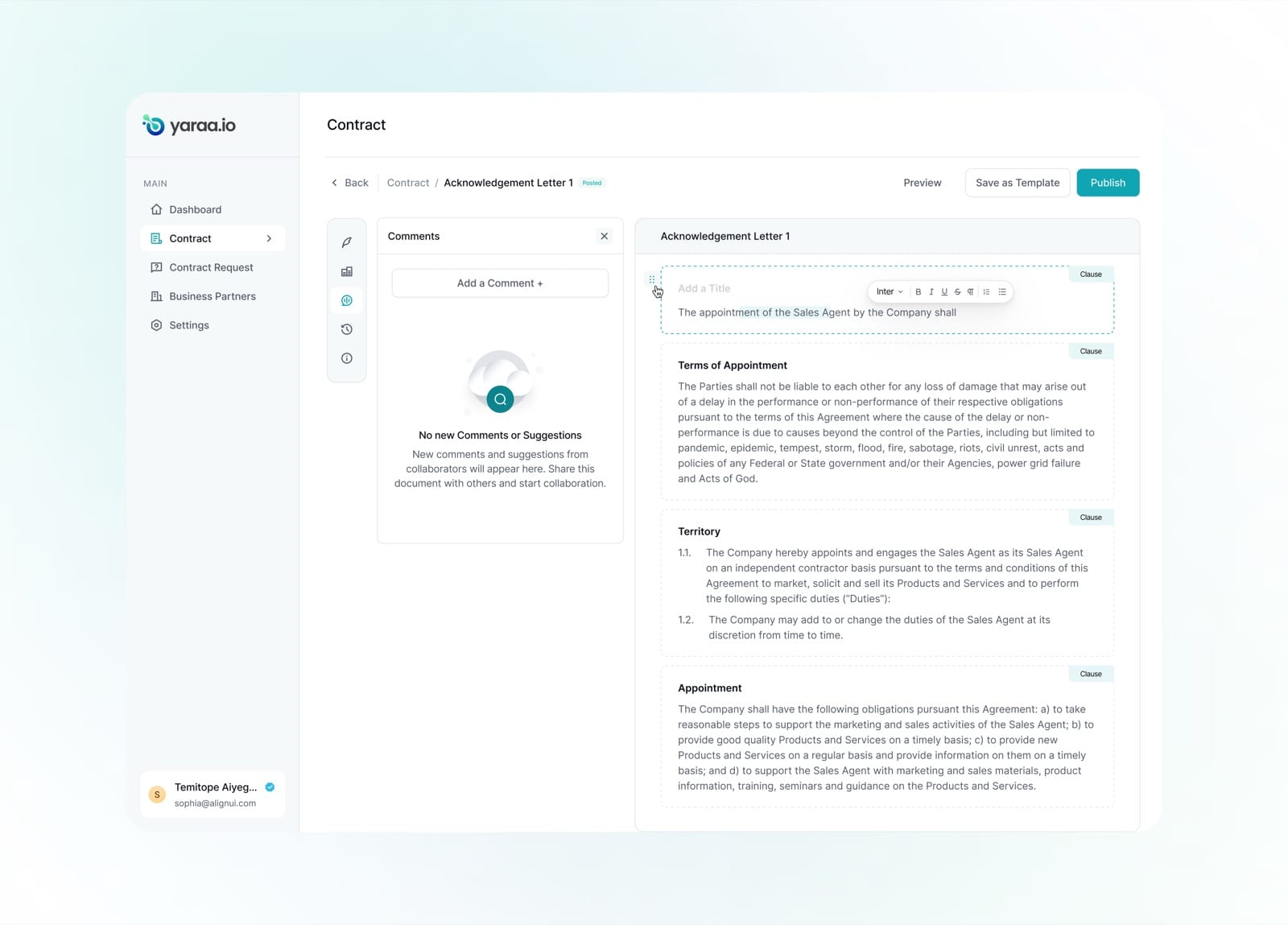
The comments panel is ready for collaboration, prompting the team to share the document and start a thread.
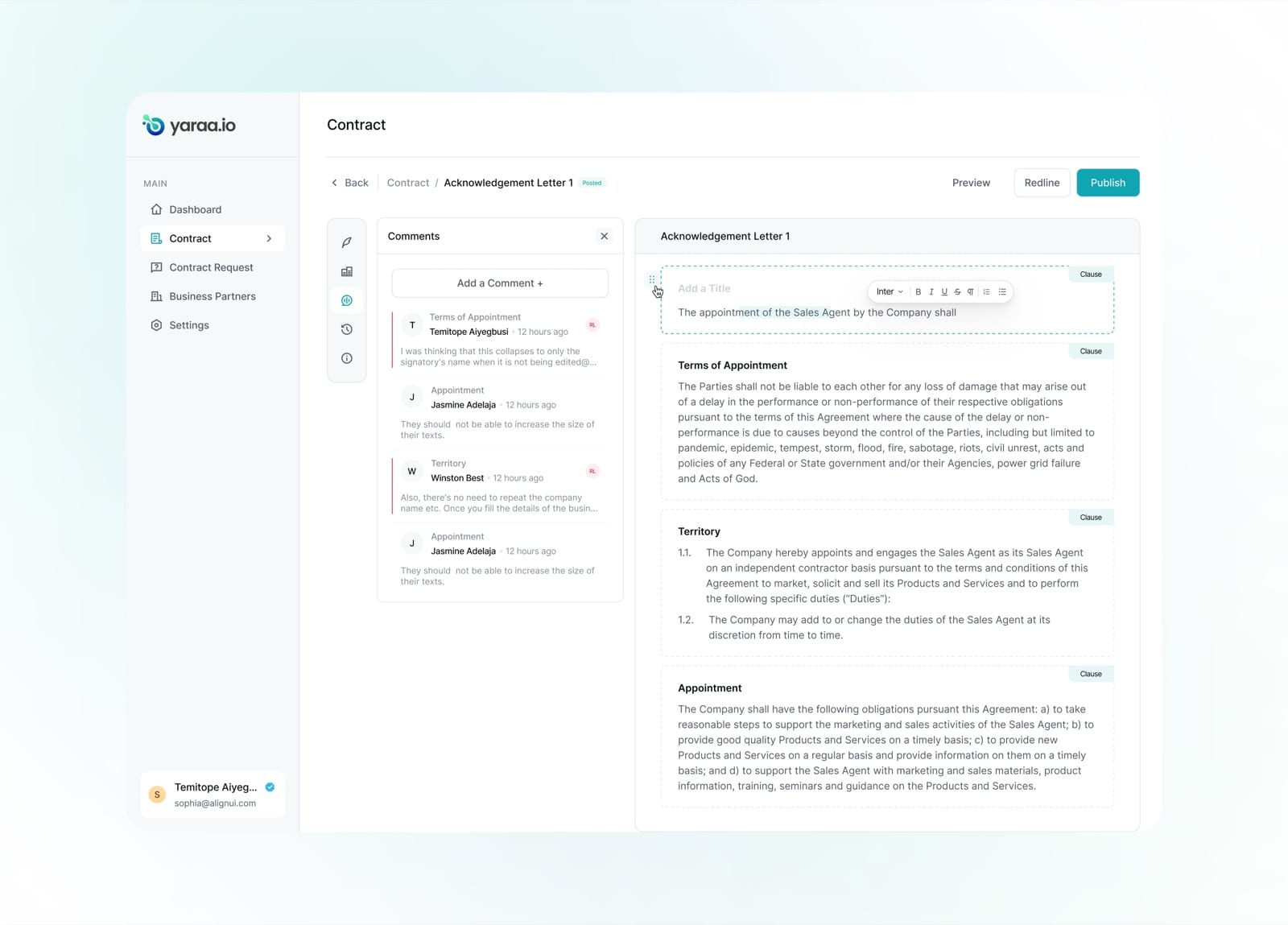
Once collaborators weigh in, comments are threaded by clause, keeping feedback anchored to the right text.
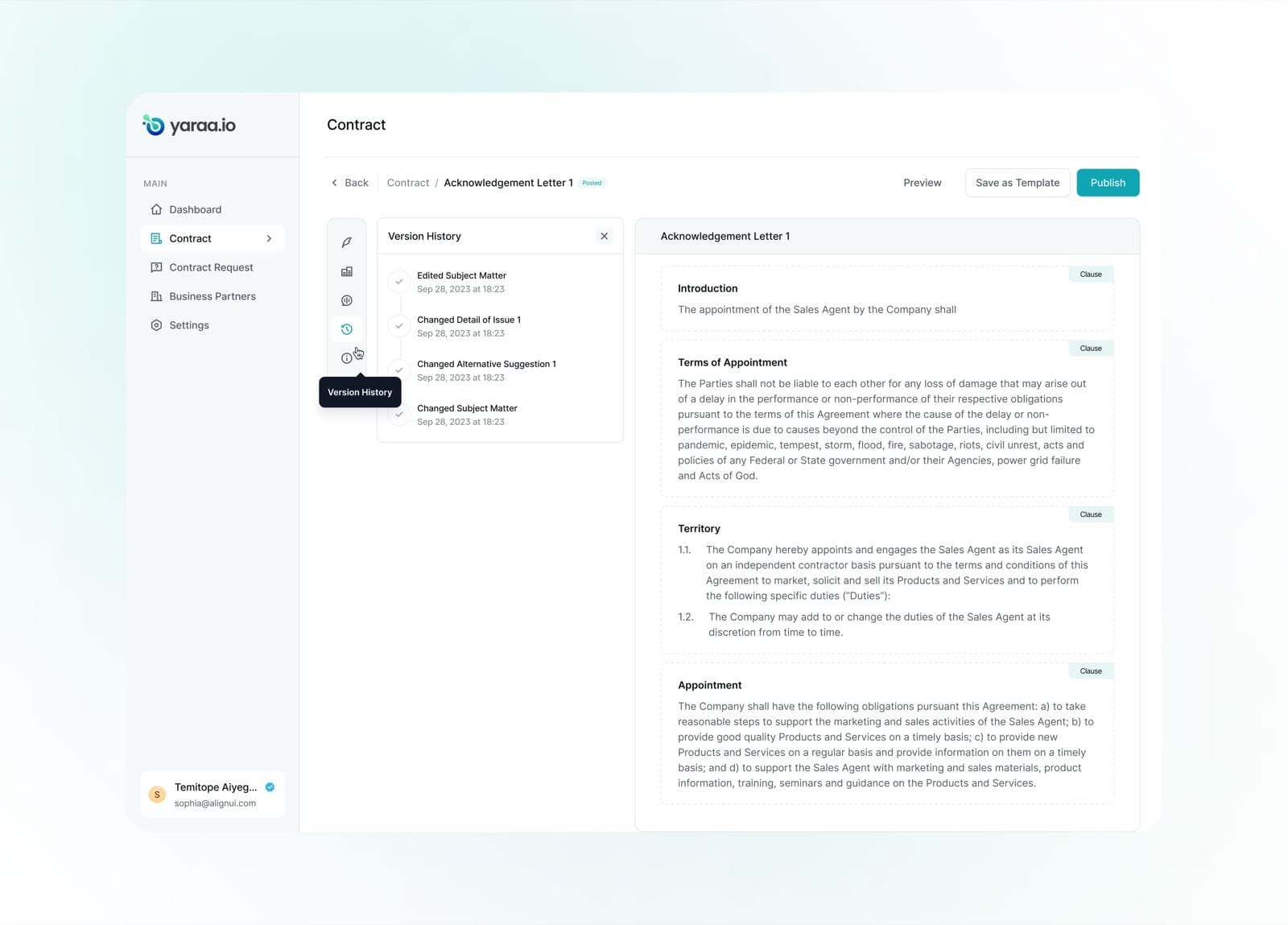
A version history tracks every change, edited subject matter, altered suggestions, with timestamps.
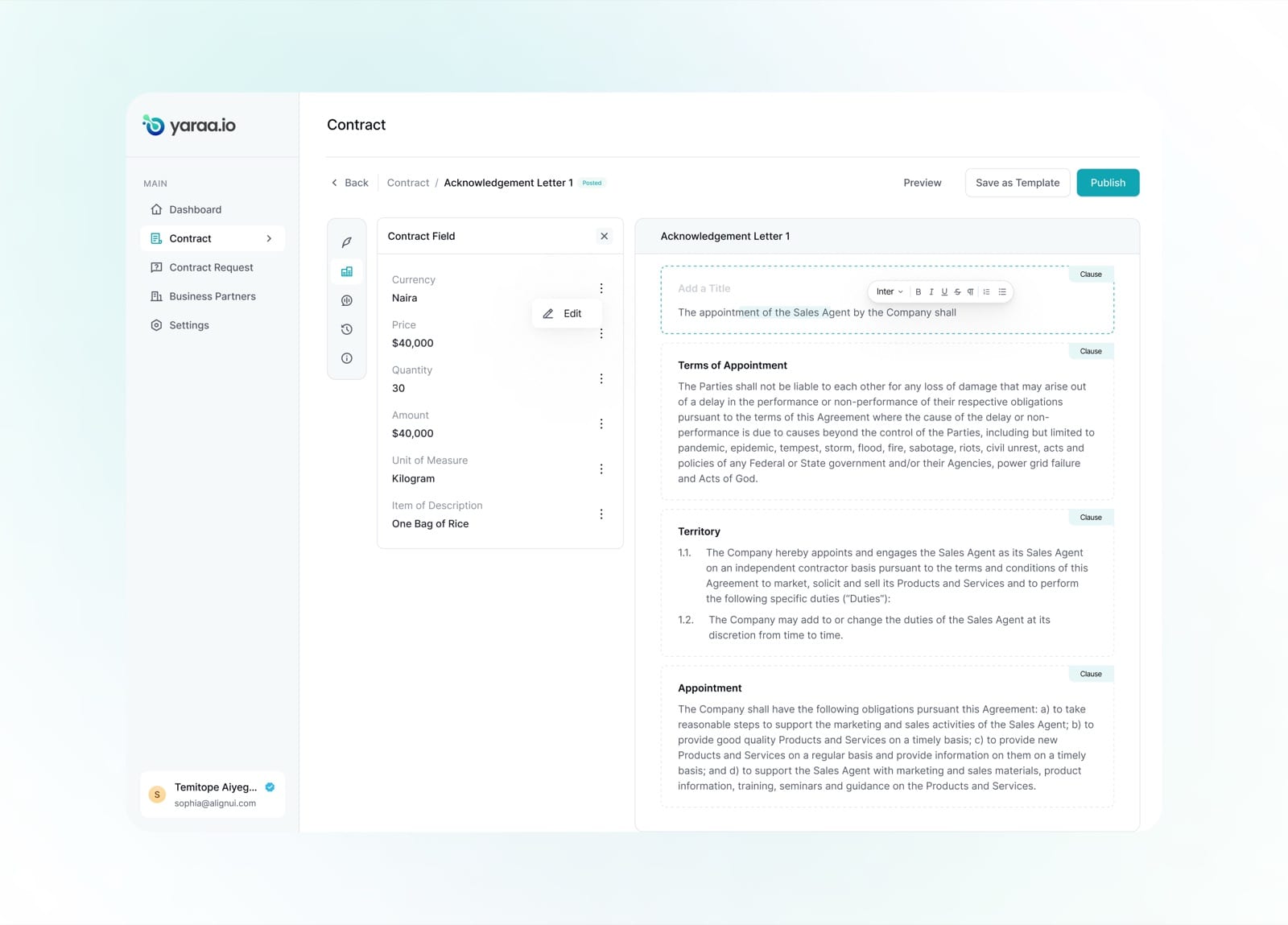
Contract fields, currency, price, quantity and units, are surfaced and editable in a structured panel.
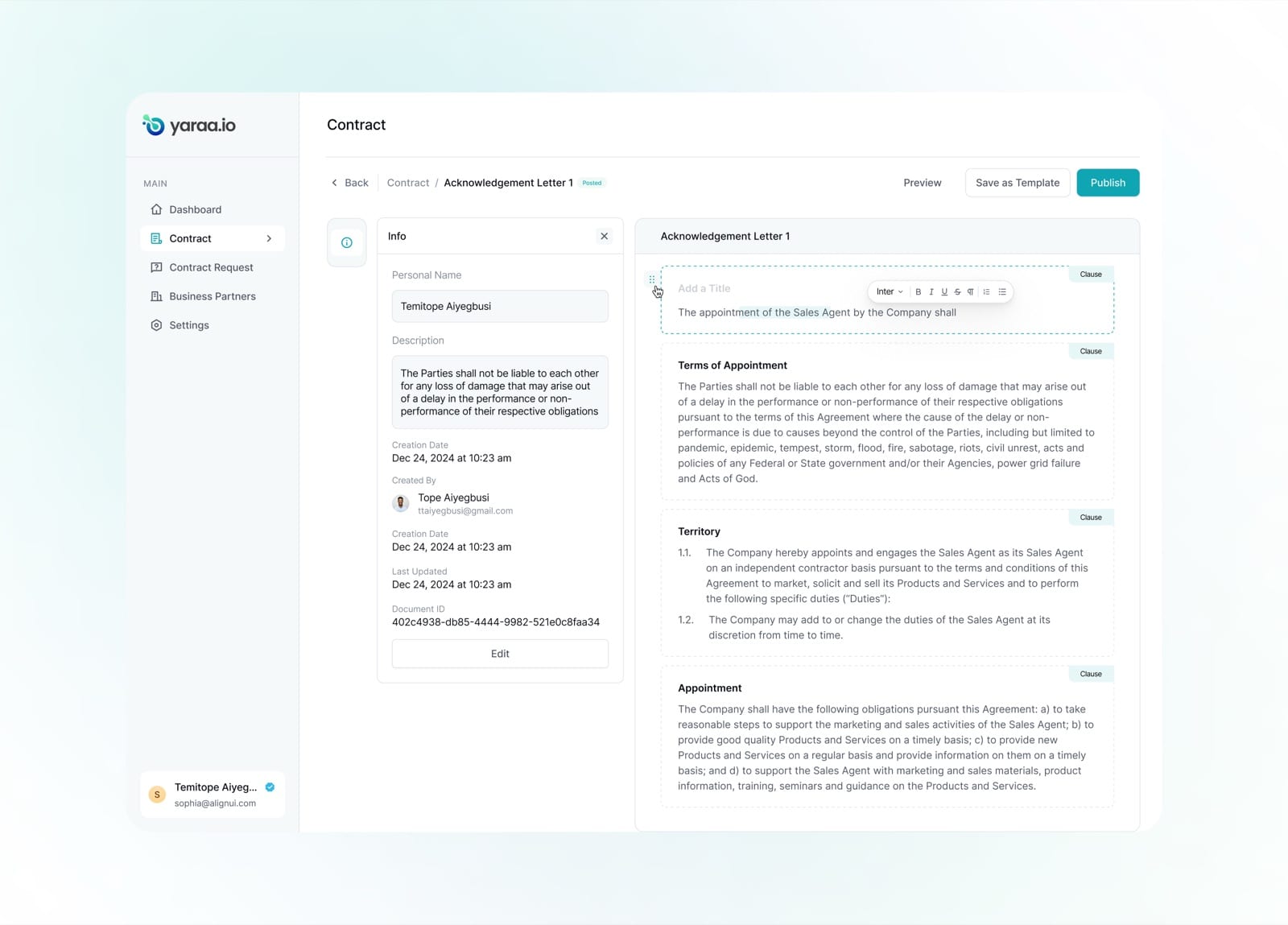
A document info panel captures creator, creation date, last update and a unique document ID.
Accounting
Yaraa's accounting suite gives finance teams a complete set of tools, a live dashboard, a general ledger with manual and recurring journals, and a full set of financial statements, all built to stay legible without sacrificing accounting rigor.
Dashboard
The accounting dashboard turns the numbers into a clear picture of financial health, headline figures up top, and interactive balance sheet and profit-and-loss charts below, with an onboarding checklist nudging teams toward a fully configured setup.
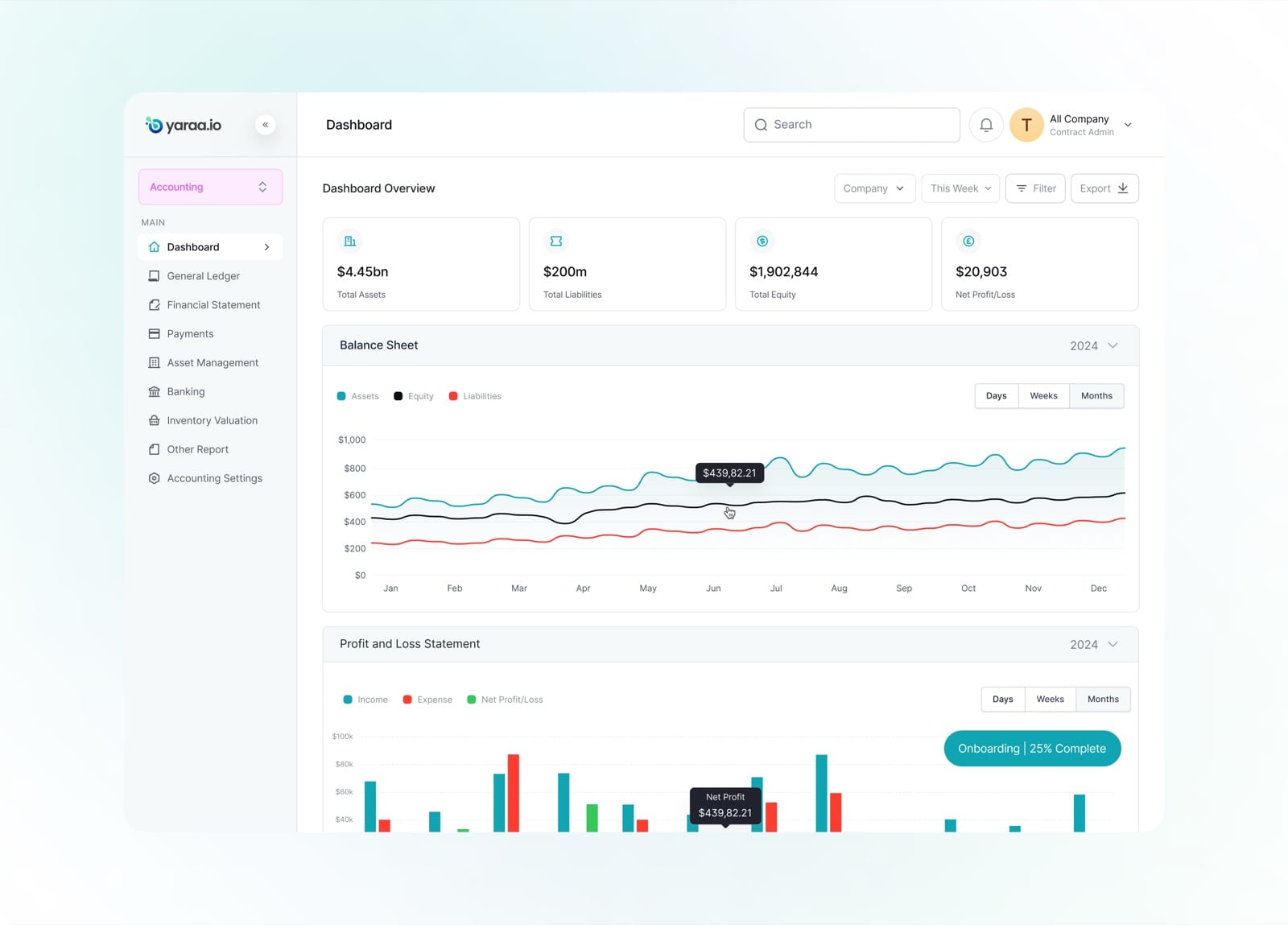
Total assets, liabilities, equity and net profit sit at the top, with balance-sheet and P&L trends charted below.
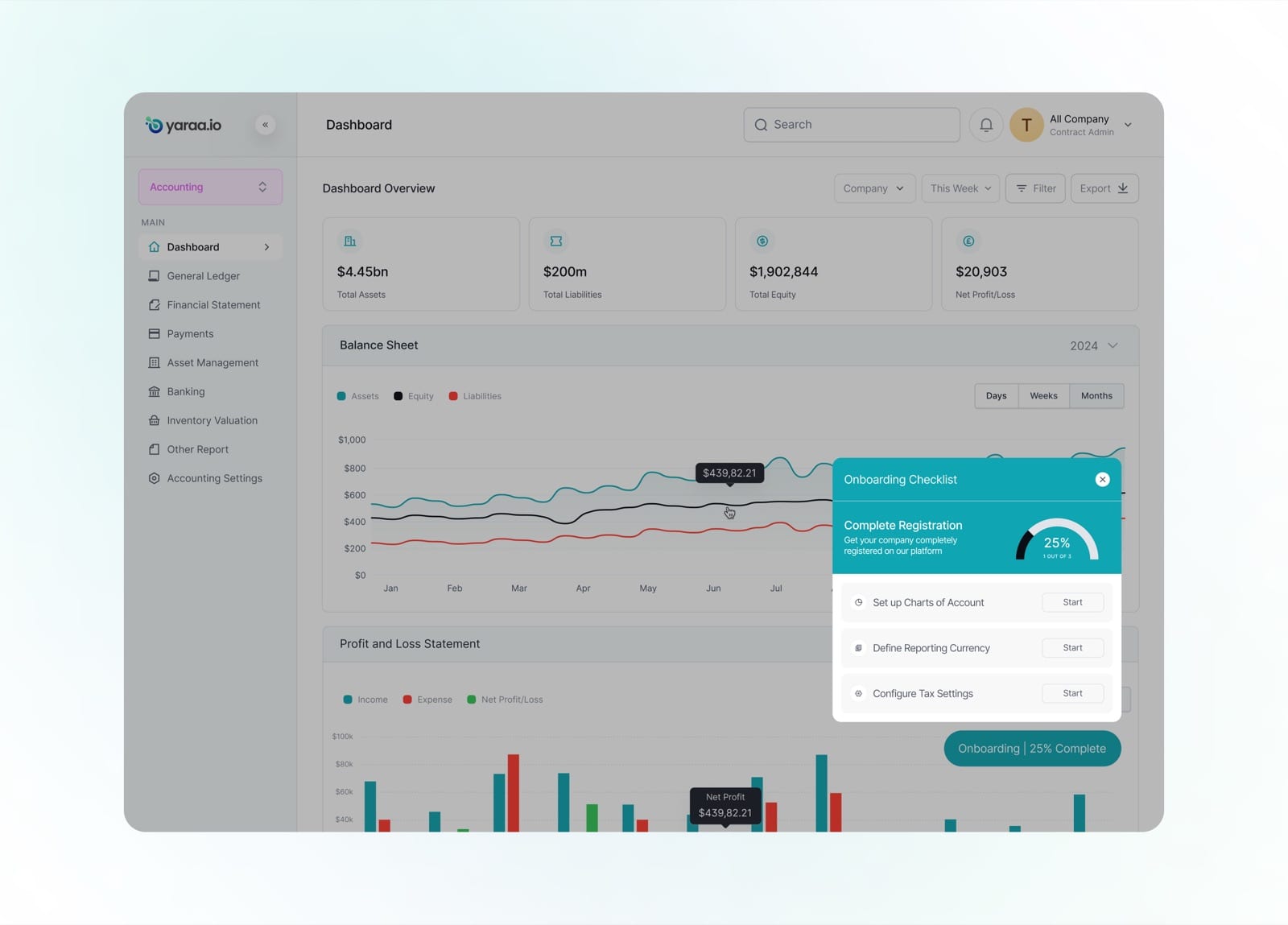
An onboarding checklist tracks progress through key accounting setup steps, from charts of account to tax settings.
Create General Ledger
Posting a manual journal is one of the most detail-heavy tasks in accounting, so it was rebuilt to be guided and hard to get wrong. Debits and credits total live, and the system flags any imbalance before a journal can be submitted.
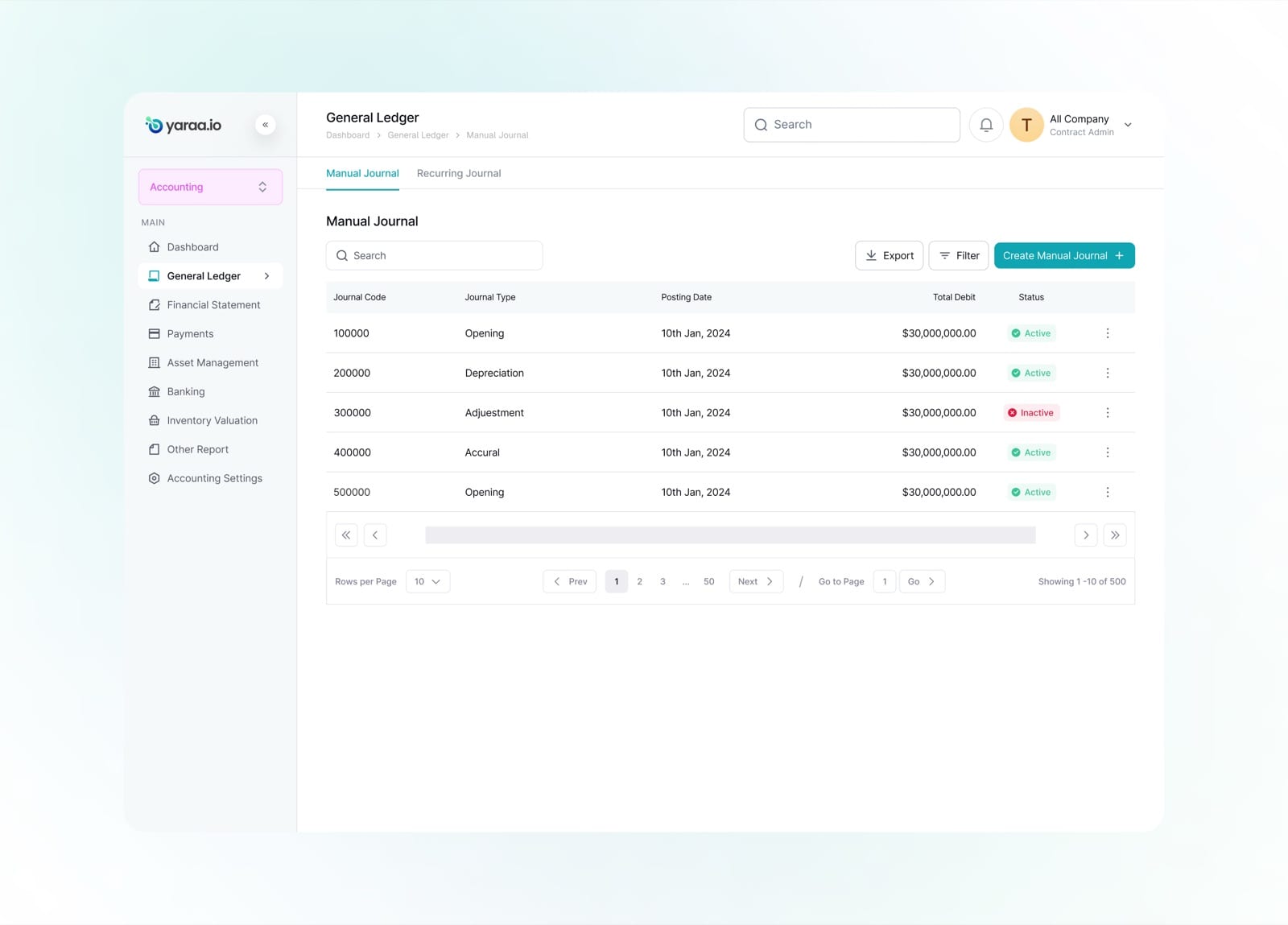
The journal list separates manual and recurring entries, each with its type, posting date and active status.
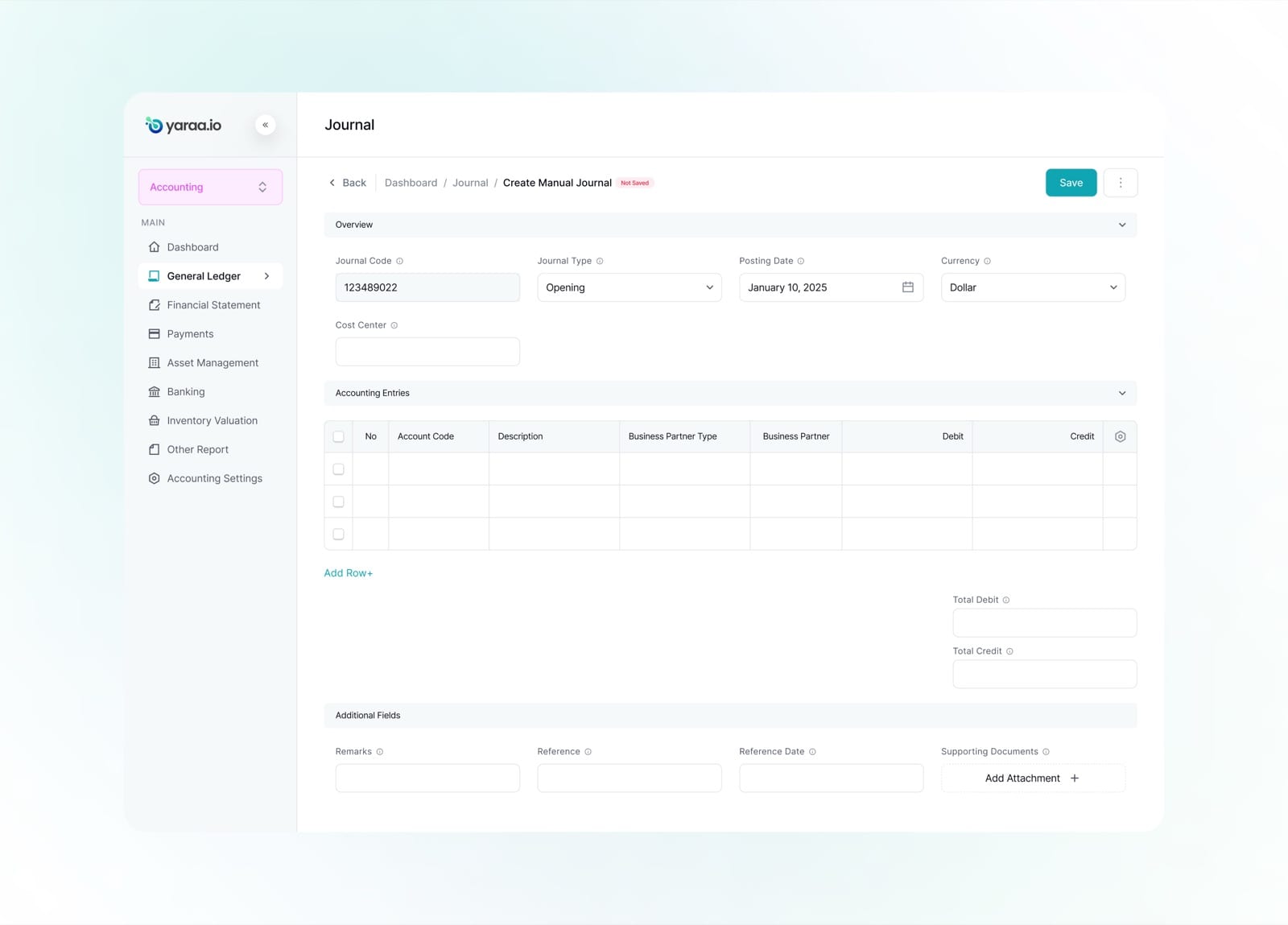
A new manual journal starts with a clean overview and an empty accounting-entries table ready for rows.
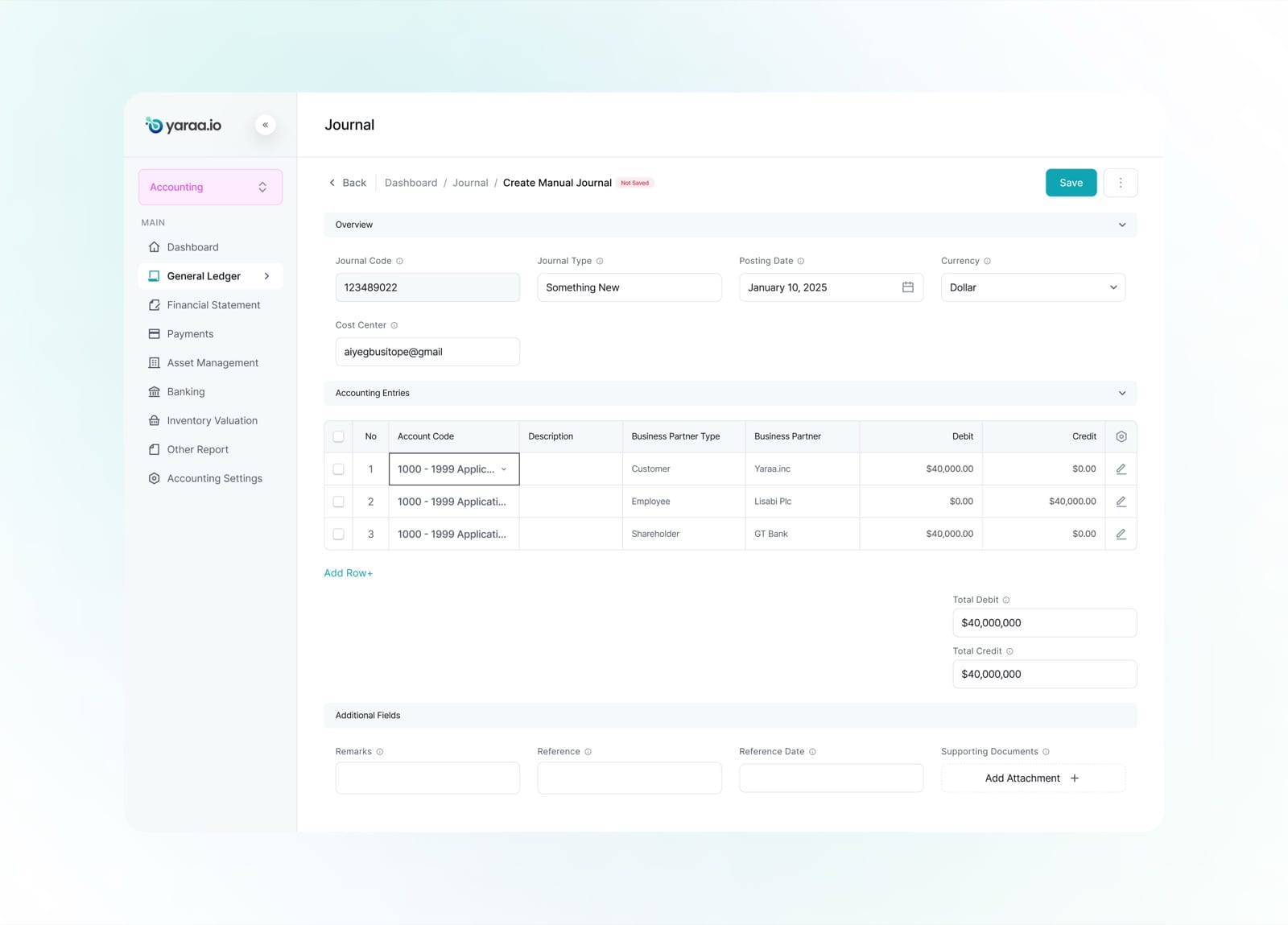
Entries are added line by line, each with an account code, business partner and debit or credit amount.
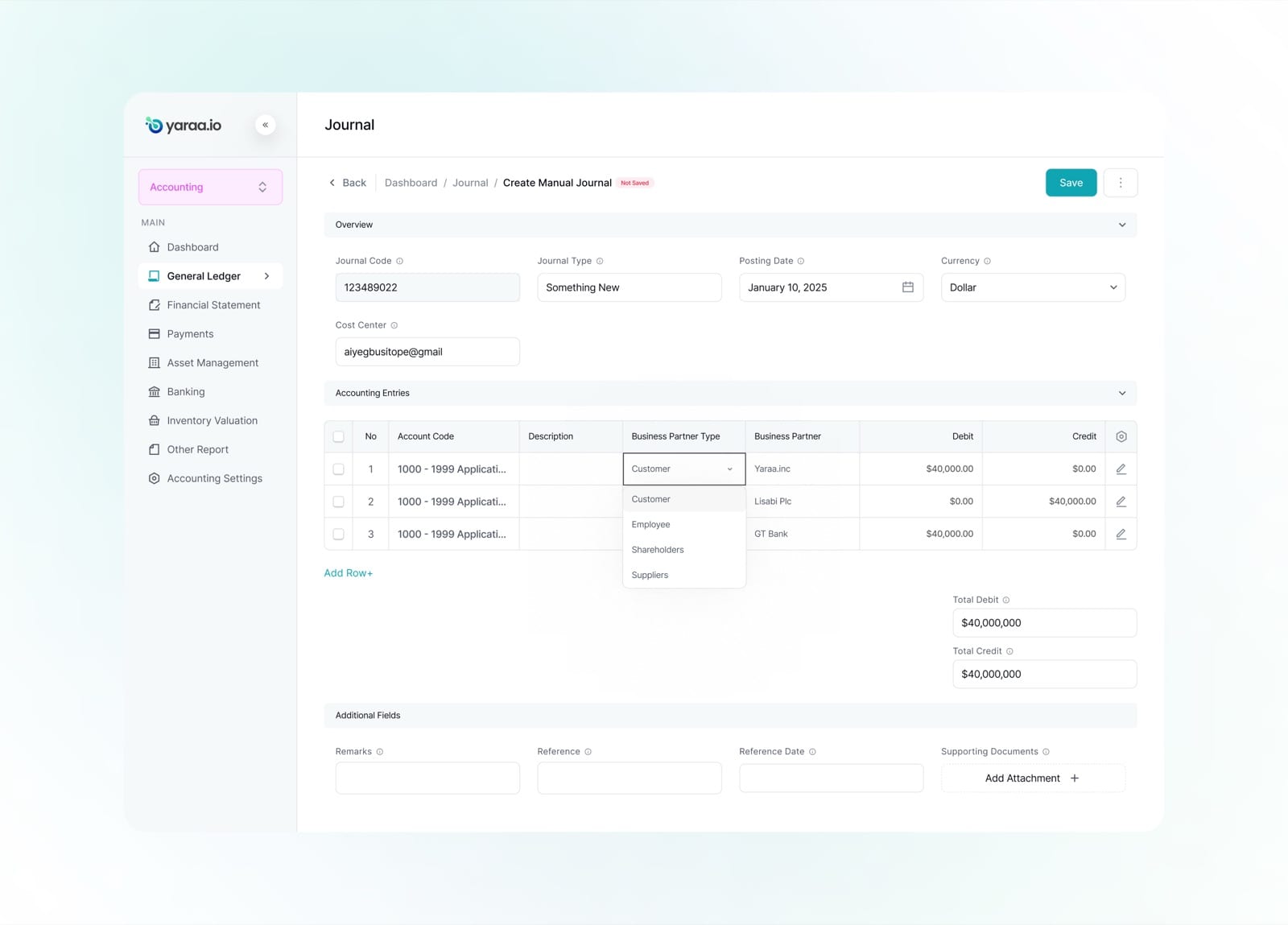
Business partner types, customer, employee, shareholder, supplier, are chosen from a simple dropdown.
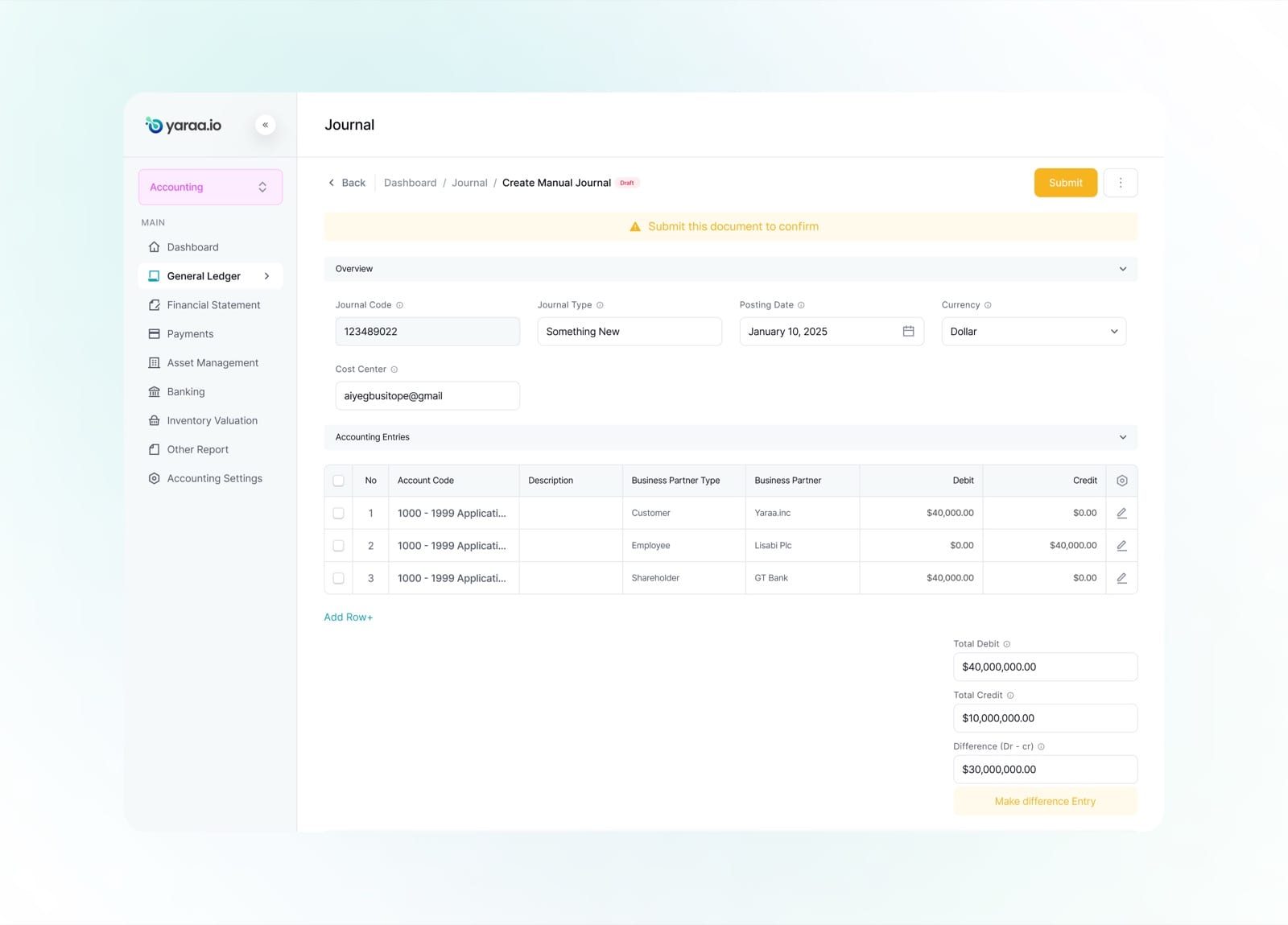
When debits and credits do not match, the difference is surfaced with a prompt to make a balancing entry.
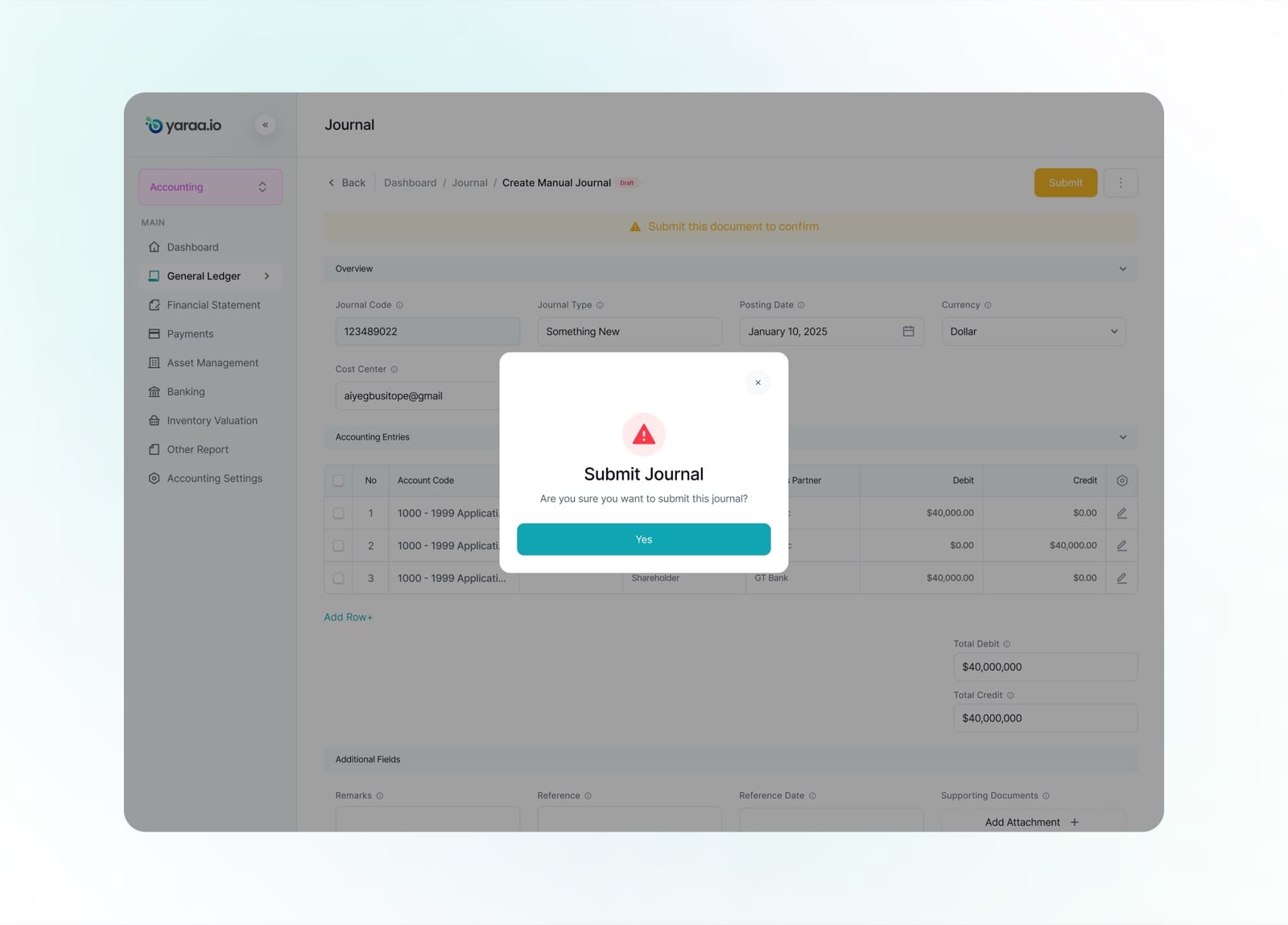
A confirmation step guards submission, so a journal is only posted when the user is sure it is balanced.
Financial Statement
The financial statements, trial balance, balance sheet, profit and loss, and cash flow, all share one consistent, expandable layout. Account hierarchies drill down from summary totals to individual line items, making dense reports easy to navigate.
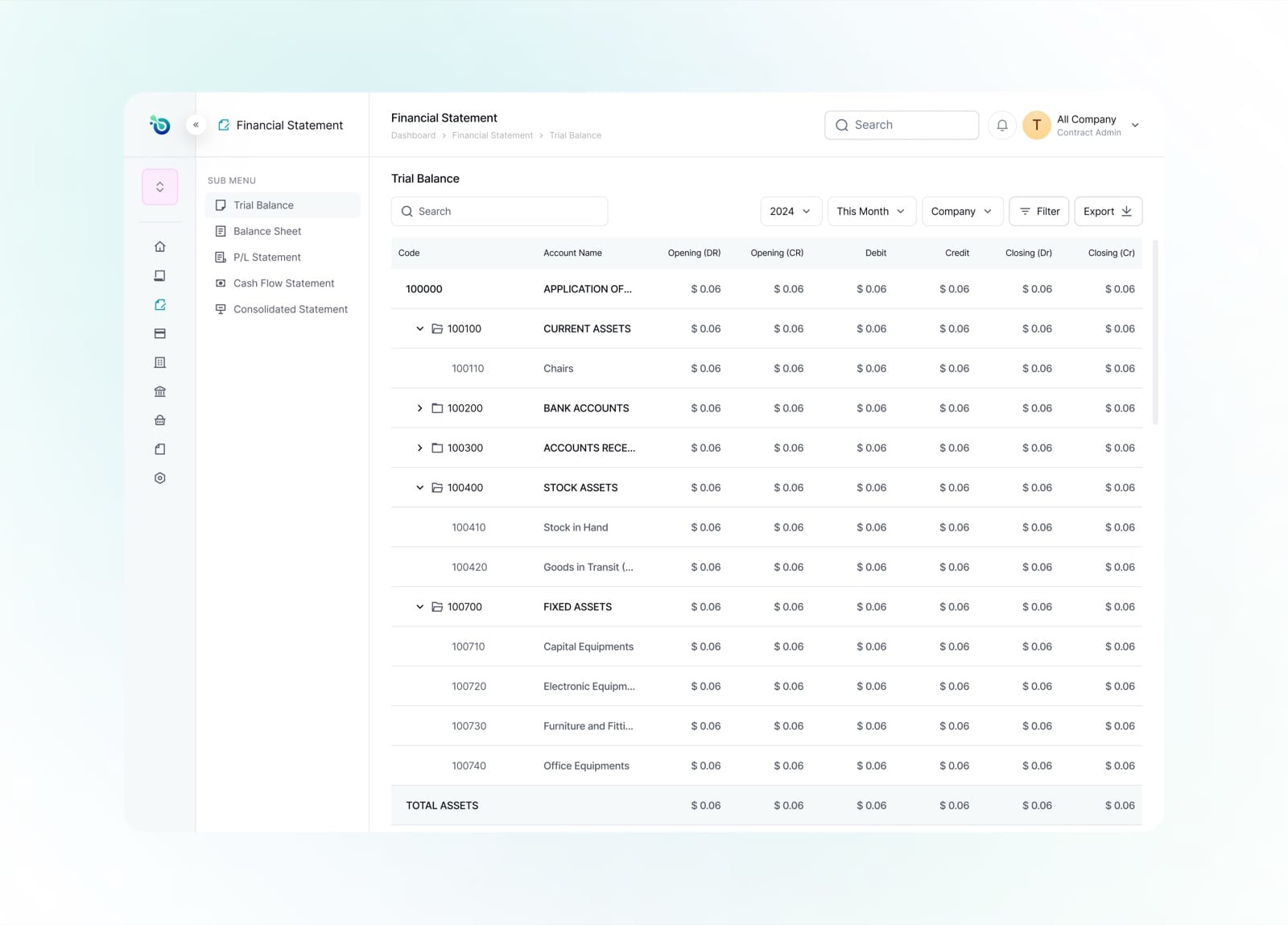
The trial balance lays out opening, movement and closing debits and credits for every account in one grid.
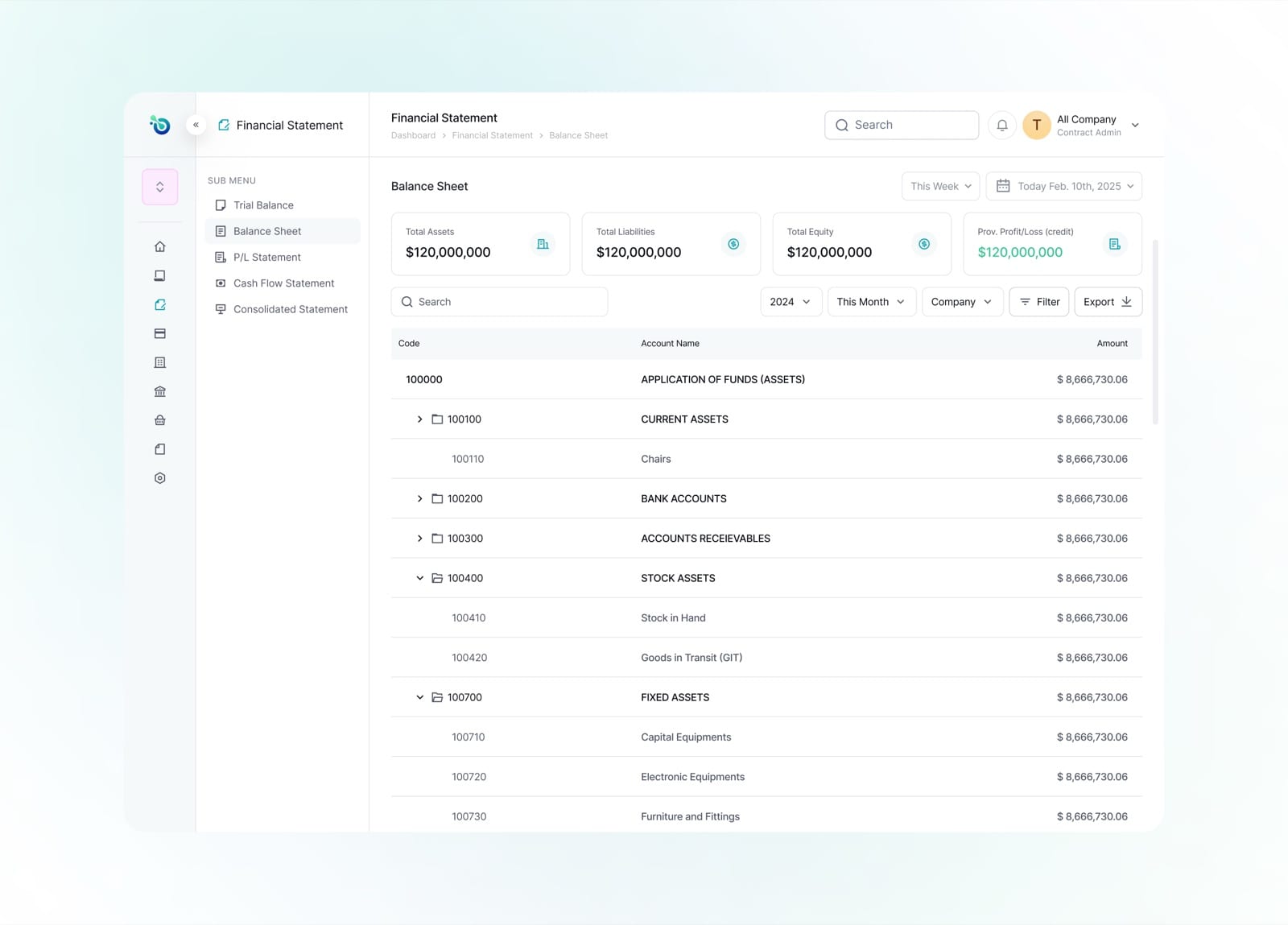
The balance sheet groups assets into expandable categories, drilling from totals down to individual accounts.
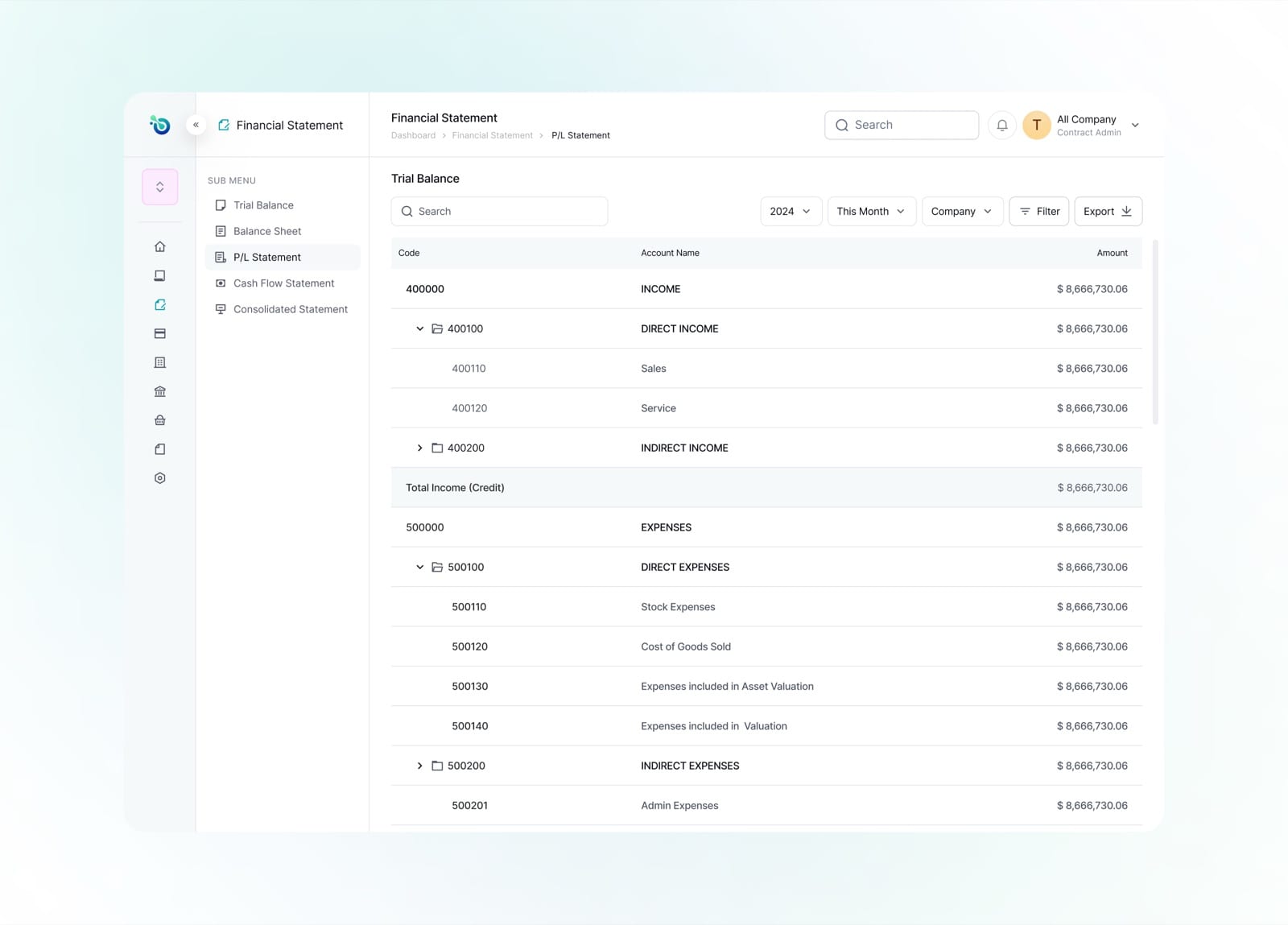
The profit and loss statement separates income and expenses, with running totals at each level.
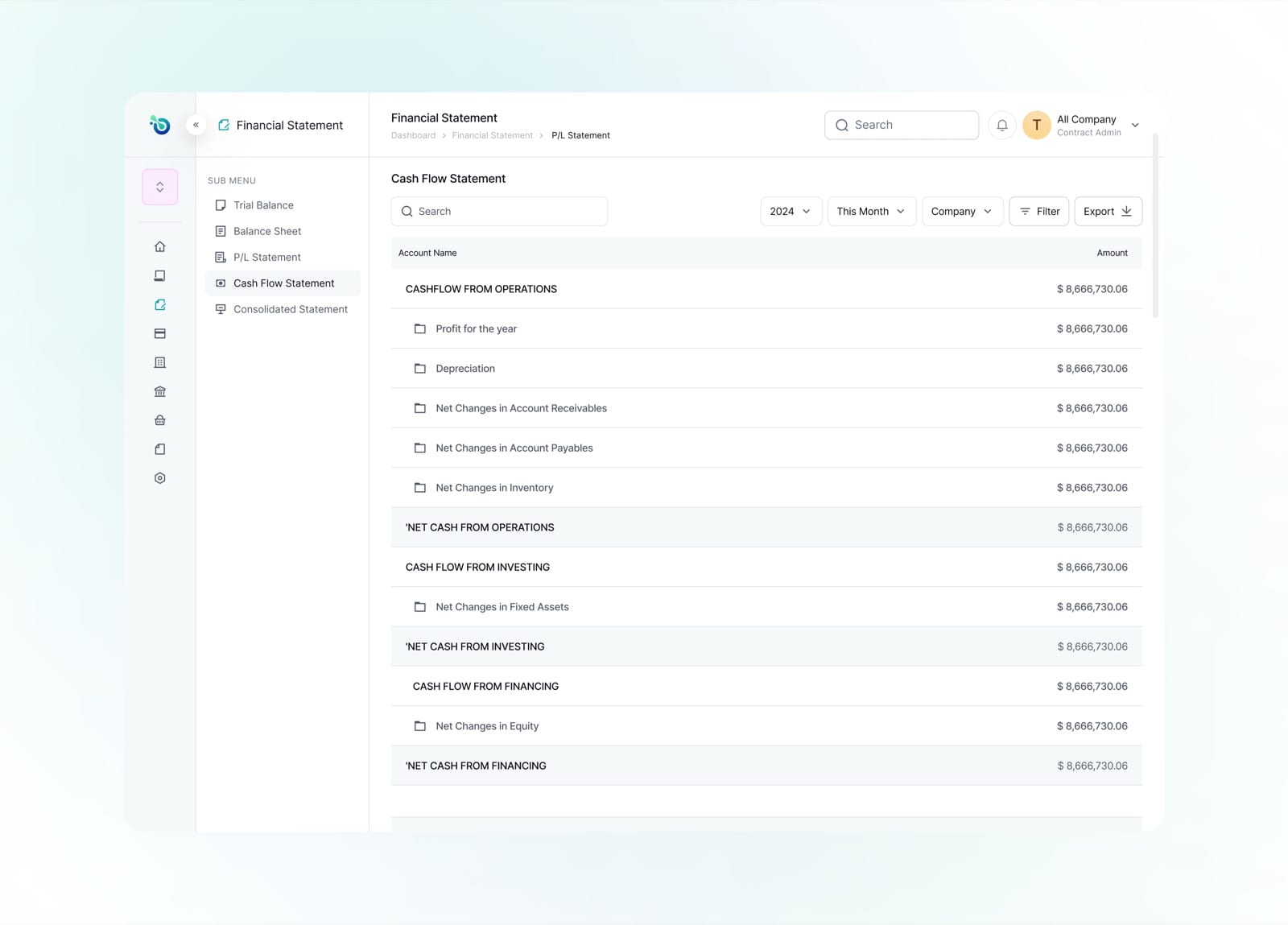
The cash flow statement organises movement across operations, investing and financing activities.
Powering $1M+ in remittances for 5,000+ users and helping African freelancers get paid faster across borders