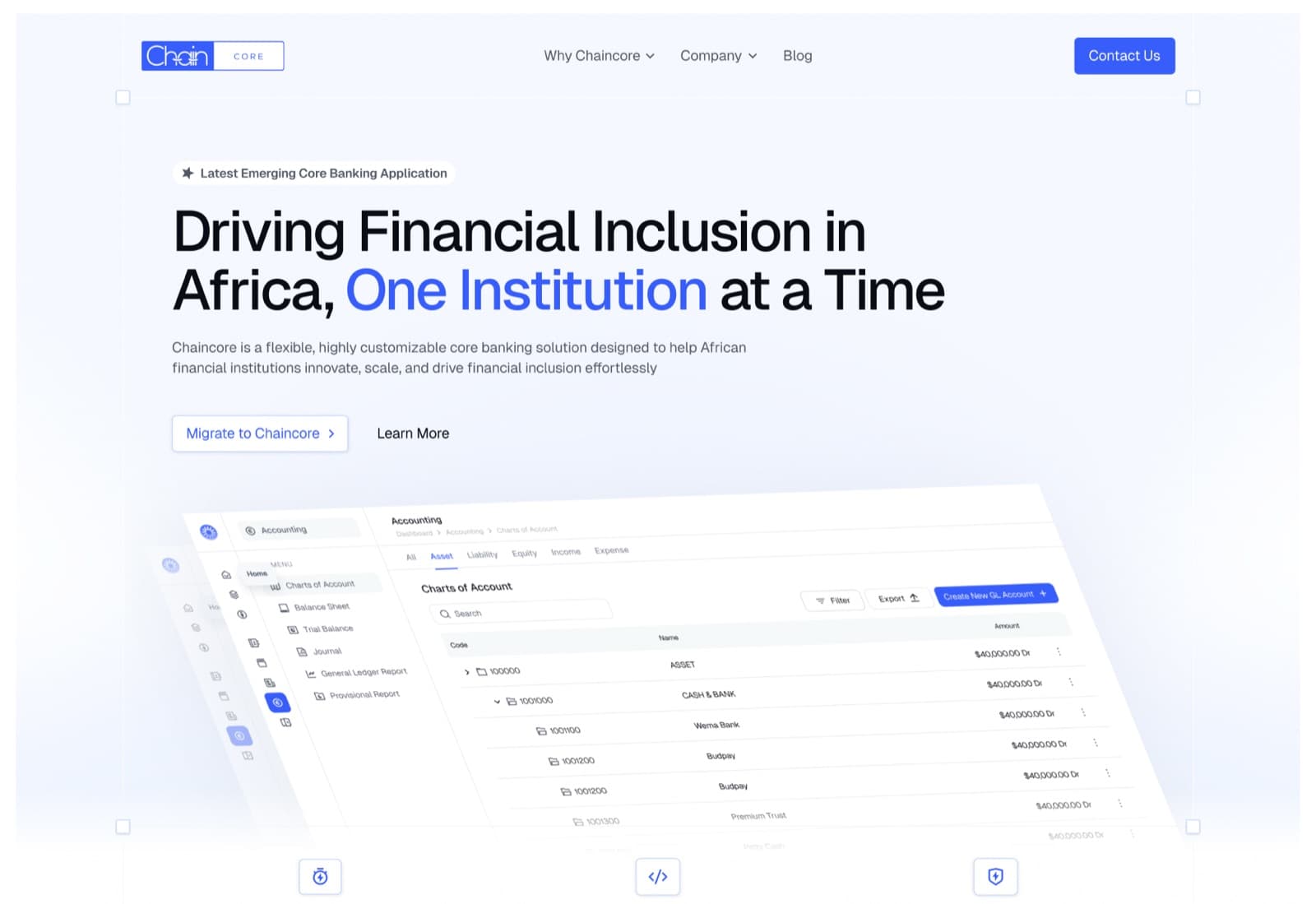
Building Africa's first native core banking platform for 50+ financial institutions across Nigeria and the continent
Context
At the time, core banking application systems built for Nigeria, or for Africa more broadly, were almost non-existent. There was no native core banking platform tailored to the Nigerian banking system or to the wider African market. Most of the core banking platforms in use had been developed on other continents, with many of them coming from India.
Problem
This posed a significant problem, because these applications were never designed with the African or Nigerian market in mind. They did not account for the nuances of the local environment or the particular conditions under which Nigerian and African businesses operate, and that gap created real difficulties.
Beyond cost, there were real complaints about actually using these platforms. It has been said that both Moniepoint and Sterling Bank ended up building their own core banking applications, largely because the foreign platforms they relied on were expensive, difficult to use, slow to offer support when issues arose, and still fell short of understanding the context in which Nigerian companies operate.
Solution
As a result of these problems, the need for a core banking application built specifically for the African and Nigerian ecosystem became clear. This need led to the creation of ChainCore.
ChainCore was built to be a core banking application that served African companies, African banks, African fintechs, African microfinance banks, and African and Nigerian businesses more broadly, supporting them across their core processes.
It was designed to help these organizations manage their branches, oversee their transactions, structure their chart of accounts, manage their staff, and run their organizations in a more structured and organized way. This was the purpose ChainCore was built to serve.
Research / Discovery
When development of ChainCore began, the team and I spoke with a number of people to gather perspective, starting with the accountants, who were the primary users of the platform. We wanted to understand the problems they were facing with the core banking application they currently used, along with what was working well and what was missing.
One conversation has stayed with me. An accountant described how she navigated the platform day to day, and she put it simply: a lot of the features were hidden, and she and her team would only discover them on the fly, often in the middle of trying to complete something else entirely.
That single comment captured so much of what we kept hearing in different forms throughout these conversations. The platform was not built around how accountants actually worked. It was something they had to work around.
That feedback, along with everything else we gathered, shaped how we thought about ChainCore from the very beginning. Among the things accountants shared with us:
- Features were often hidden in places they did not intuitively belong, forcing users to stumble upon functionality rather than find it.
- The platform was generally uneasy to use and difficult to navigate.
Features
Accounting
The accounting module was the backbone of ChainCore. It gave financial institutions a complete suite of tools to manage their books, from chart of accounts setup through to reporting and reconciliation.
Charts of Accounts
The chart of accounts provided a structured framework for categorizing every financial transaction. We designed it to be flexible enough for different institution types while maintaining the consistency accountants needed.
Income & Expense
Tracking income and expenses needed to be clear and immediate. We built views that gave accountants real-time visibility into the financial health of the organization.
Balance Sheet
The balance sheet provided a snapshot of the institution's financial position at any given point, with assets, liabilities, and equity clearly laid out.
Trail Balance
The trial balance report ensured all debits and credits were in balance, serving as a critical checkpoint before generating financial statements.
Journal Entries
Journal entries allowed accountants to record transactions directly into the ledger with full control over accounts, amounts, and descriptions.
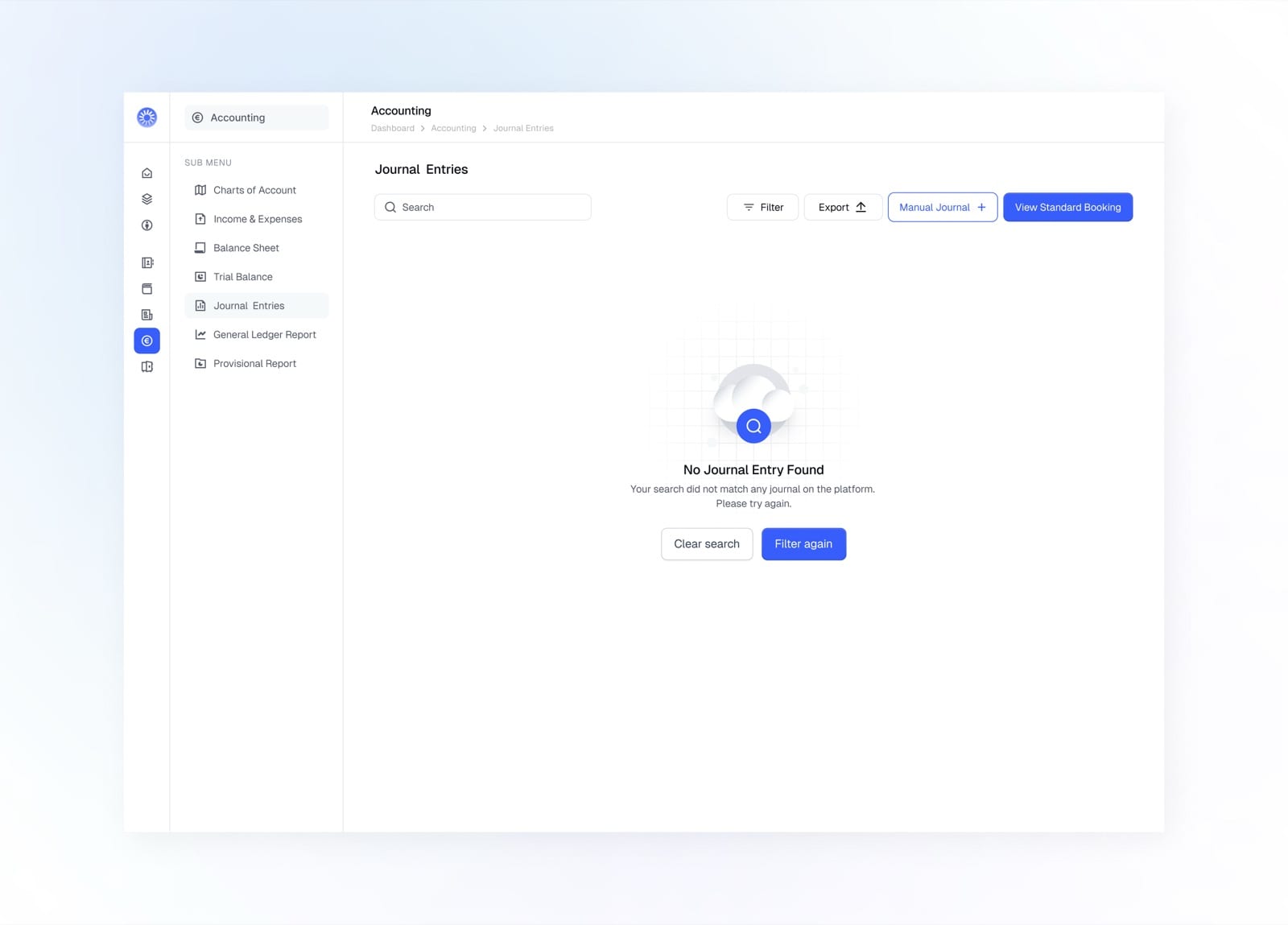
Empty state when no journal entry has been recorded yet
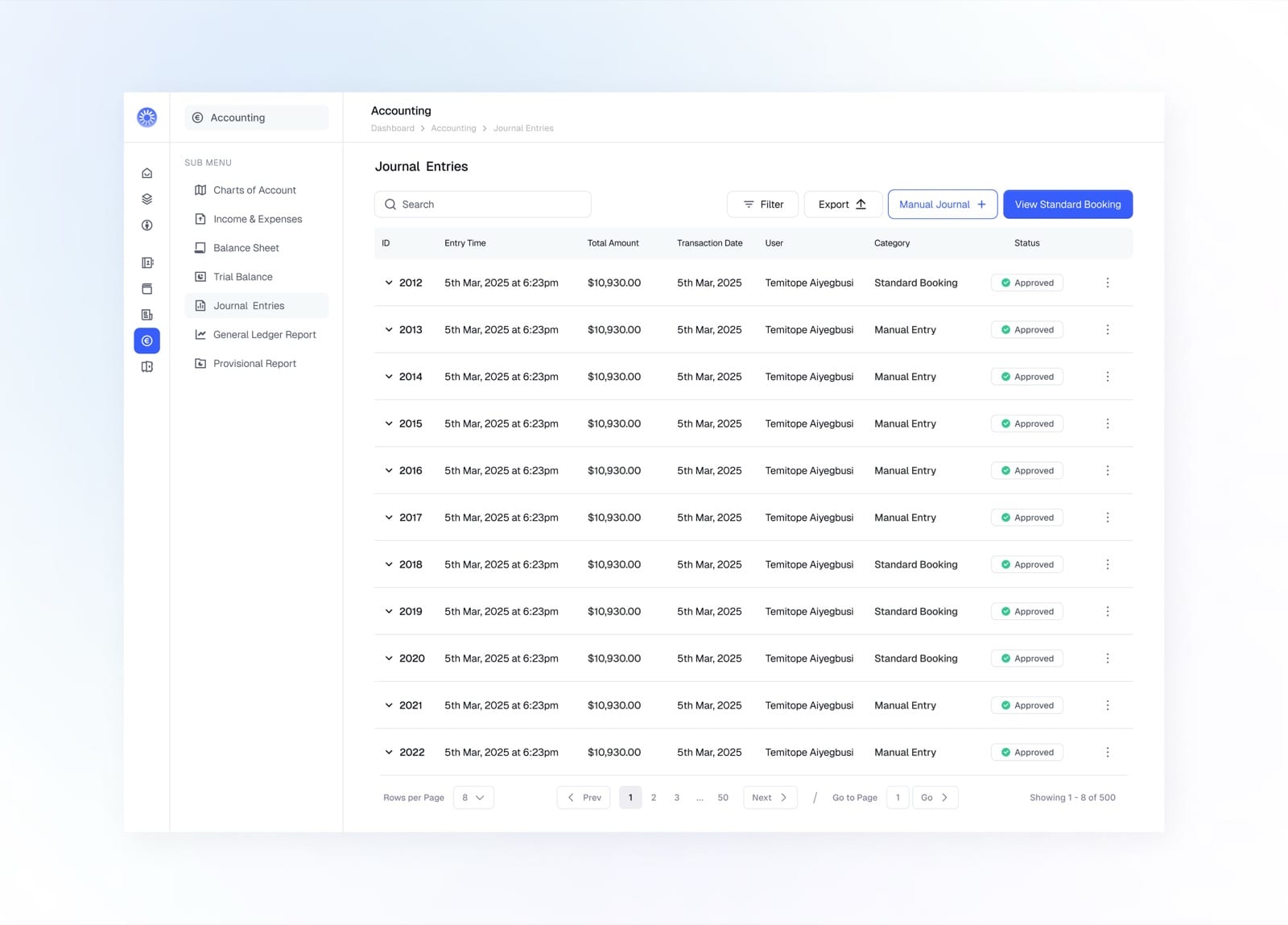
Browse all journal entries with amount, category, and status
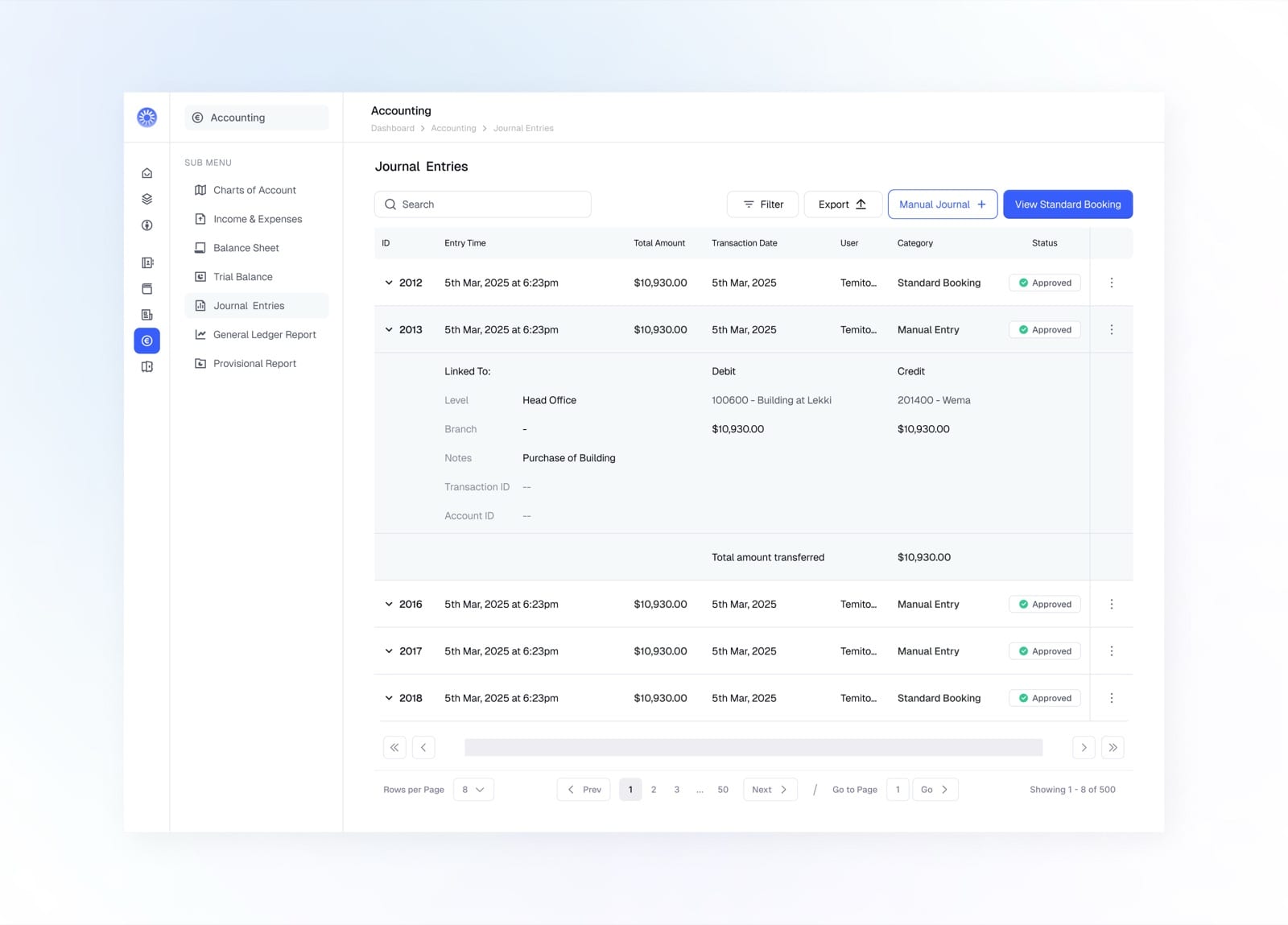
Expand a row to see the full debit and credit breakdown
General Ledger
The general ledger served as the central record of all financial transactions, giving accountants a complete and auditable trail of every movement.
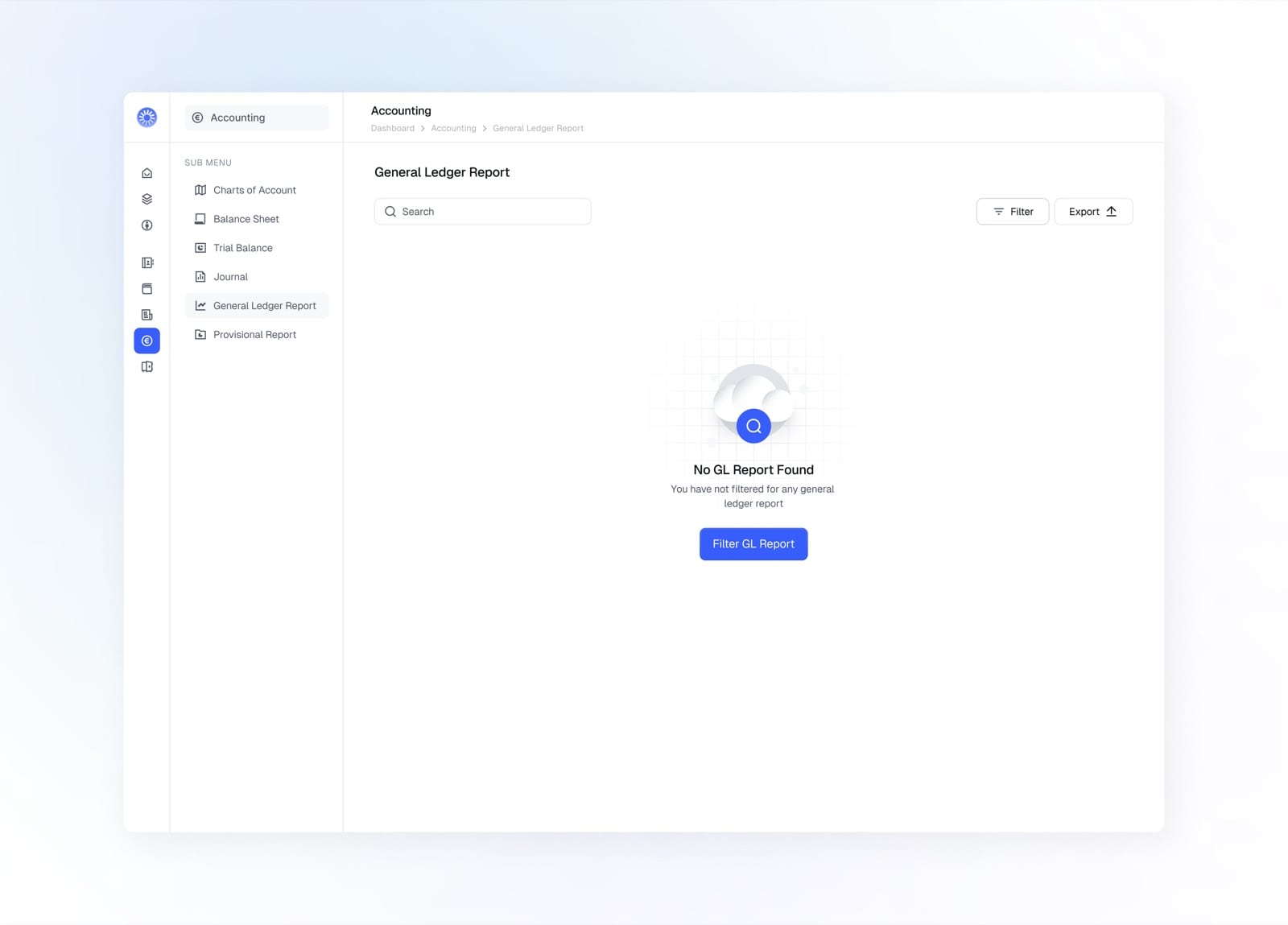
Empty state prompting you to filter for a ledger report
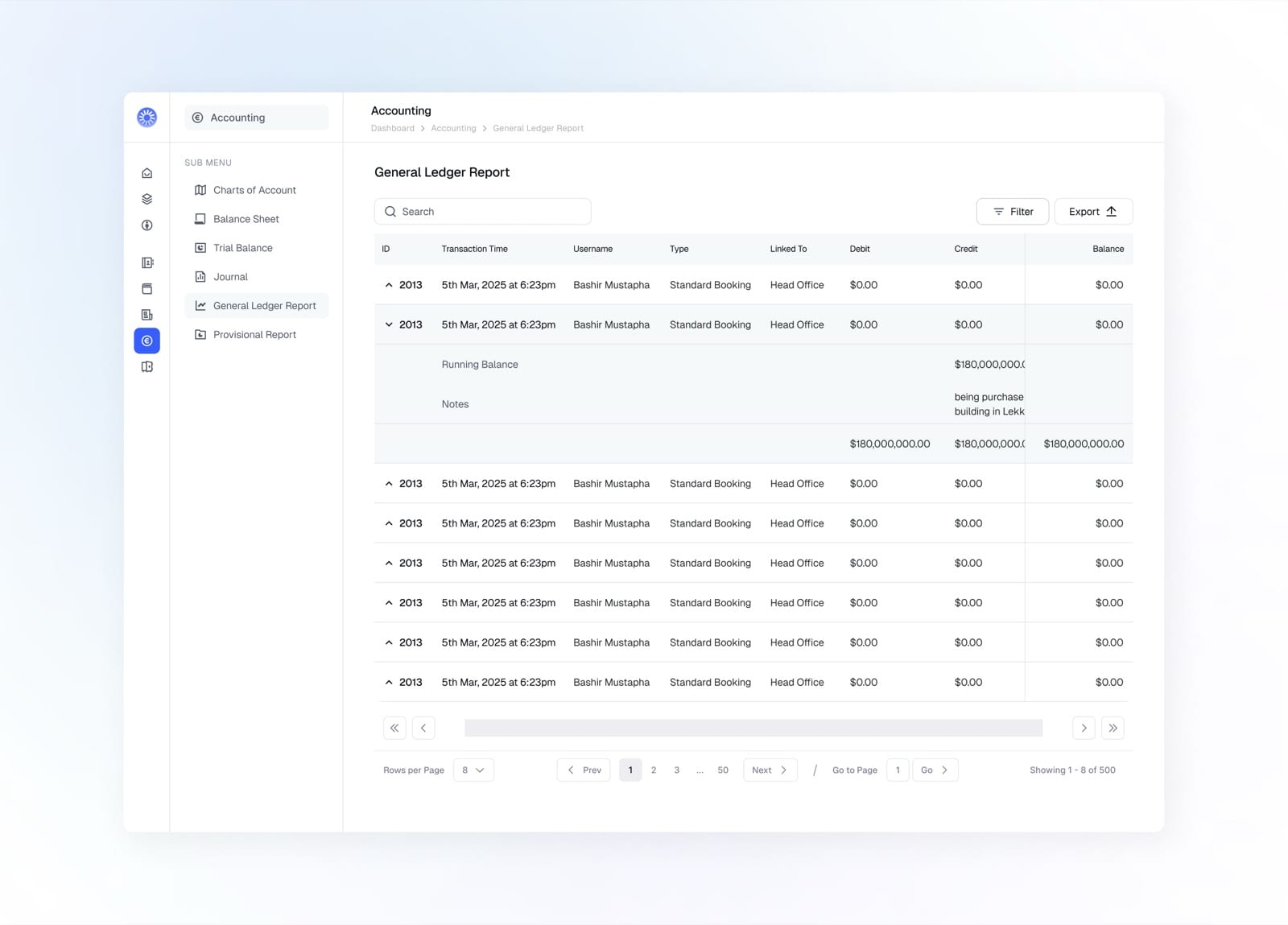
Expand an entry to see its running balance and notes
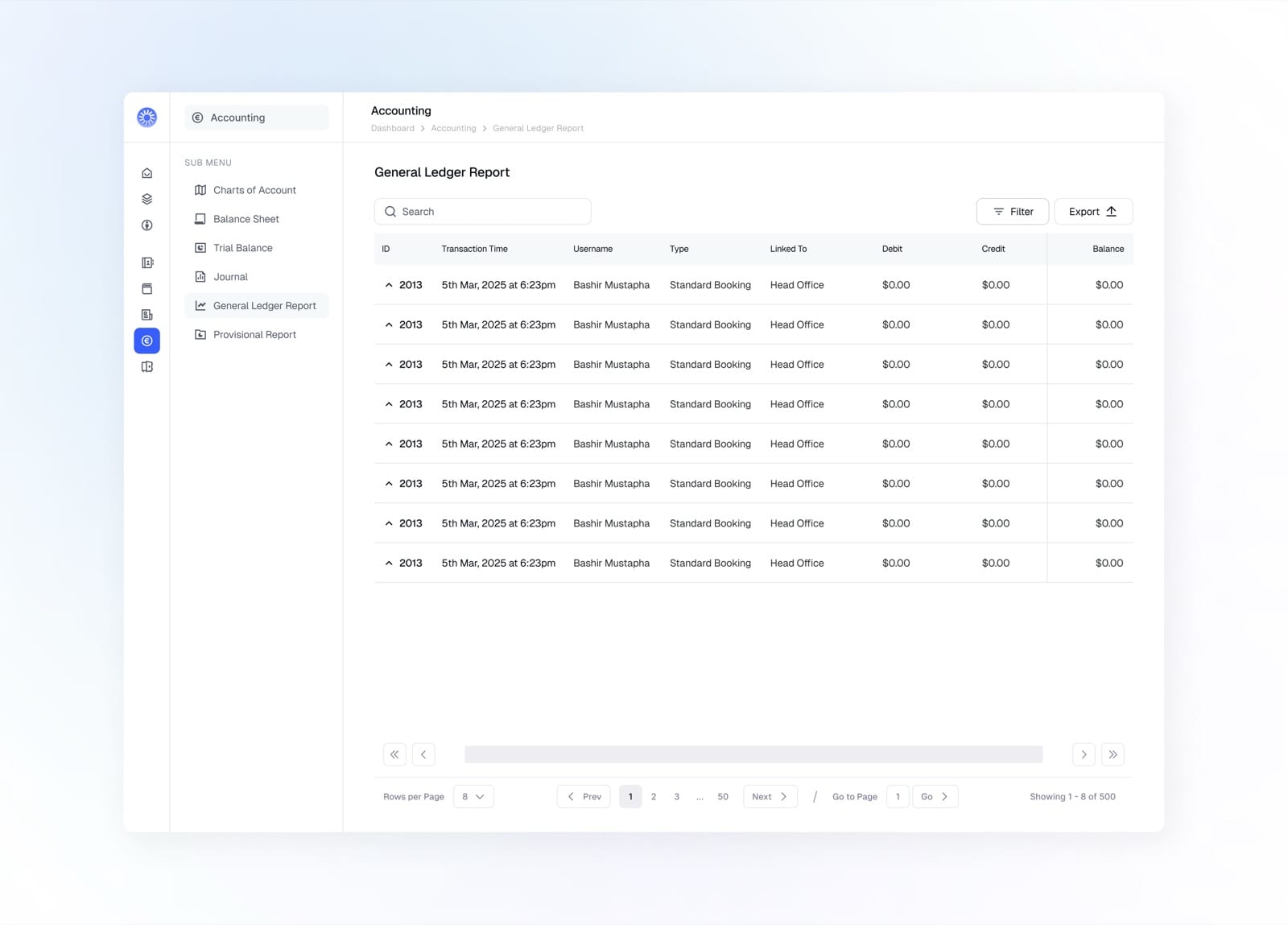
The general ledger with debit, credit, and balance per entry
Create Manual Journal
Manual journal entries let accountants record transactions directly, with full control over the accounts, amounts, and descriptions on each line.
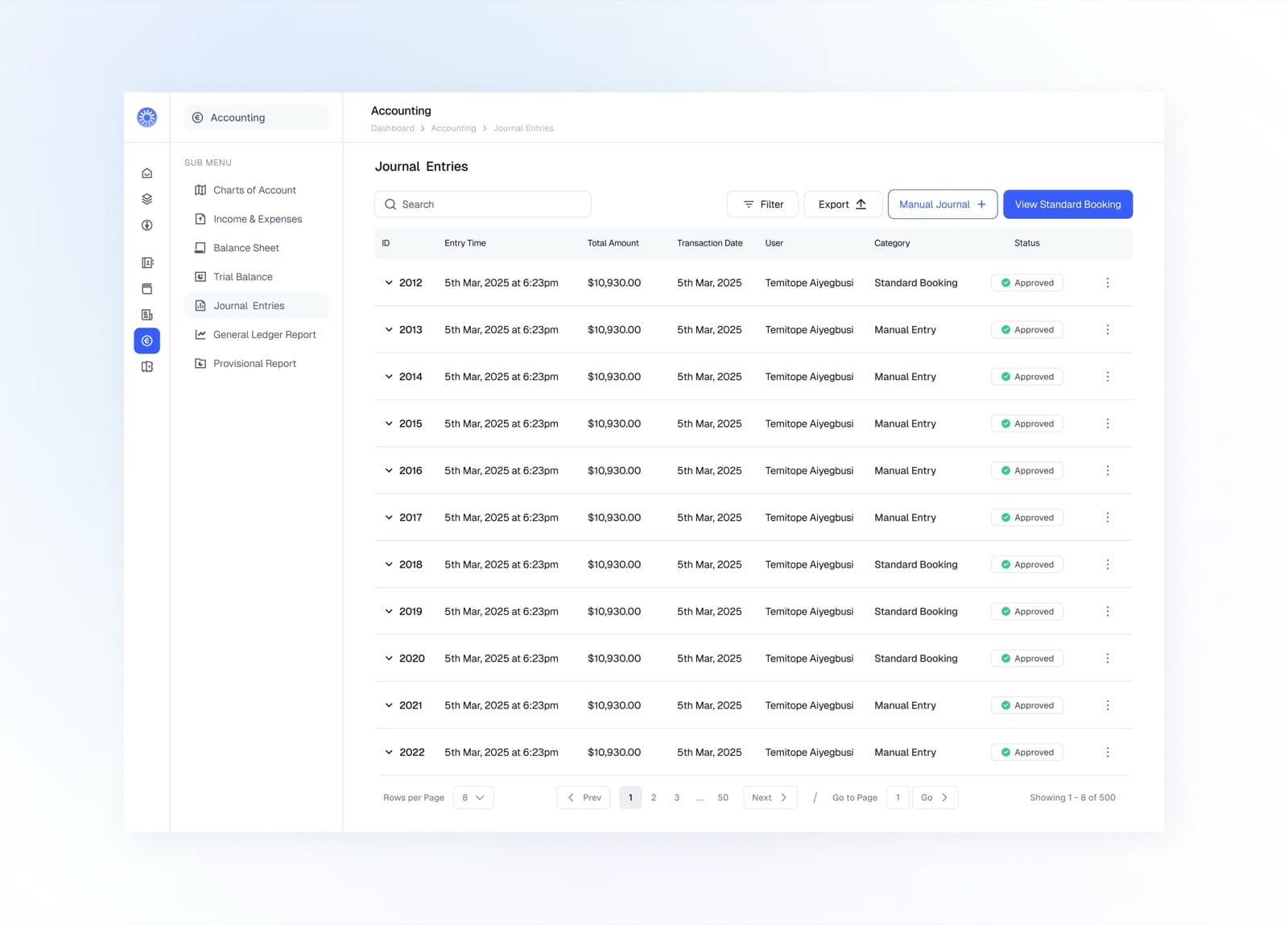
Start from Journal Entries and tap Manual Journal
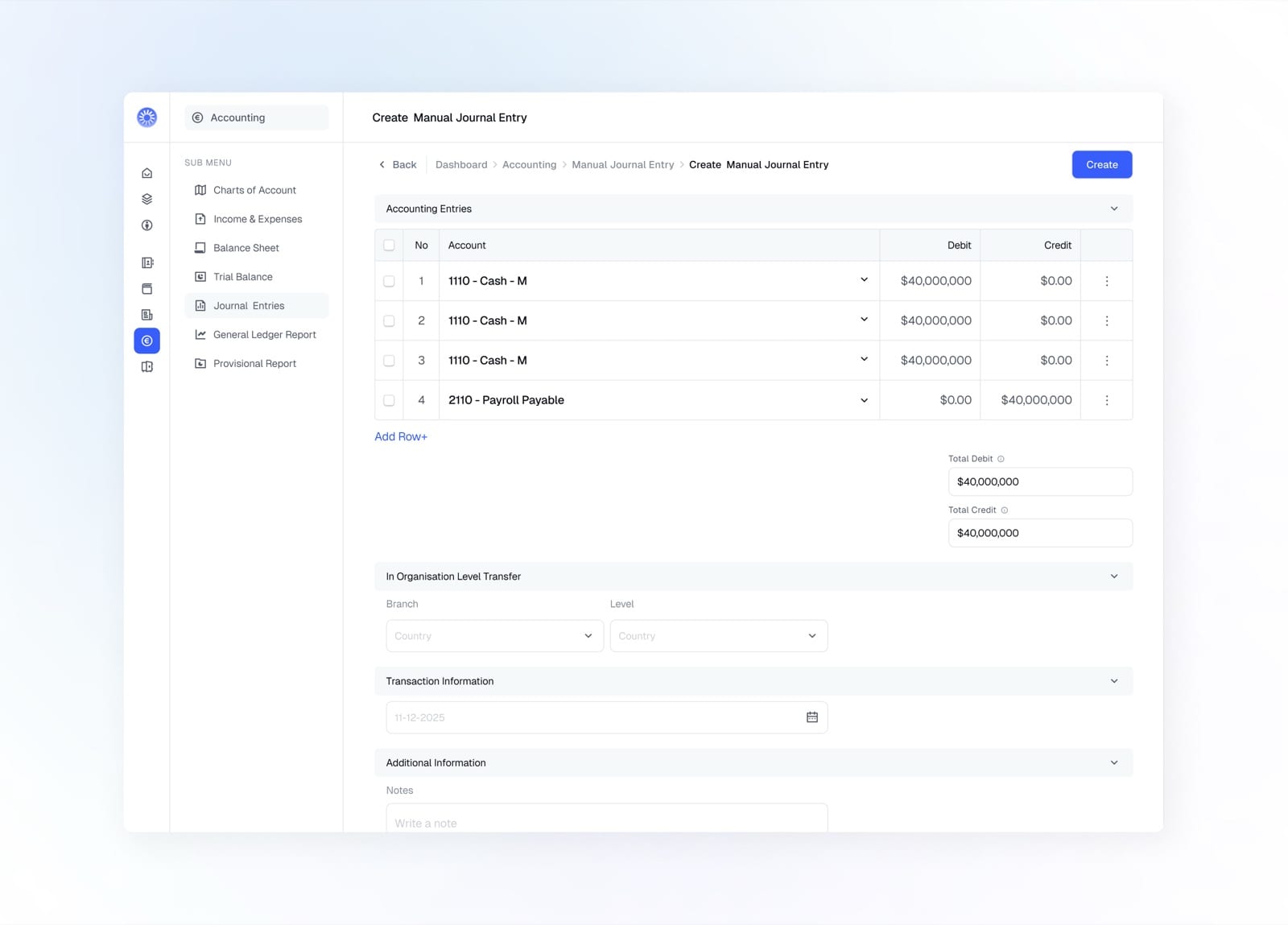
Add debit and credit lines, set the level transfer and date
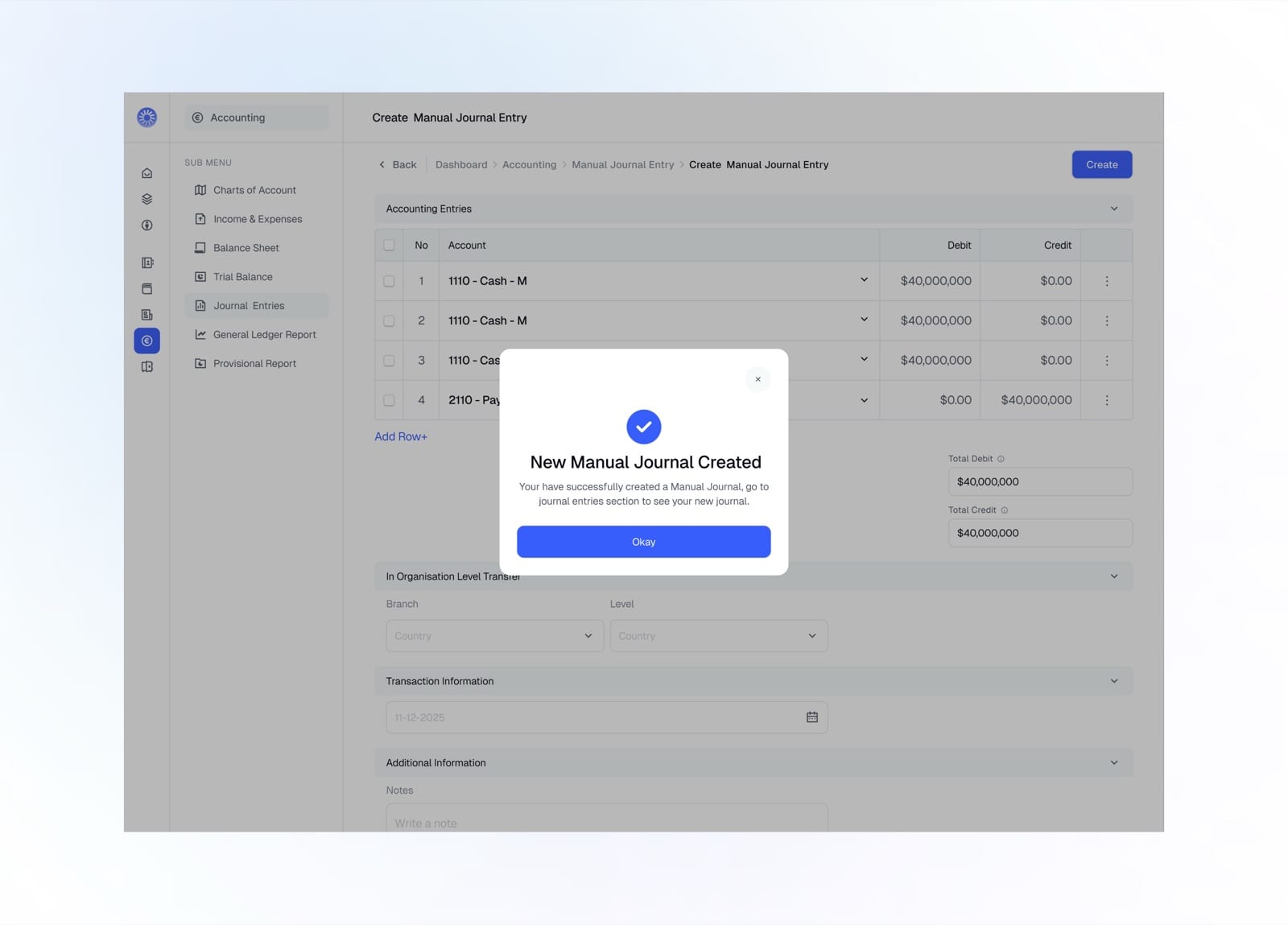
New manual journal created and posted to the ledger
Provisional Report
Provisional reports gave institutions the ability to generate draft financial statements for review before final submission.
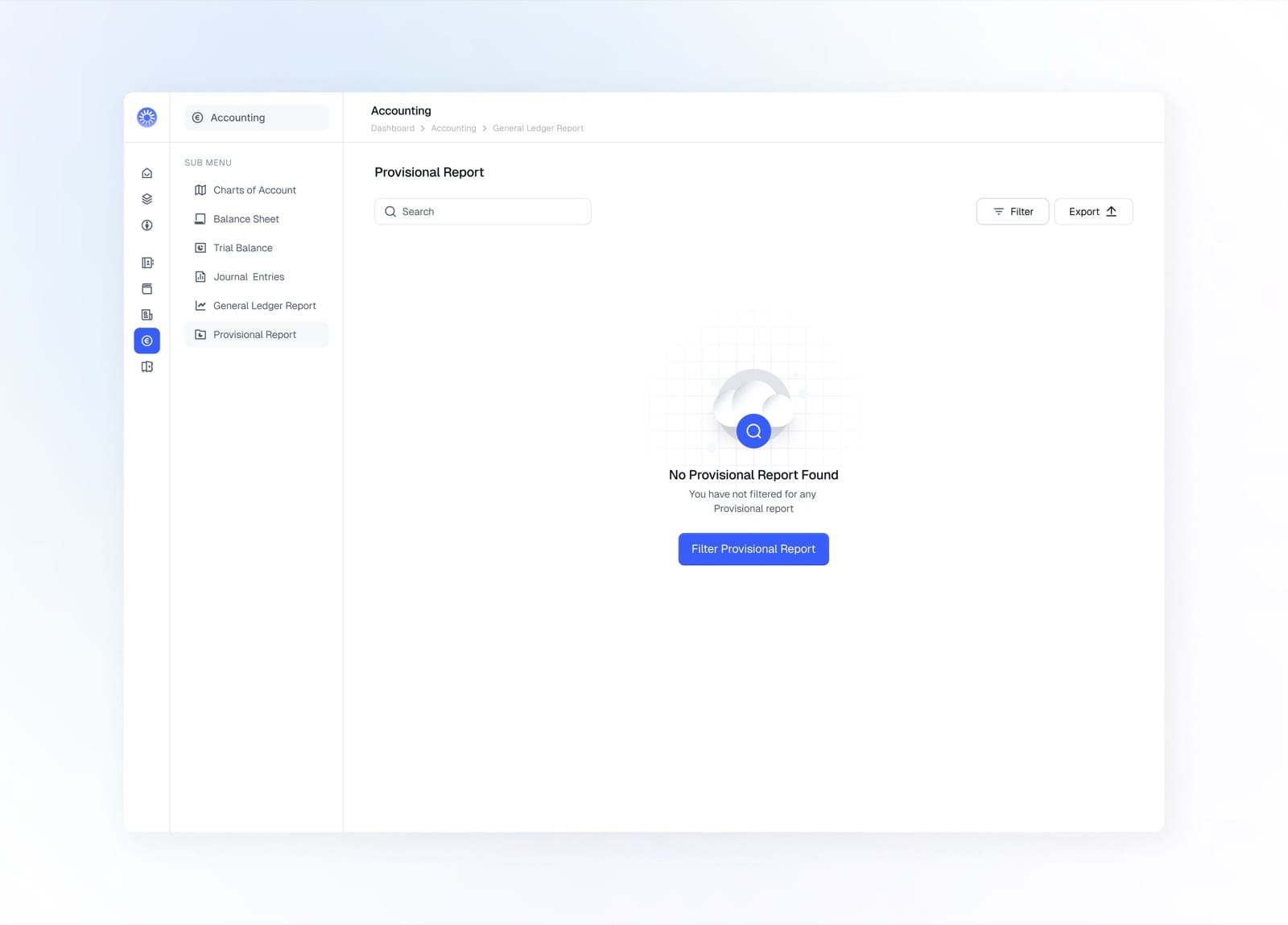
Empty state prompting you to filter for a provisional report
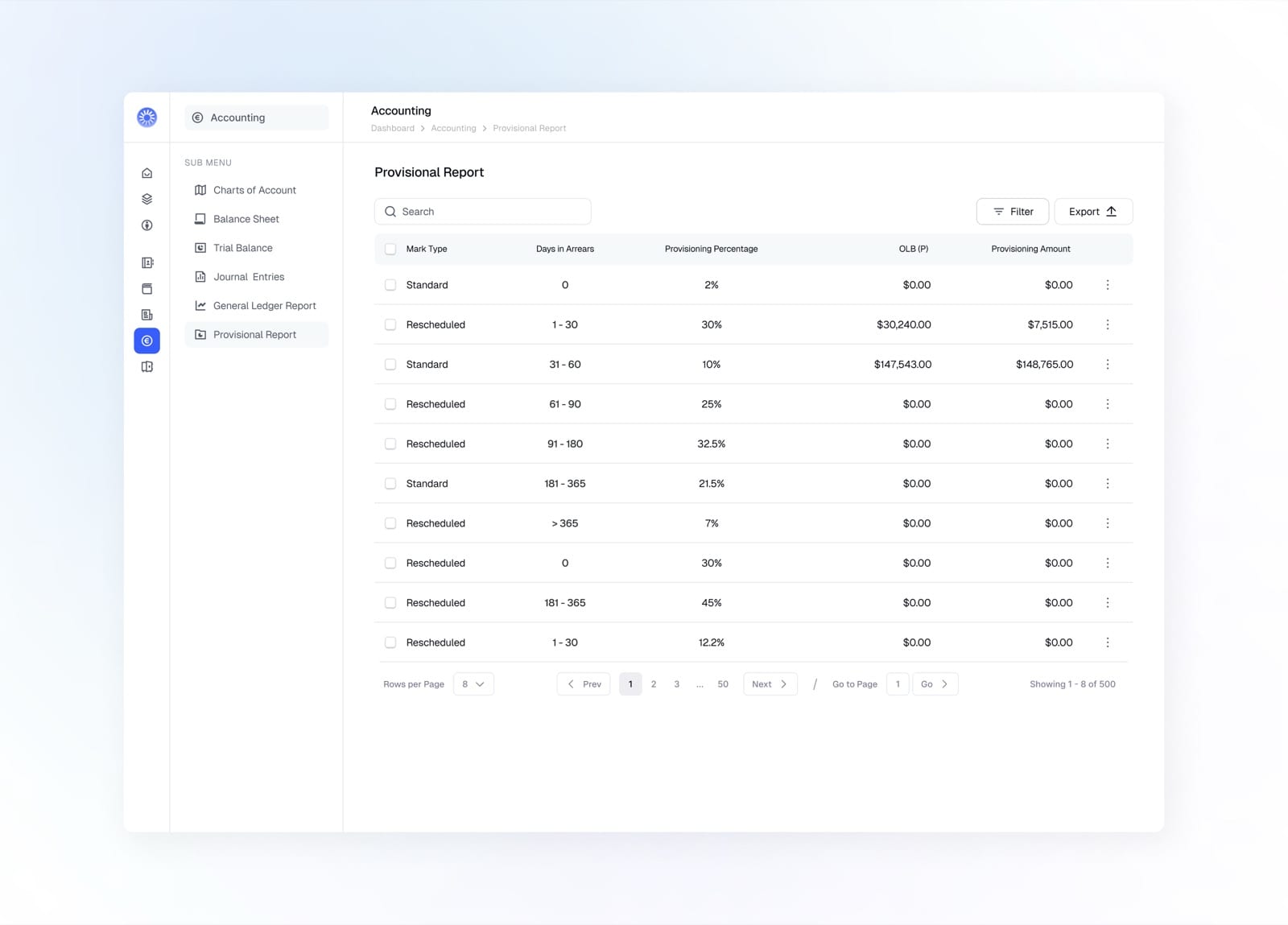
Provisioning by mark type, days in arrears, and percentage
Clients
Managing clients was at the heart of the platform. We designed a system that gave administrators full visibility and control over every client in the organization, from onboarding to ongoing management.
View Client
The client overview gives users a complete snapshot of each client, with all key details accessible at a glance.
Create Individual Client
Creating a new client needed to be straightforward and fast. We built a guided flow that walked users through capturing all essential client details in a clear, step-by-step process.
Create Corporate Client
Corporate clients required a different onboarding flow, capturing business details, registration information, and authorized signatories in a structured process.
Create Center
Centers allowed organizations to group clients and operations by location or branch. The creation flow made it easy to set up a new center with all its relevant details.
Transactions
Transactions give a full view of money moving across the platform. Track value and volume at a glance, filter by status, and drill into any single transaction.
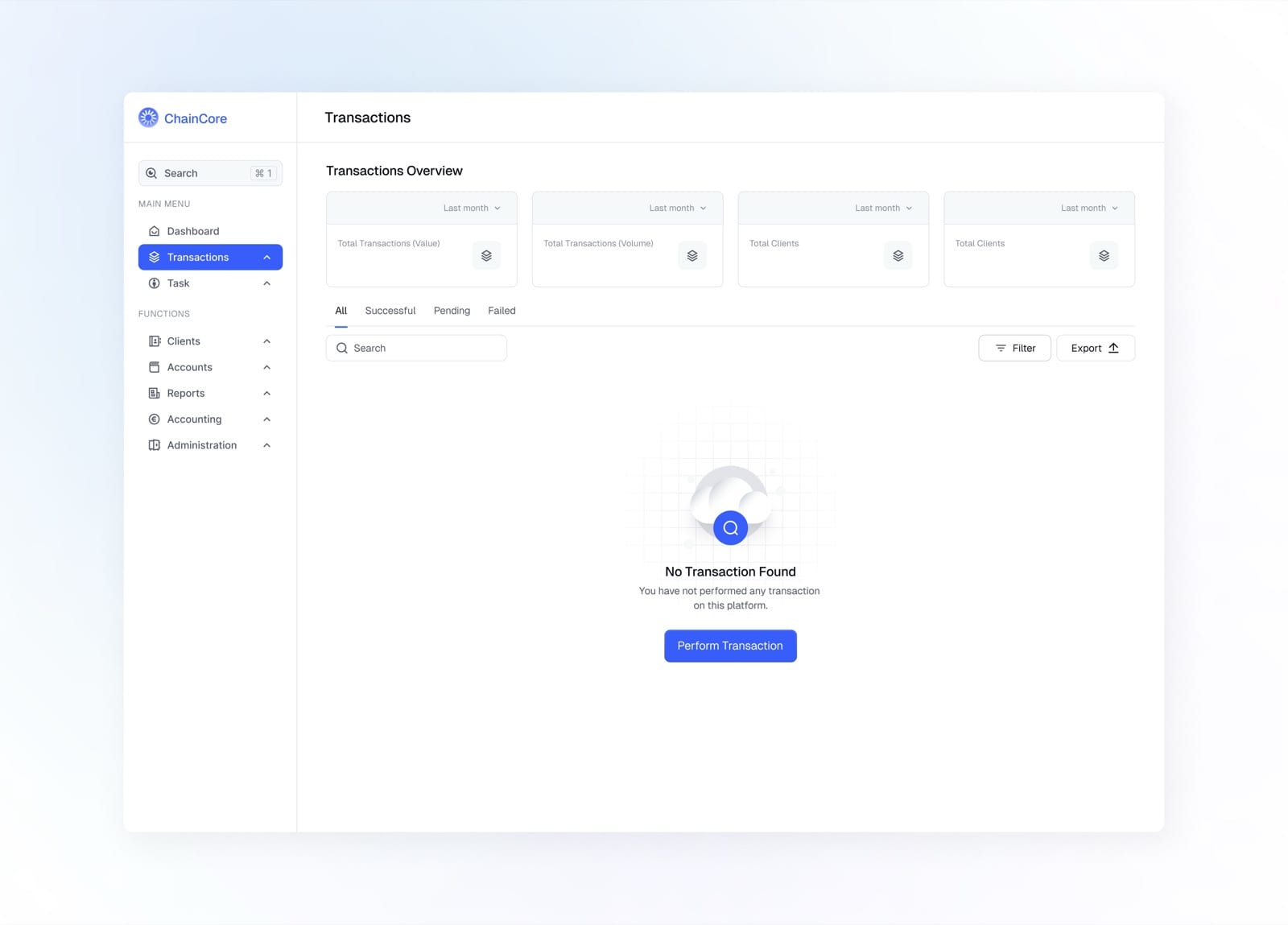
Empty state with the overview cards and a prompt to start
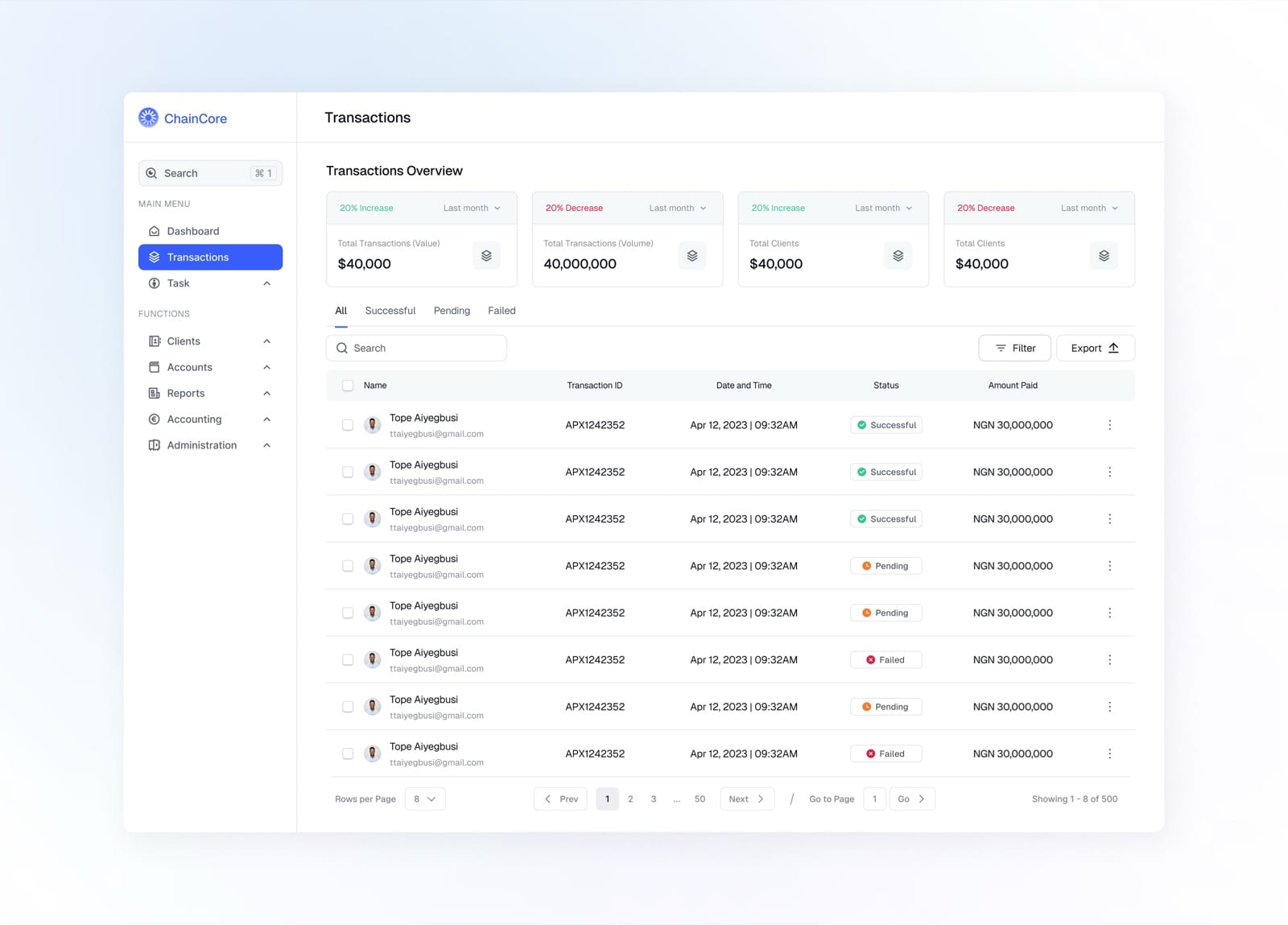
All transactions with status, amount, and quick stats up top
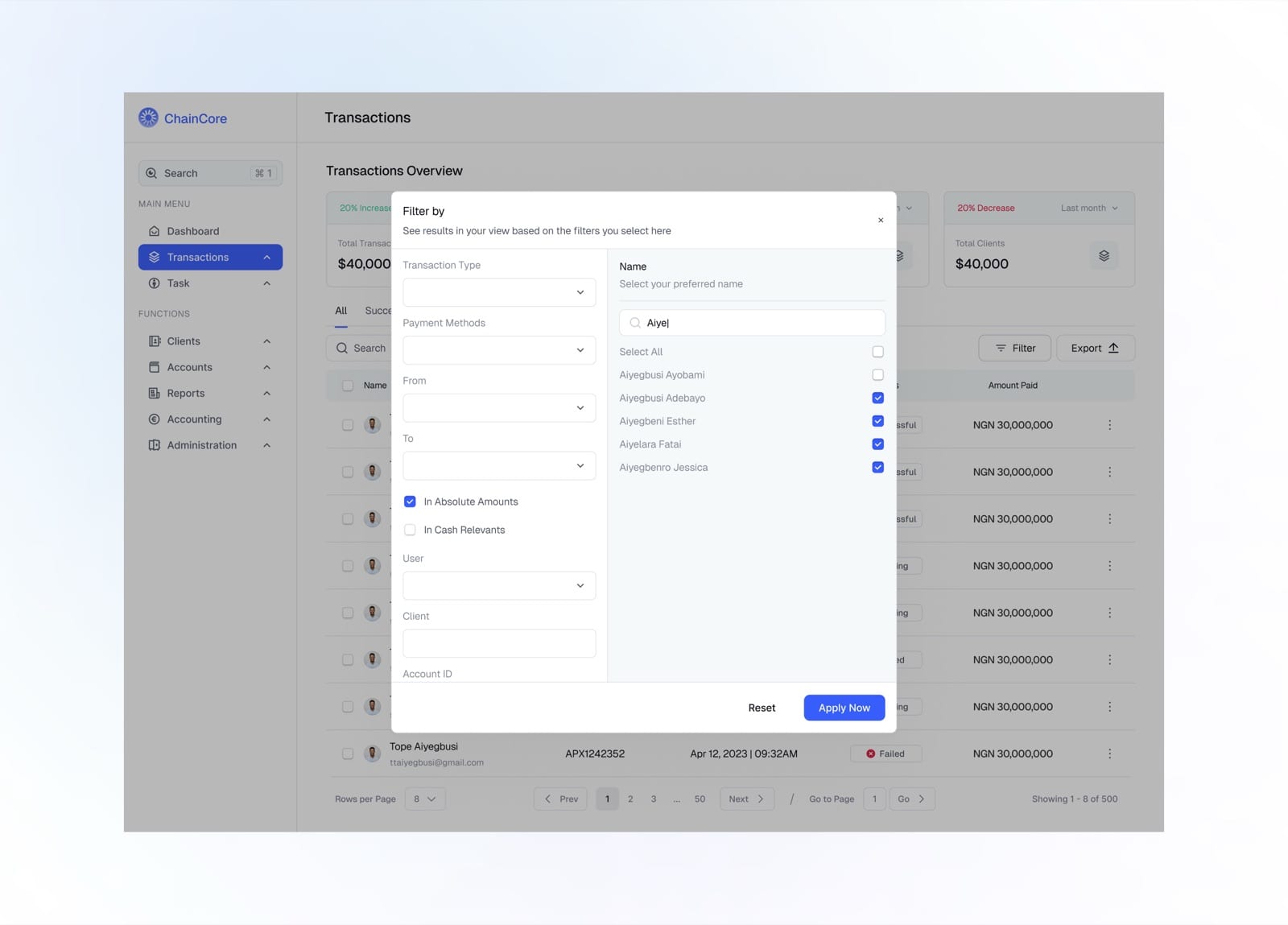
Filter transactions by type, method, date, user, and more
Administration
The administration area is where access is governed. Manage users and their groups, define granular permissions, set the password policy, and audit every login.
Users
The users module is where administrators manage everyone with access to the platform, from onboarding to termination.
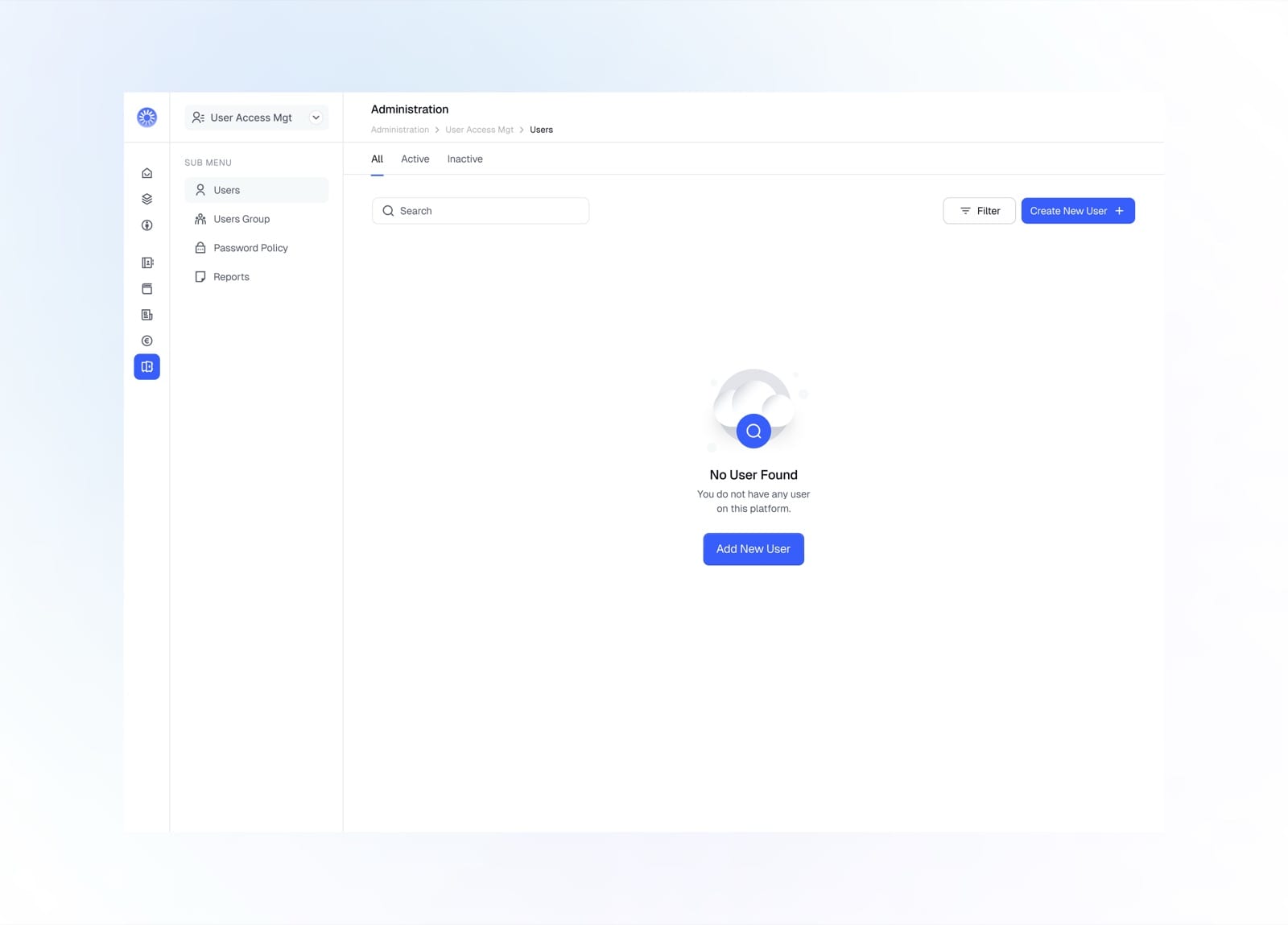
Empty state prompting you to add your first user
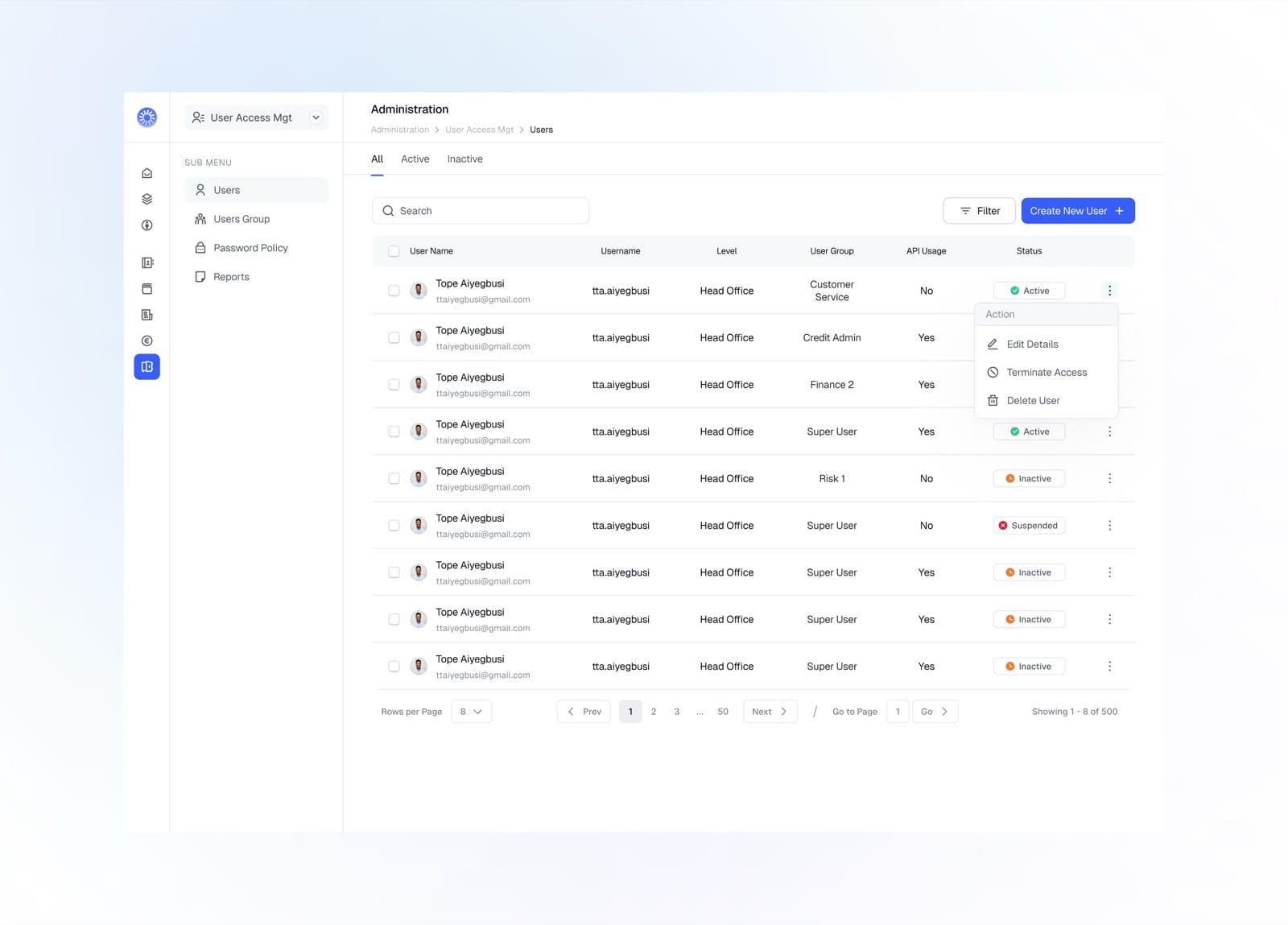
Manage users with their group, level, and access status
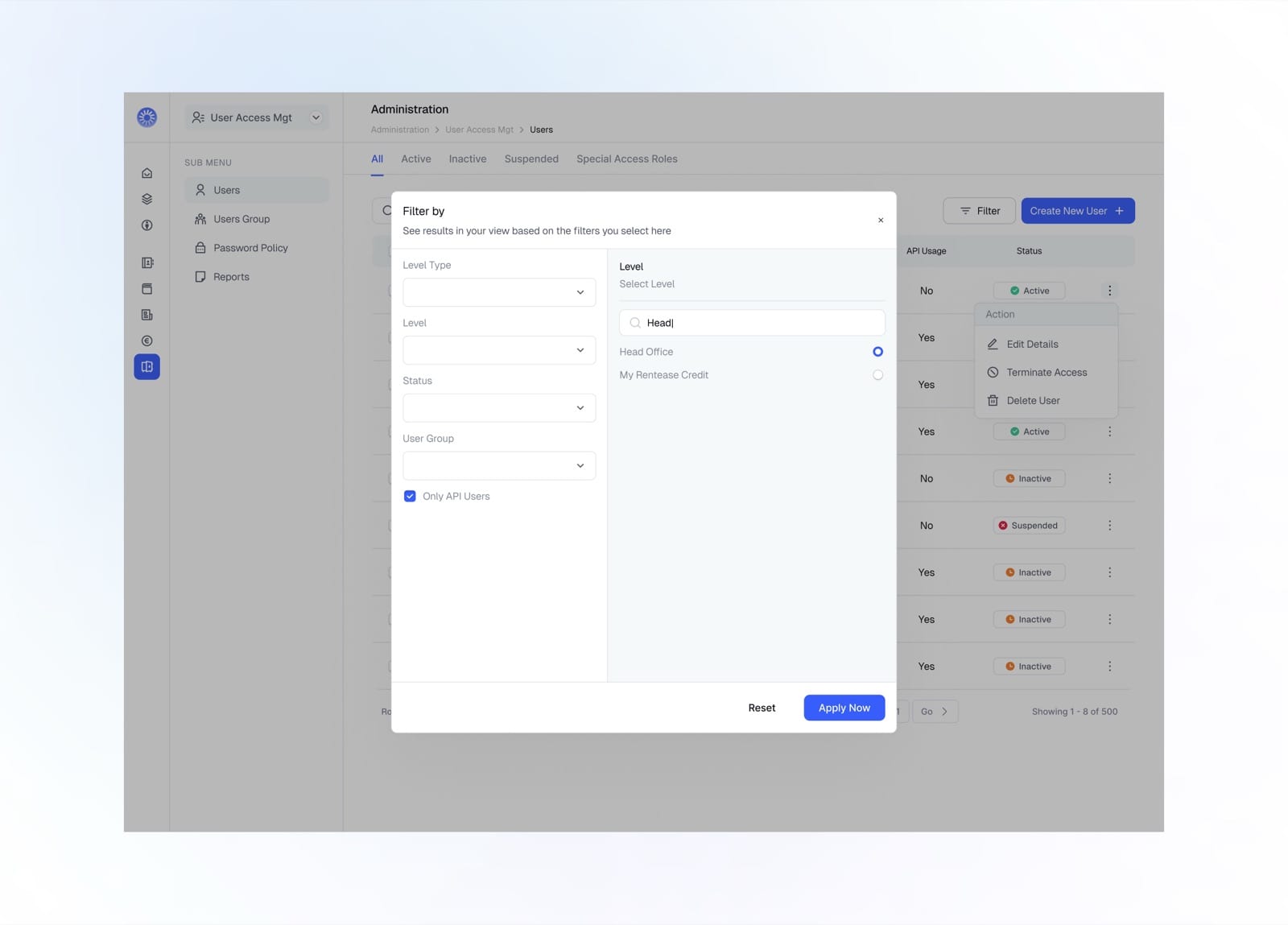
Filter users by level, status, and user group
User Group
User groups bundle permissions into reusable roles. Each group defines what its members can see and do across the platform.
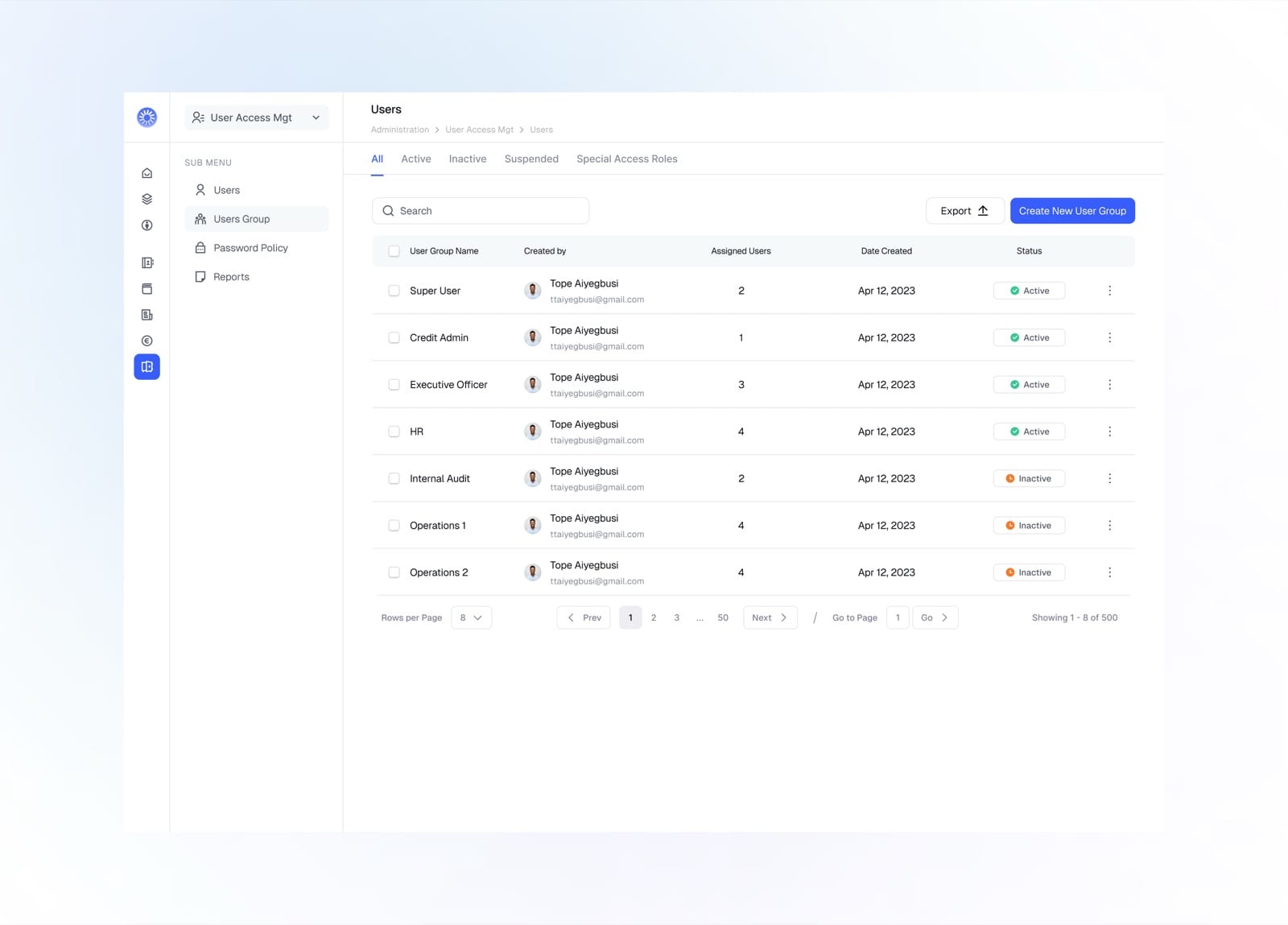
Browse all user groups with assigned users and status
Create User Group
Creating a user group is a guided flow across sixteen permission areas, letting admins define access down to the individual action.
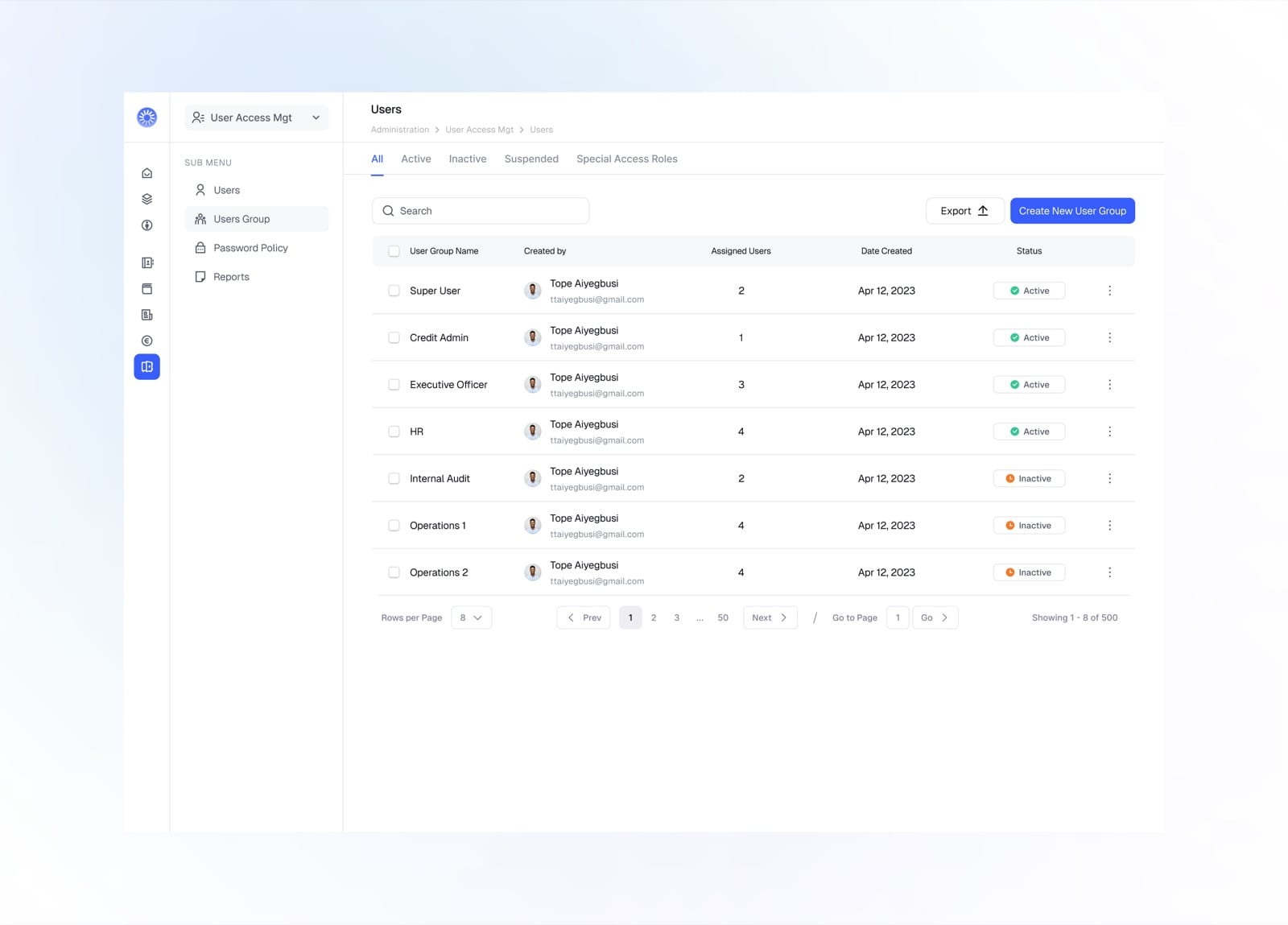
Start from User Groups and tap Create New User Group
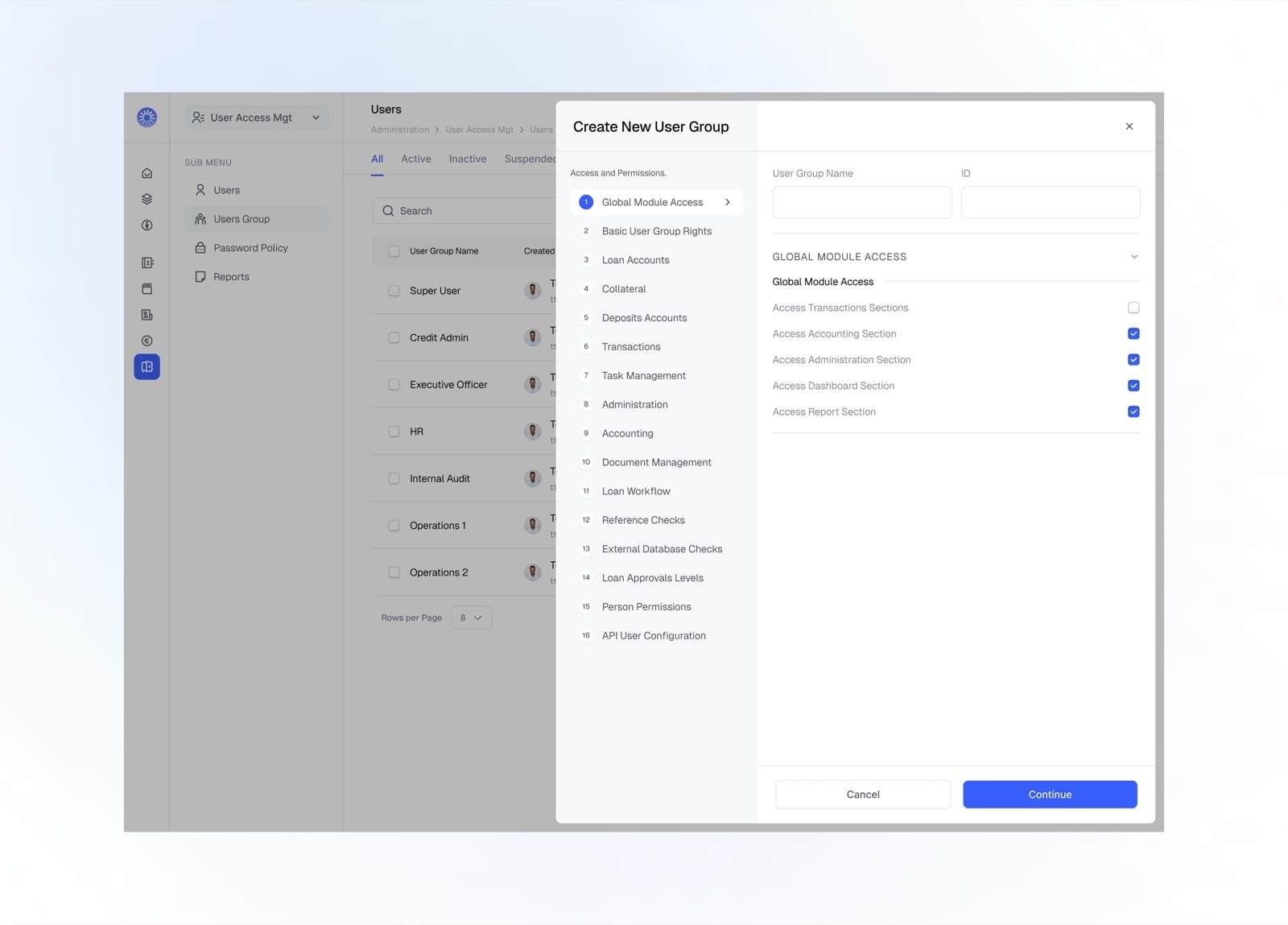
Name the group and set its global module access
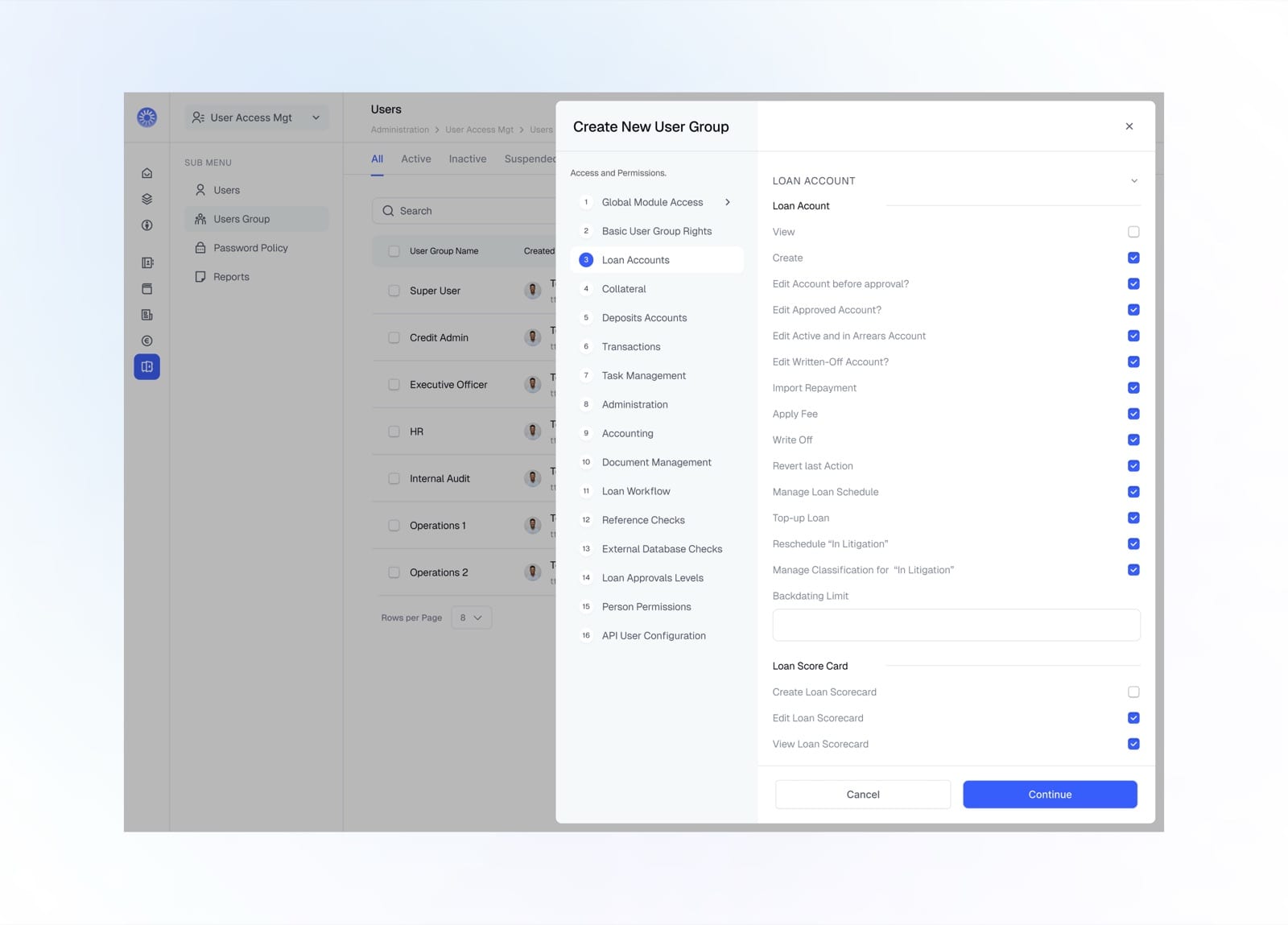
Configure granular loan account permissions
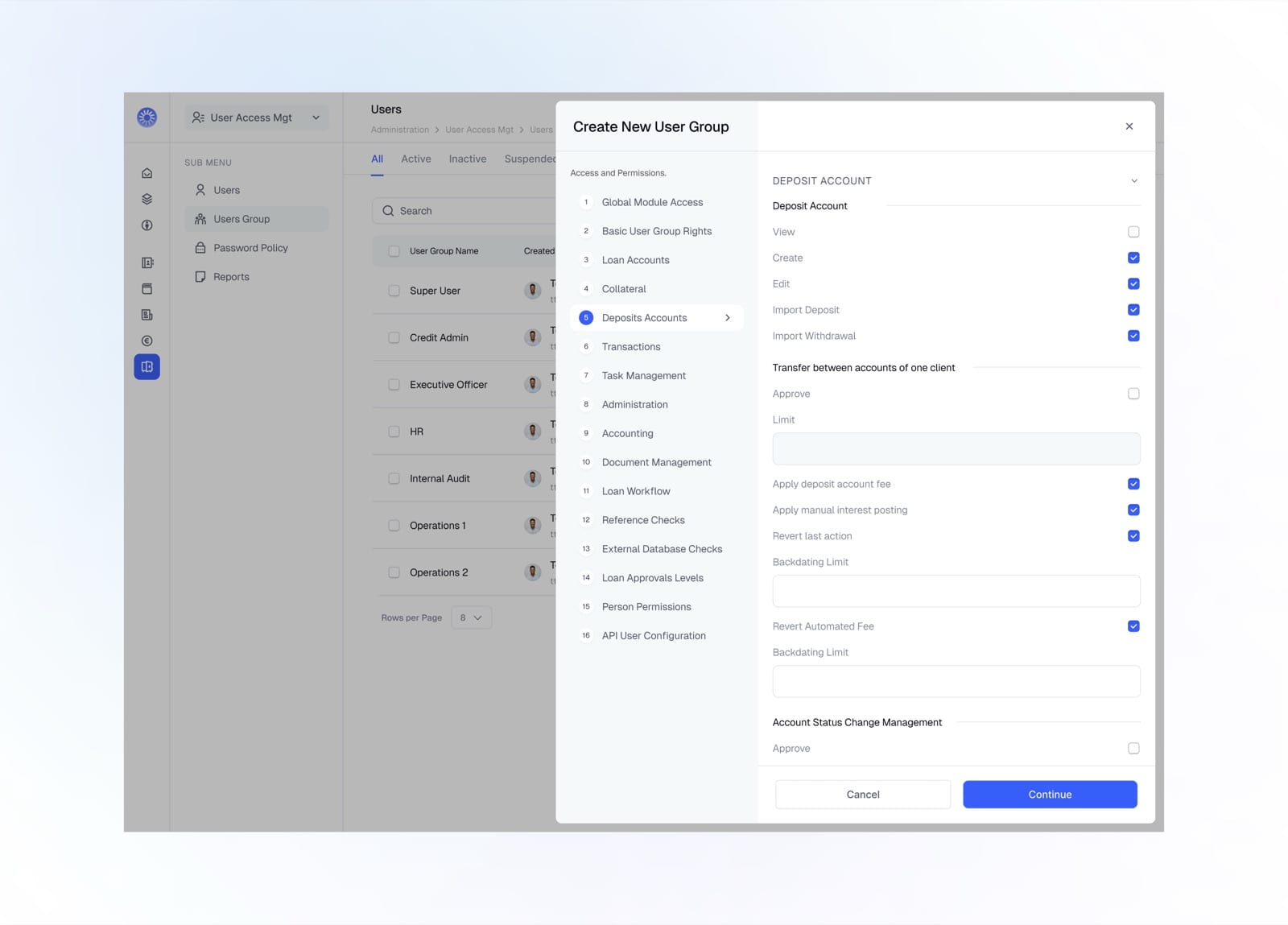
Set deposit account permissions and transfer limits
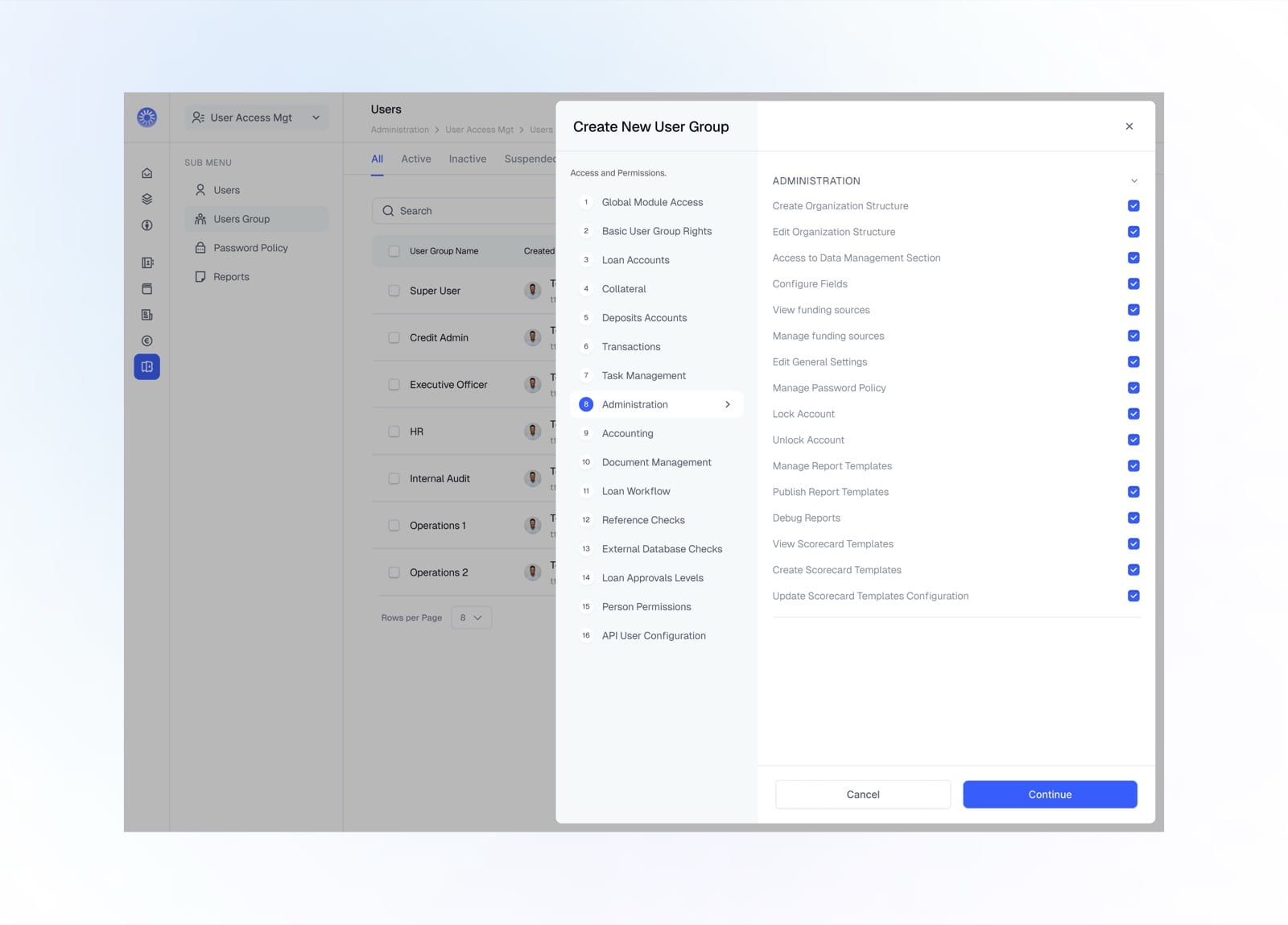
Grant administration and organisation permissions
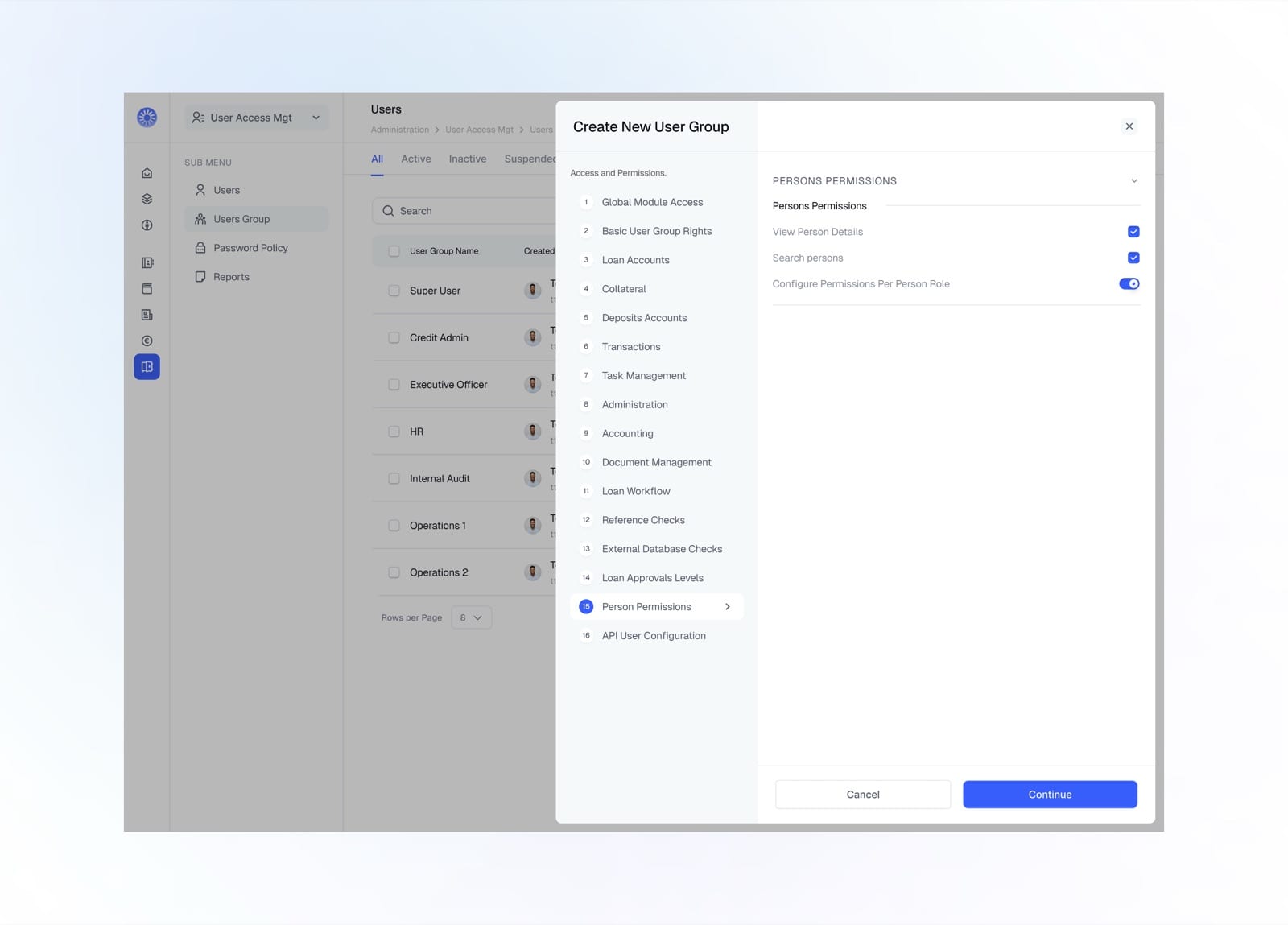
Control person-level permissions and roles
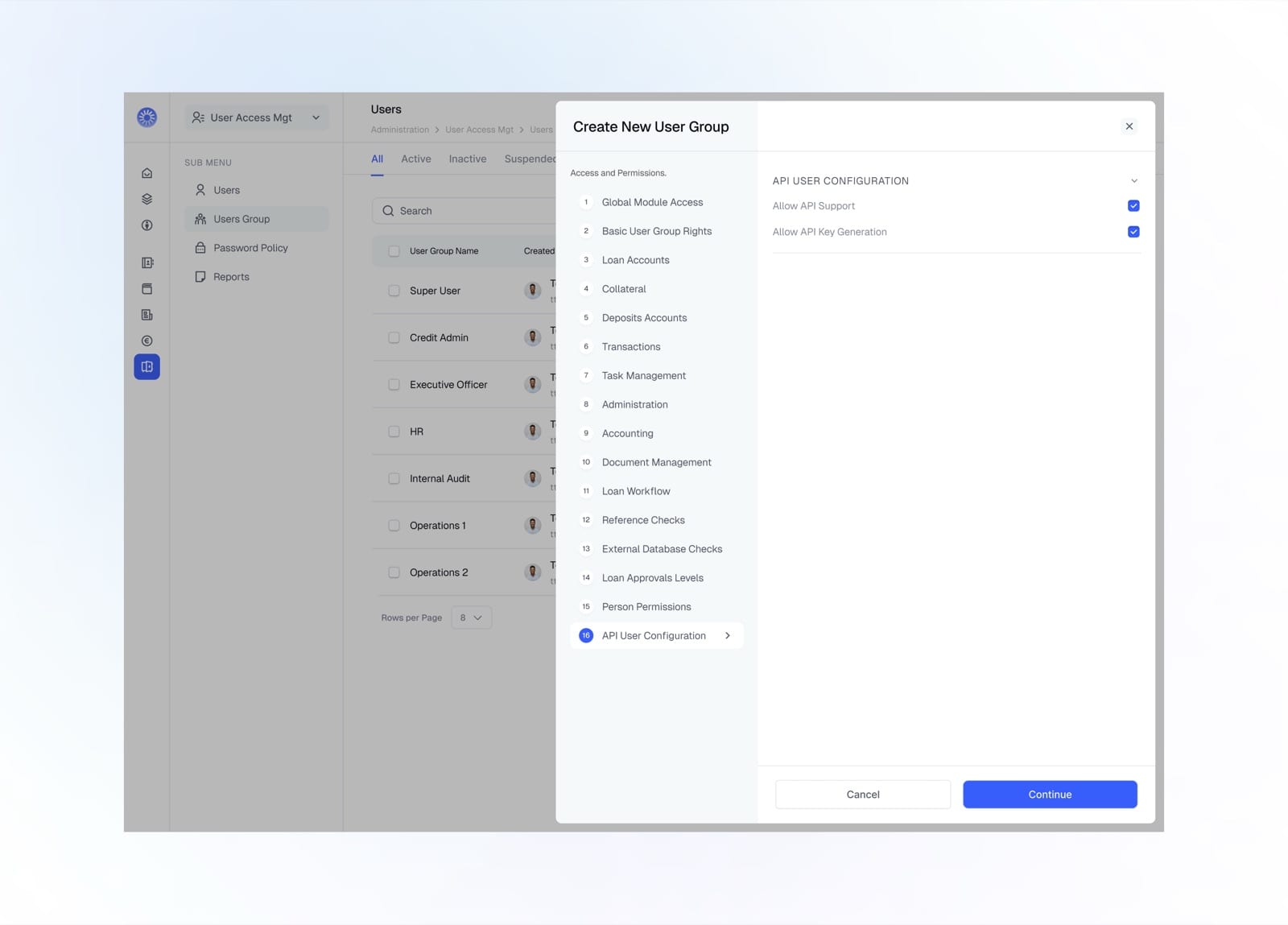
Configure API support and key generation
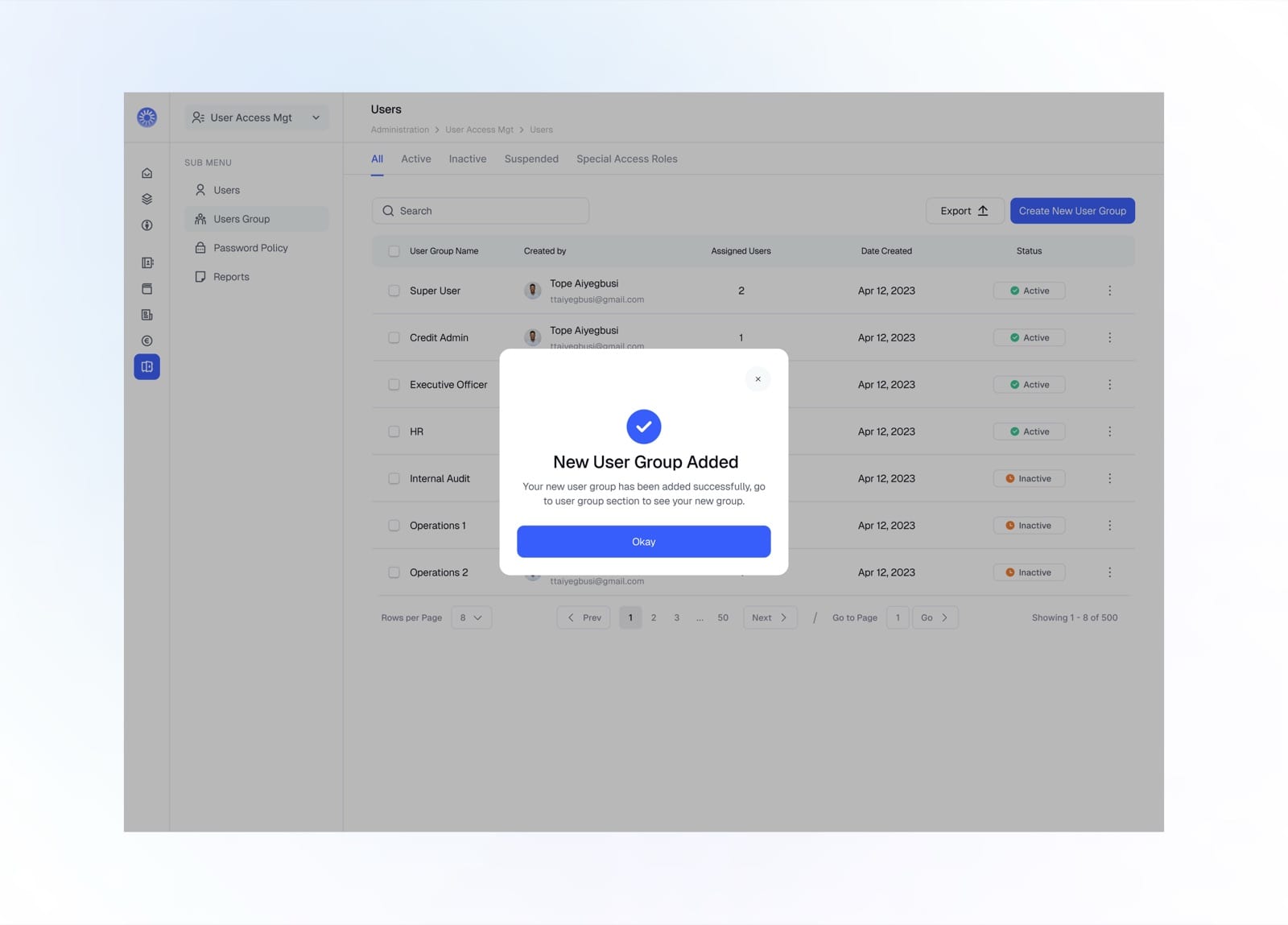
New user group created successfully
Password Policy
The password policy centralises account security, from strength requirements and expiry to lockouts and session timeouts.
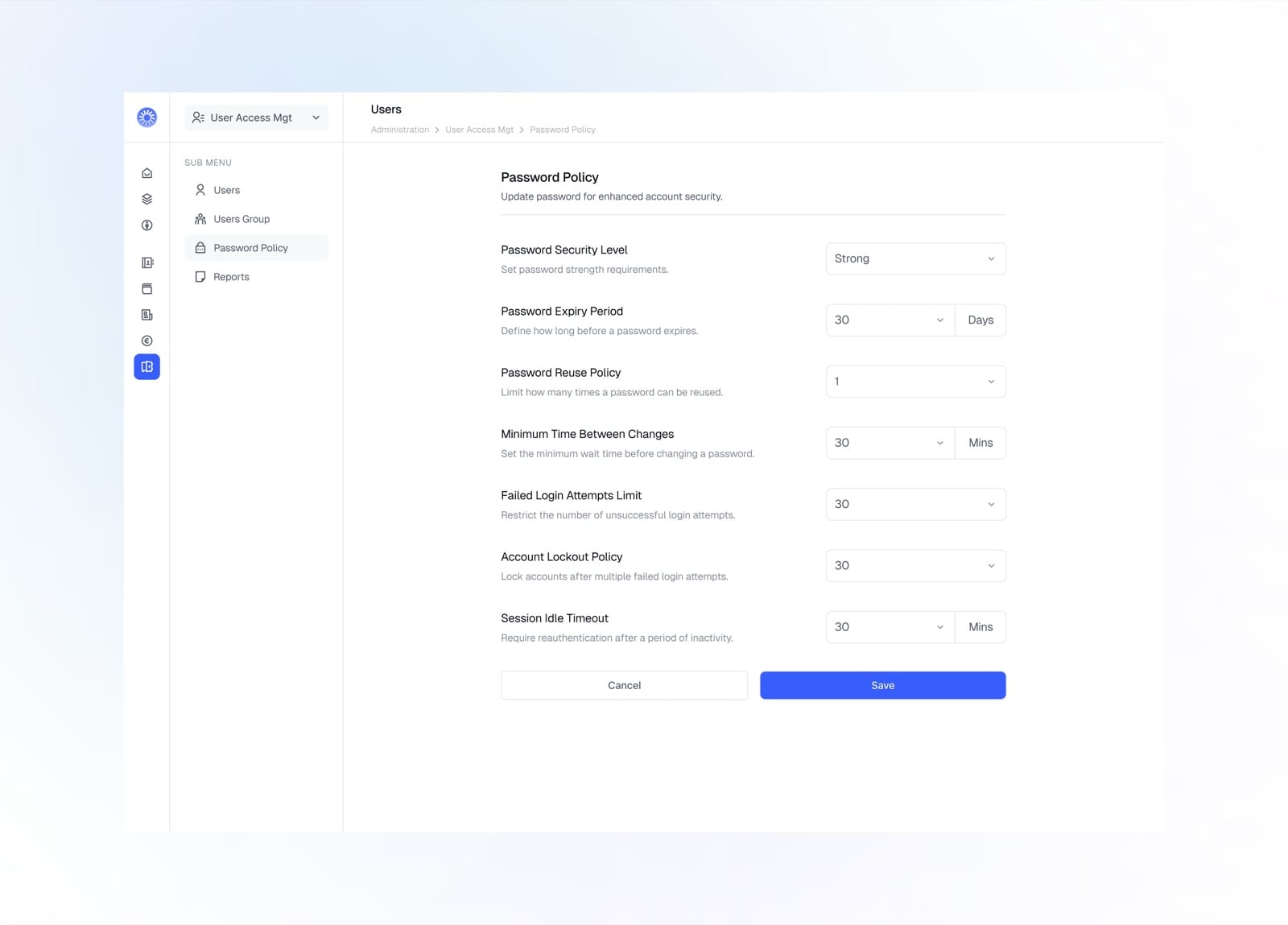
Set password strength, expiry, lockout, and session rules
User Login Report
The user login report is a full audit trail of access, capturing every login, logout, and session with the user, time, and IP.
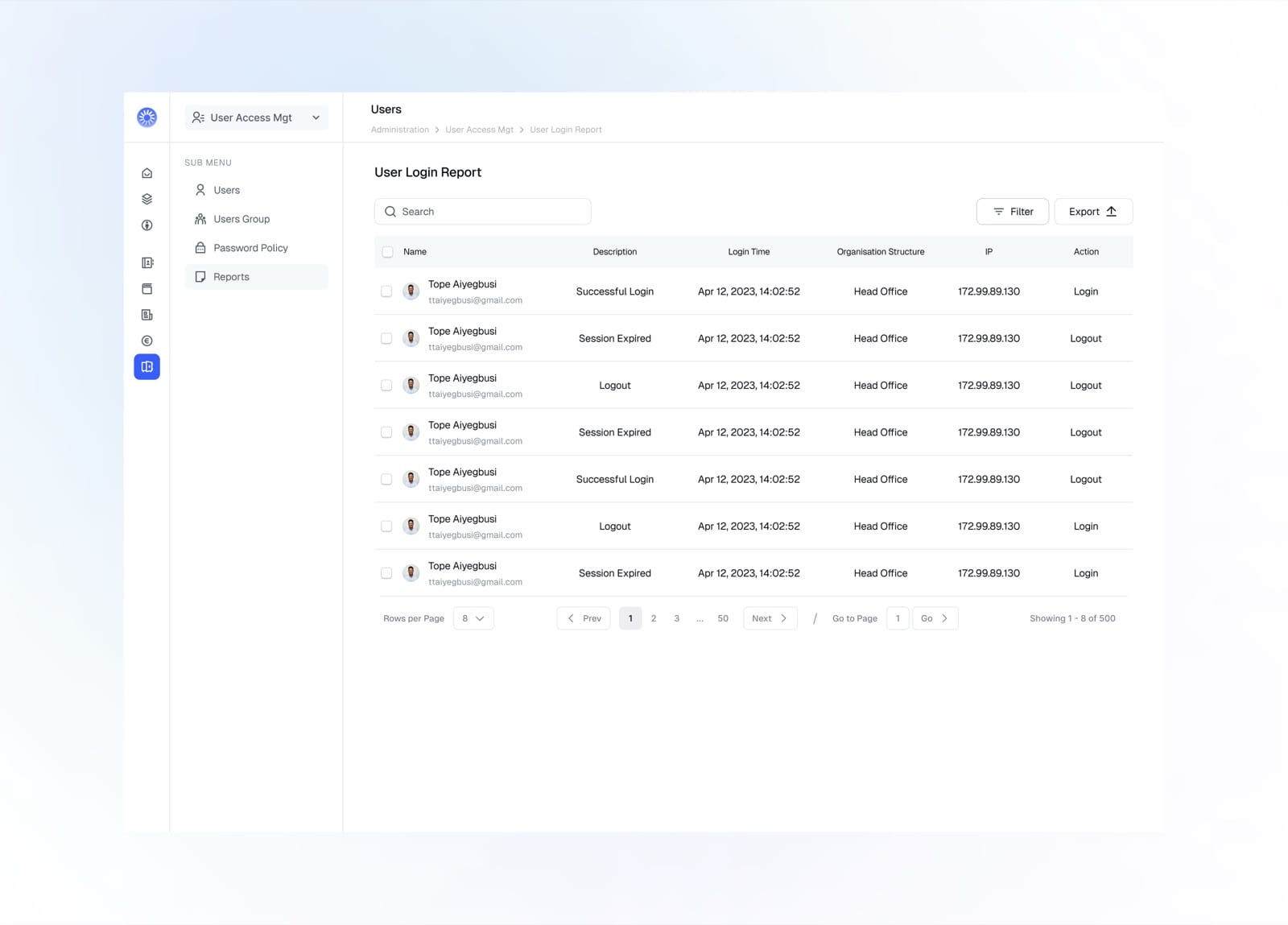
Every login and logout event with time, location, and IP
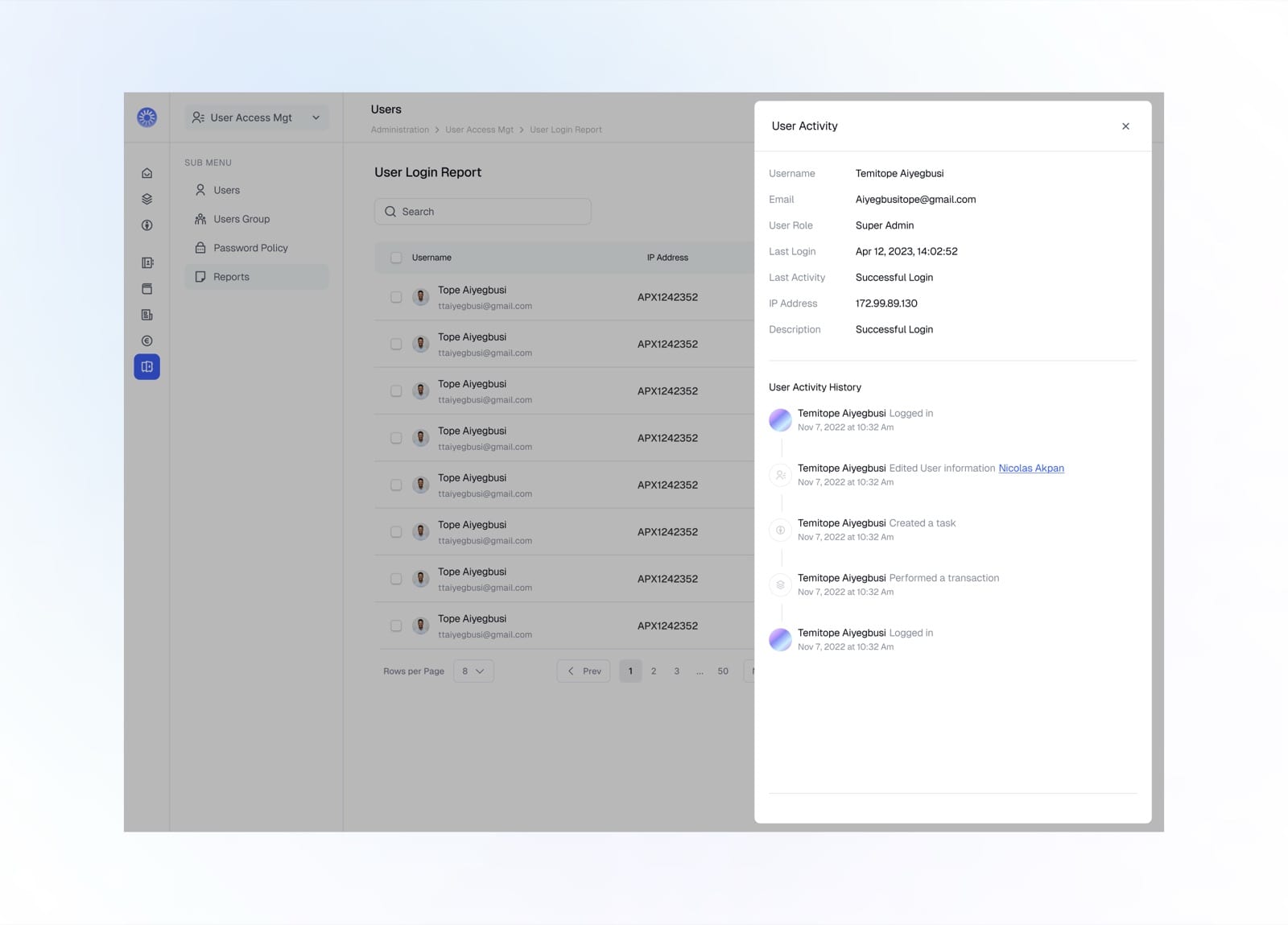
Open a user to see their profile and full activity history
Products
The products module is where loan and deposit offerings are defined. Browse every product, review its details, and spin up new ones for the institution.
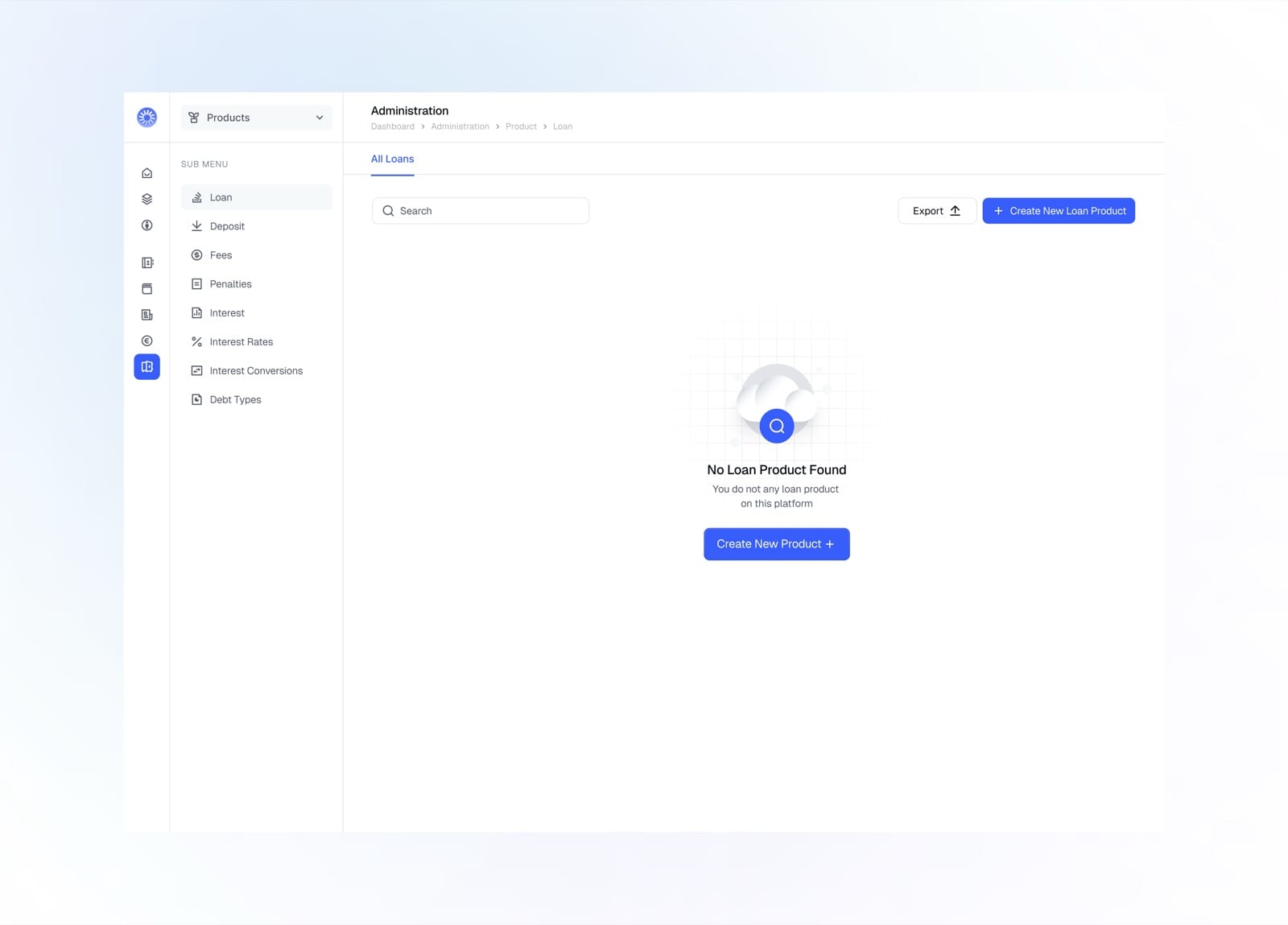
Empty state prompting you to create your first loan product
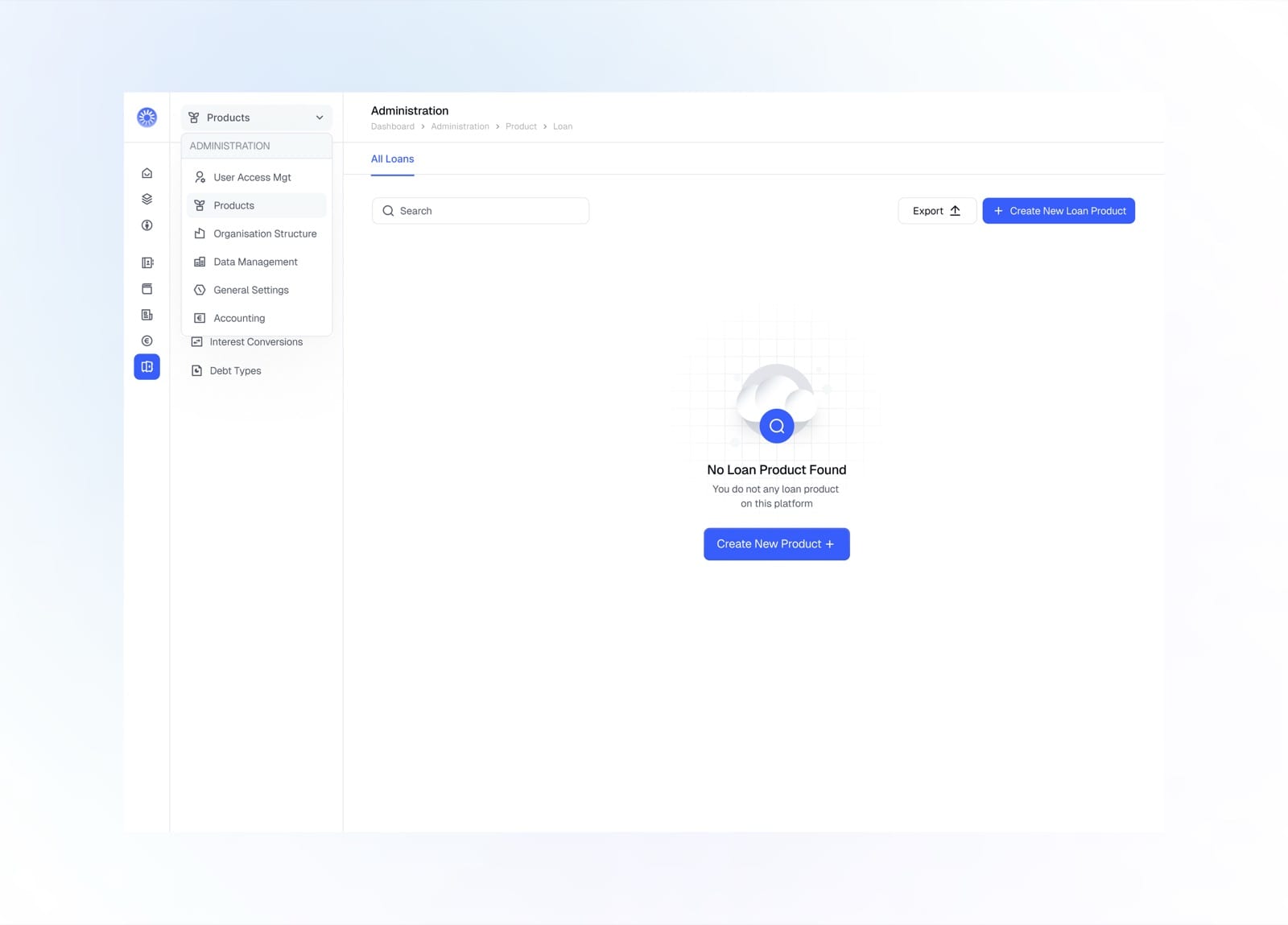
Switch between Administration modules from the menu
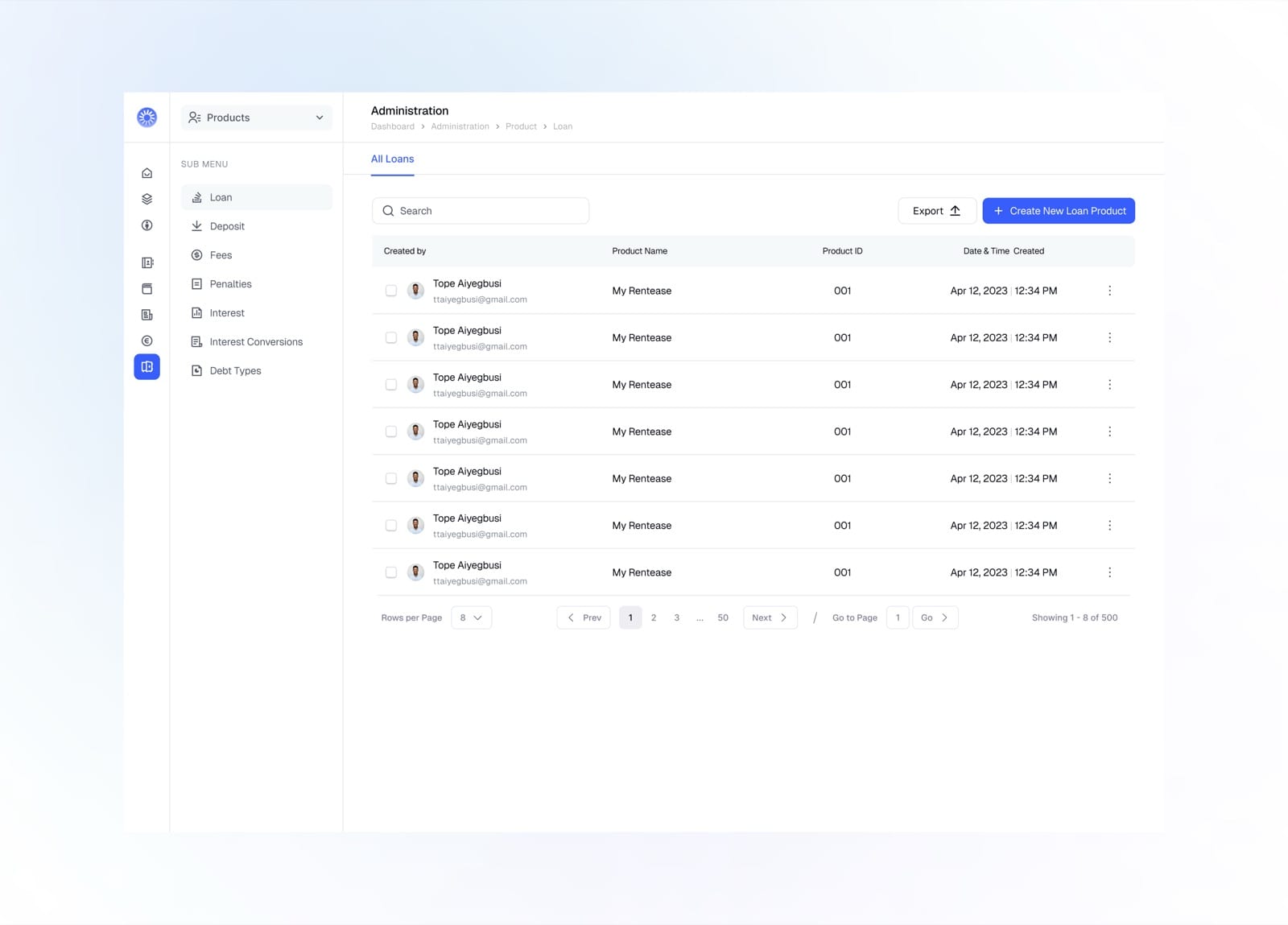
Browse all loan products with their ID, creator, and date
Create Loan Products
Creating a loan product is a guided, six-step flow covering everything from basic details to repayment, interest, penalties, and accounting.
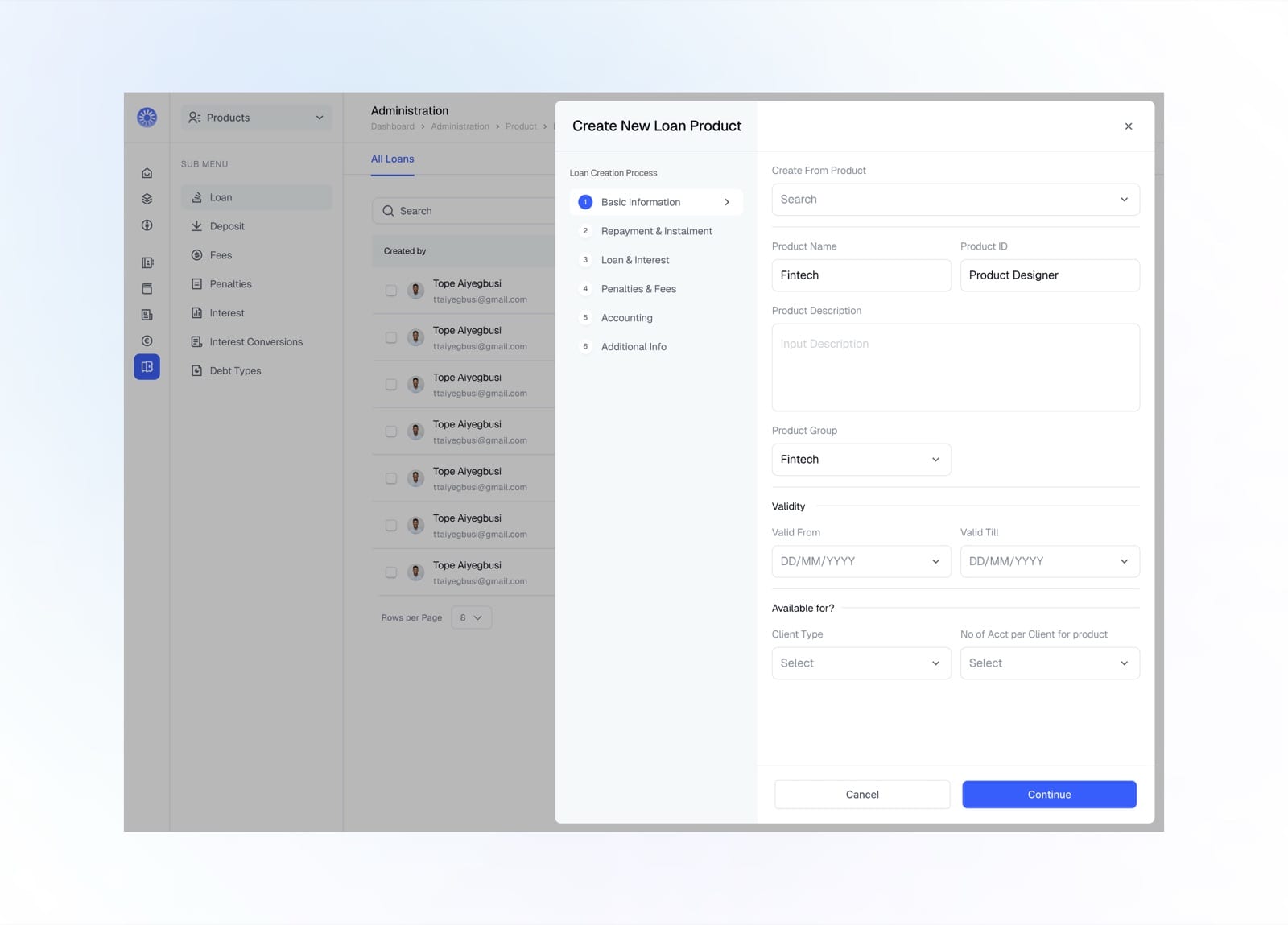
Basic information: name, group, validity, and availability
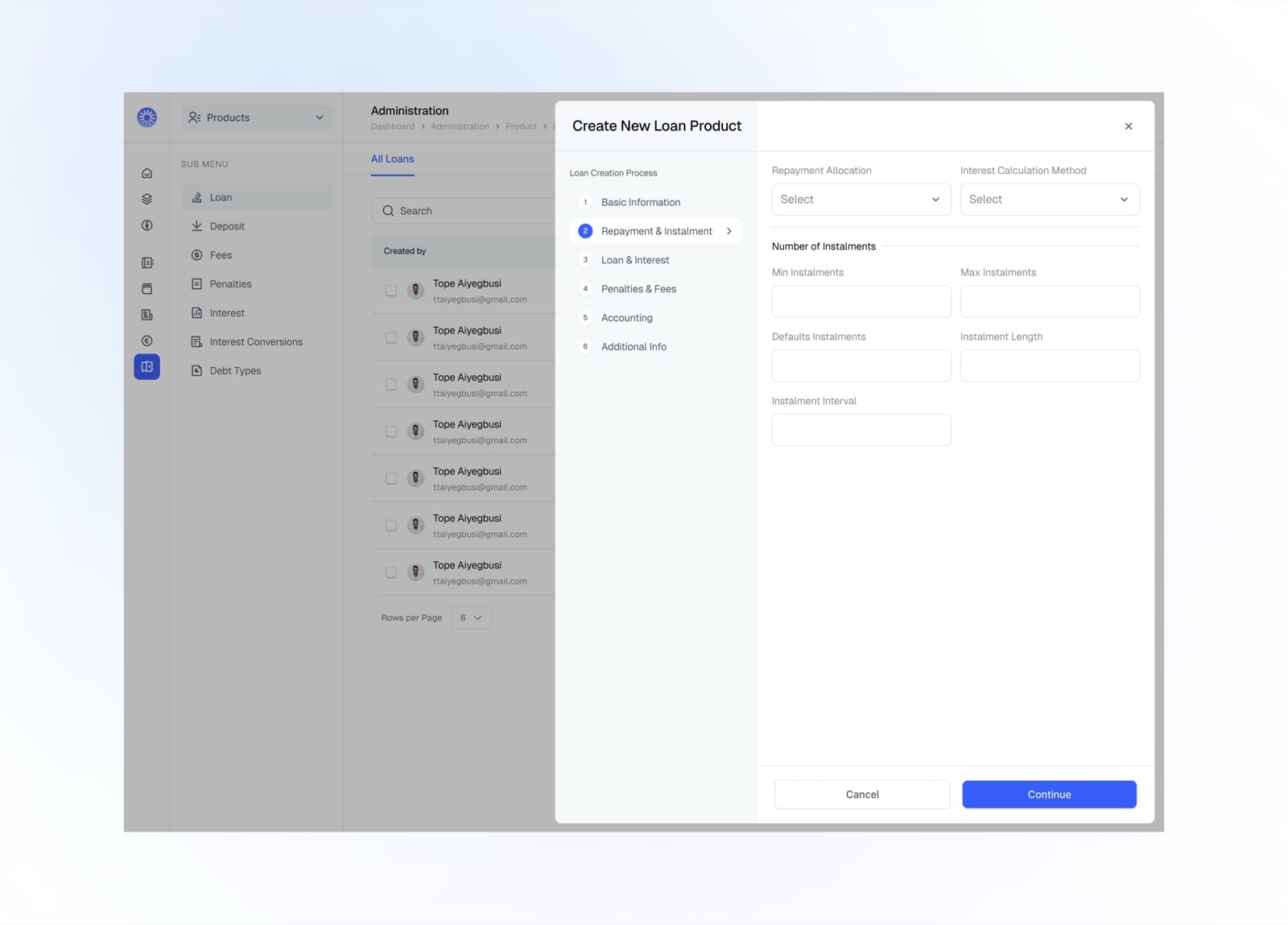
Repayment allocation and the number of instalments
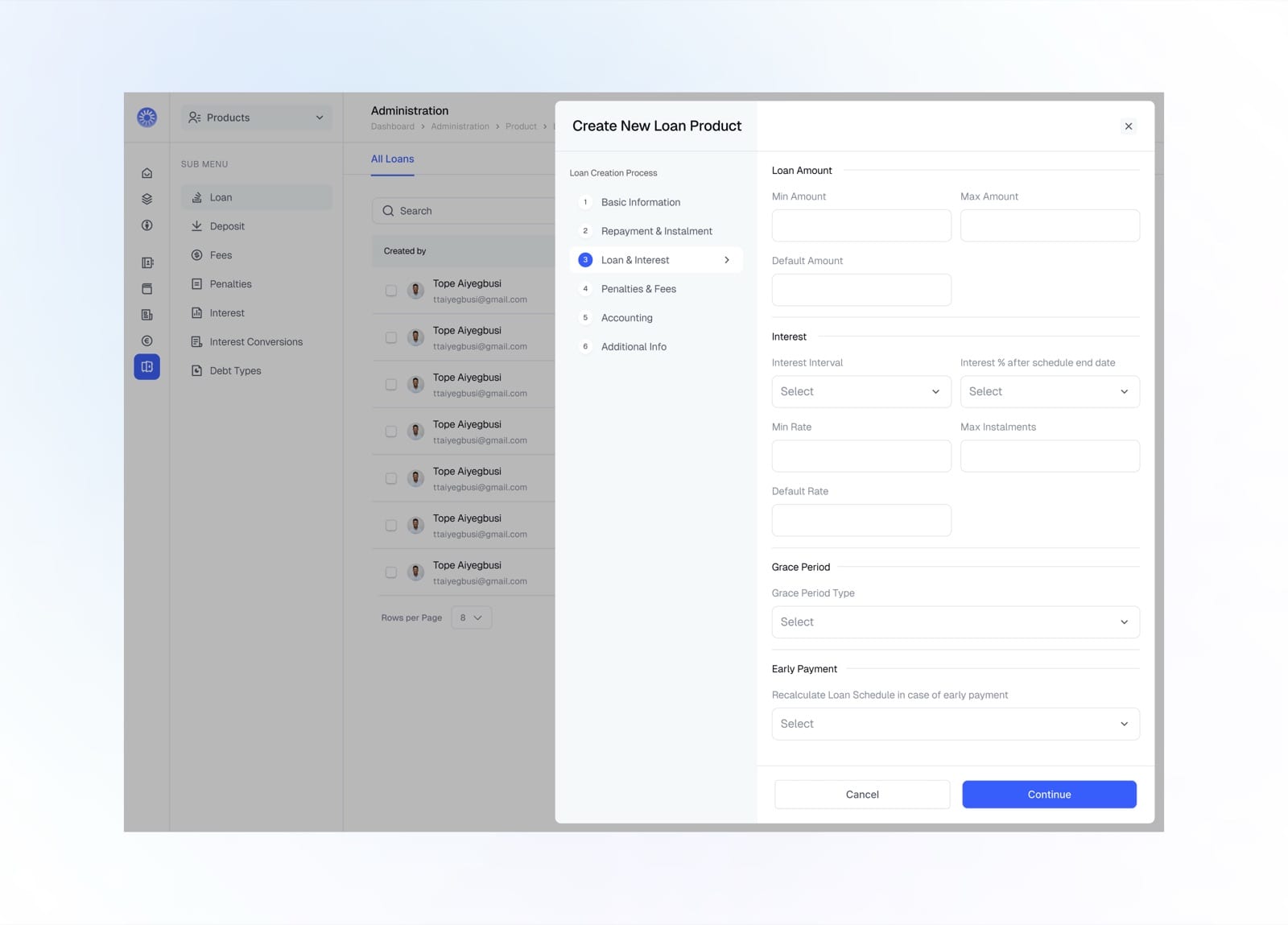
Loan amount, interest rates, grace period, and early payment
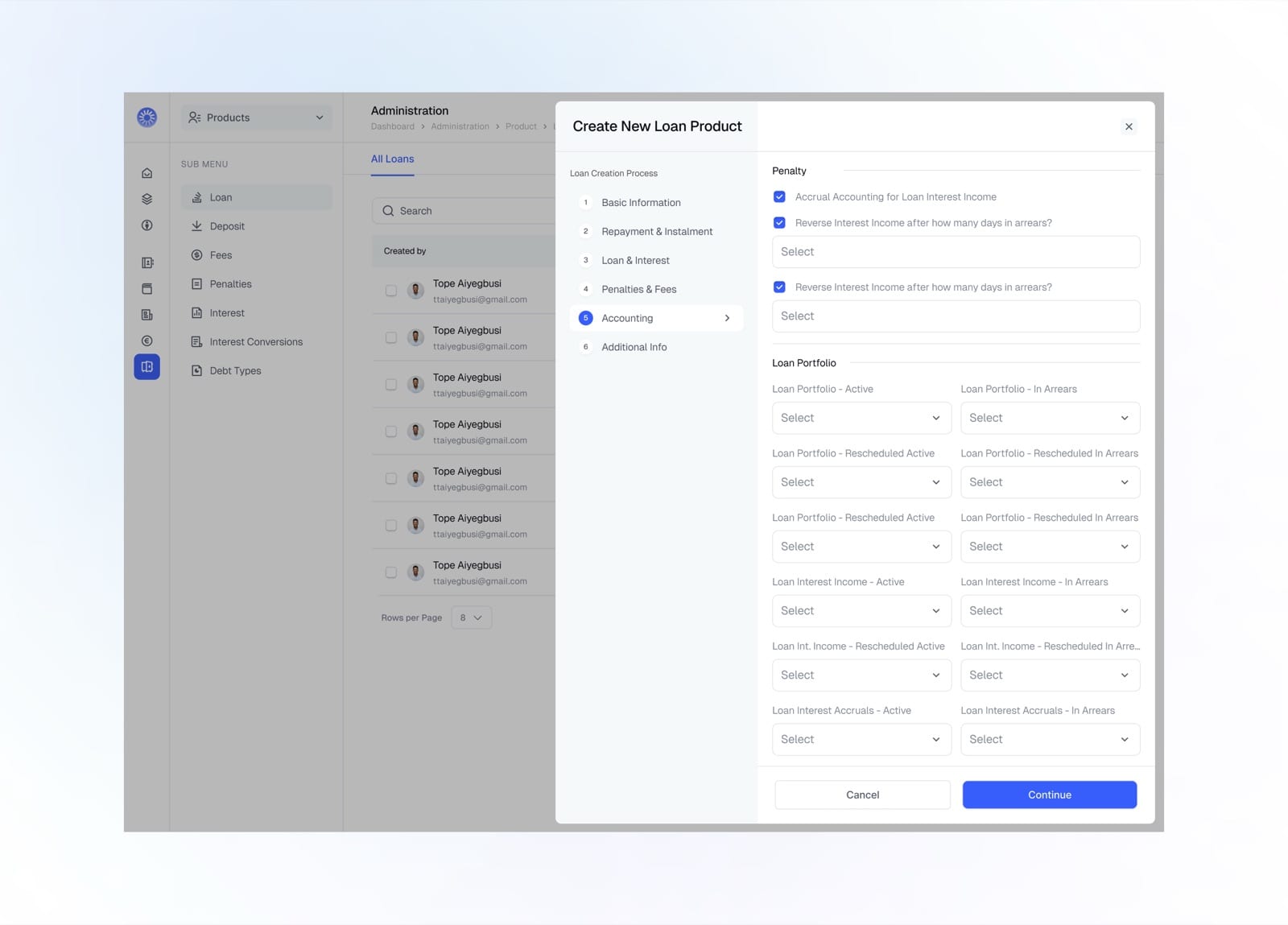
Map accounting entries for interest, portfolio, and accruals
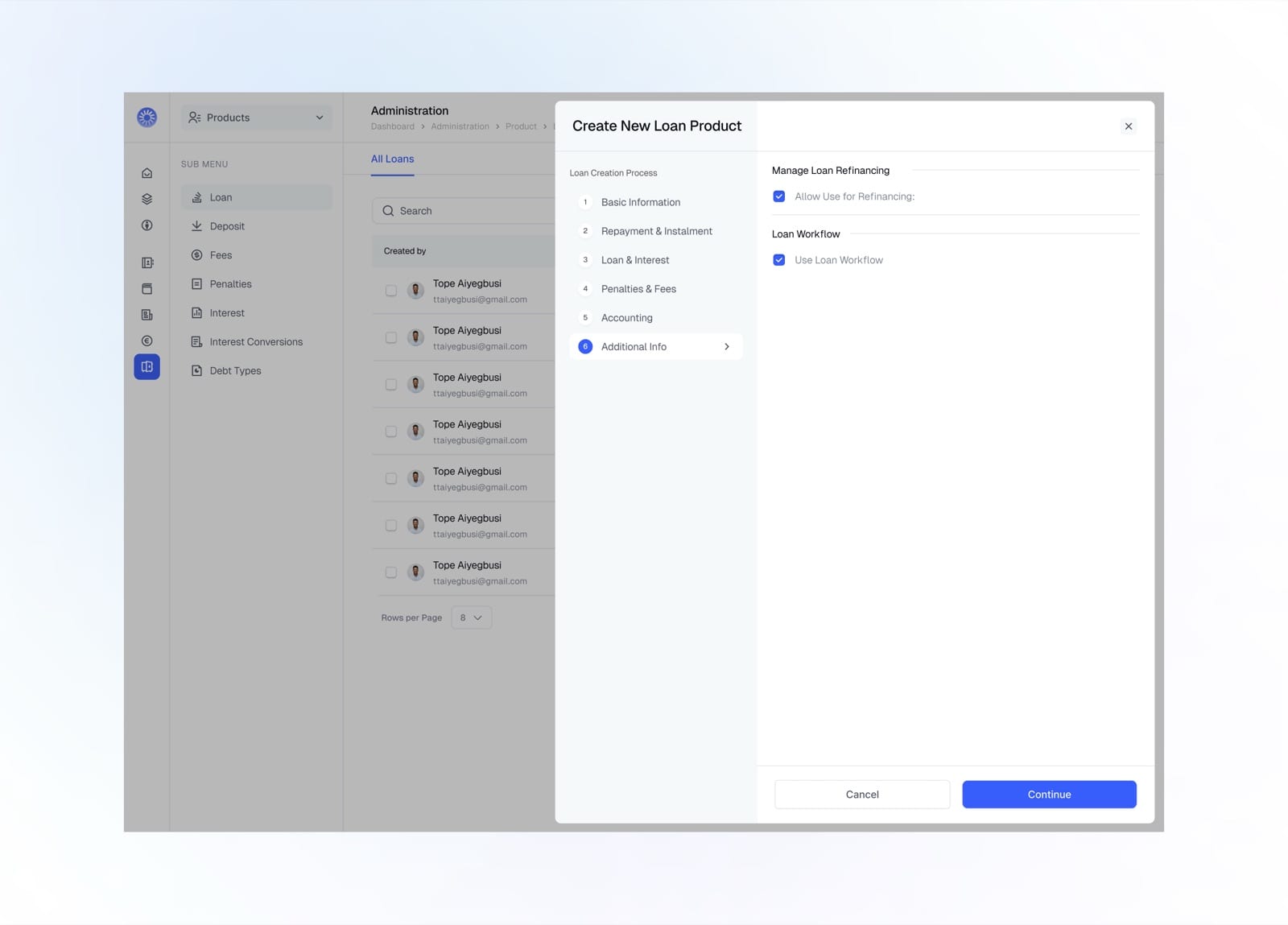
Enable refinancing and the loan workflow
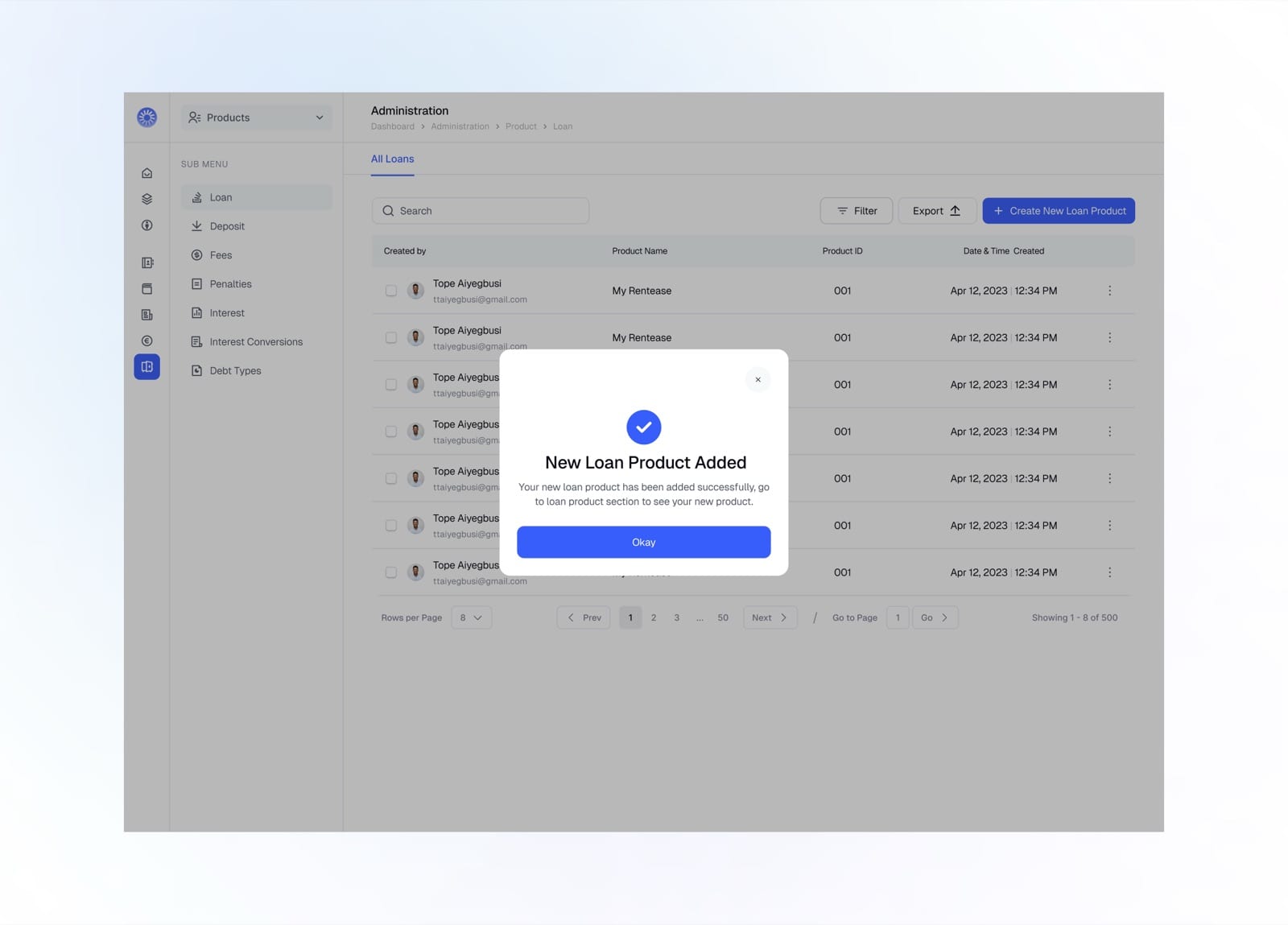
New loan product created successfully
Interest Conversion
Interest conversion settings define how rates translate across periods, keeping annual, monthly, weekly, and daily calculations consistent.
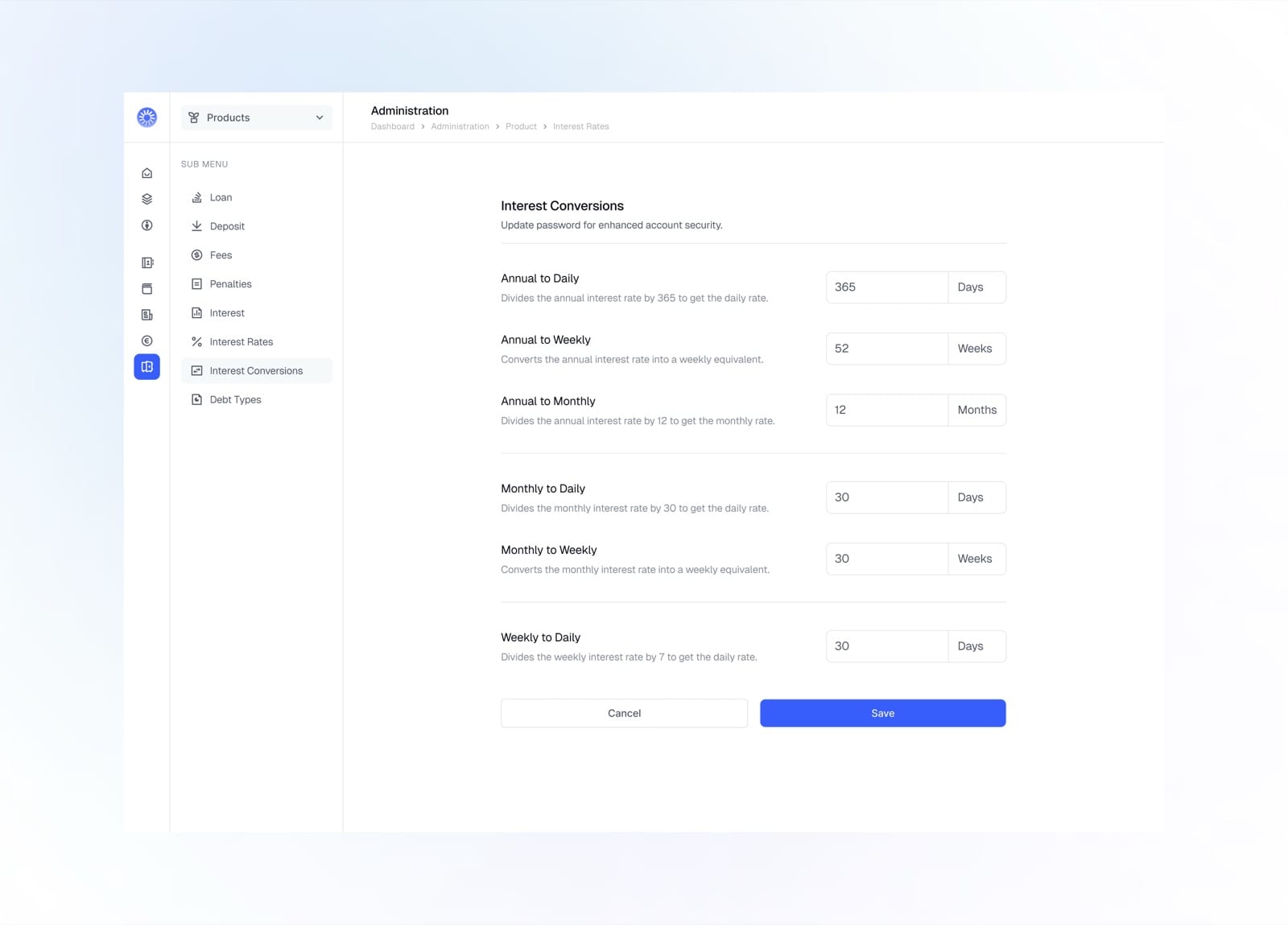
Set how annual, monthly, and weekly rates convert to daily
Org Structure
The organisation structure module maps the institution's branches and centers, so operations can be grouped by location and clients moved between them.
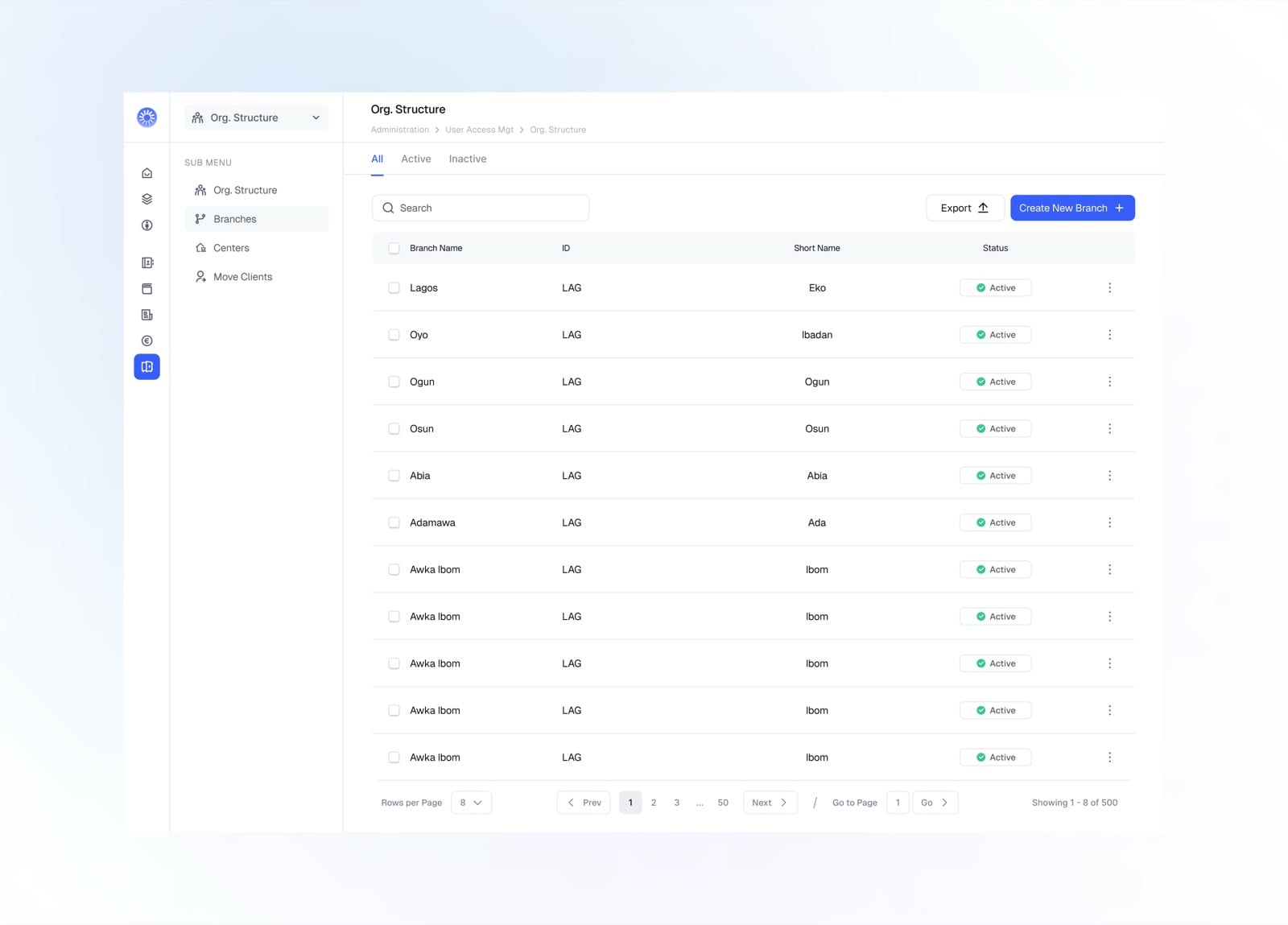
Manage branches with their ID, short name, and status
General Settings
General settings hold the institution-wide configuration, from organization details and operational days to currency, structure, and security.
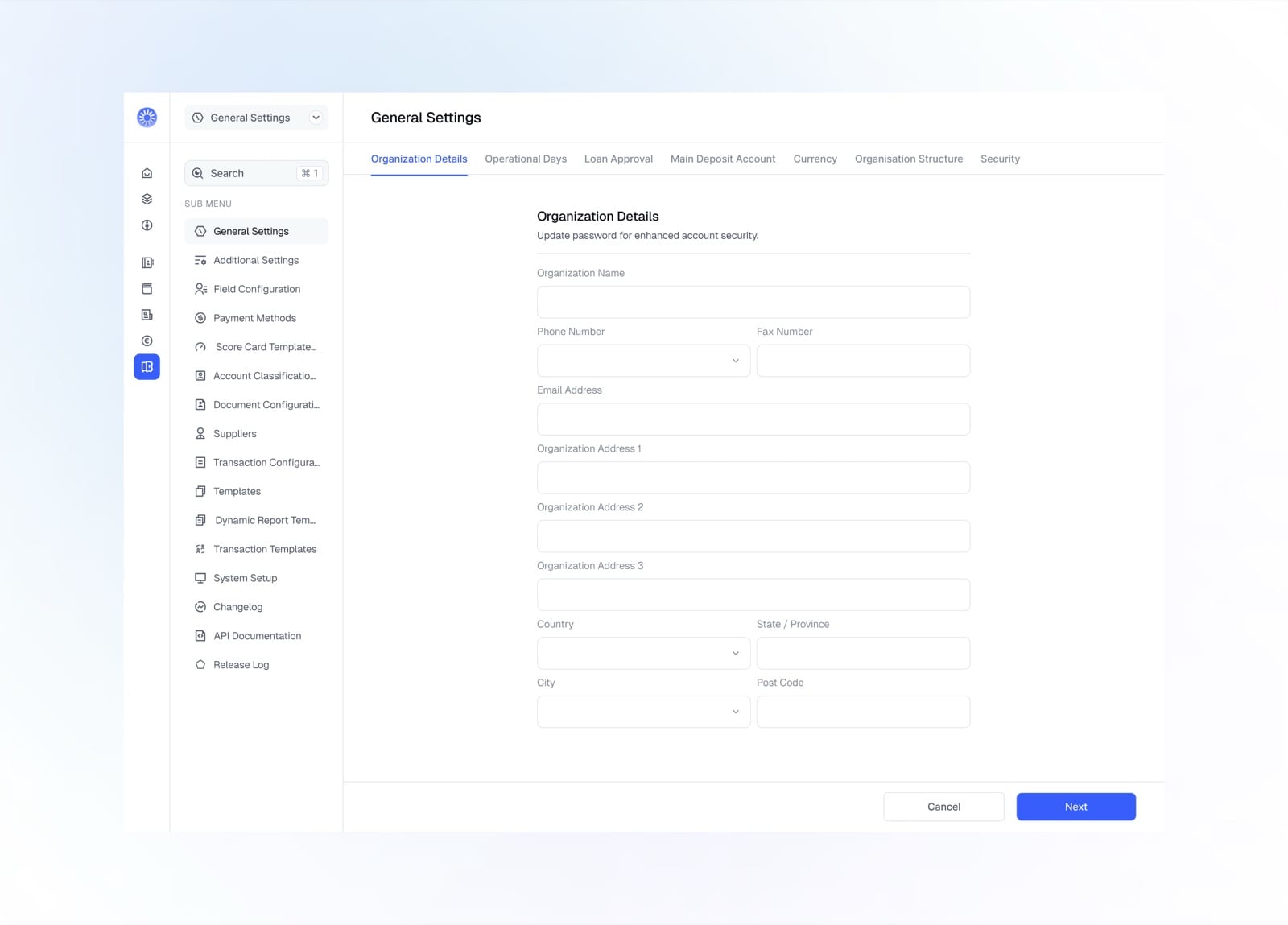
Set organization details across the settings tabs
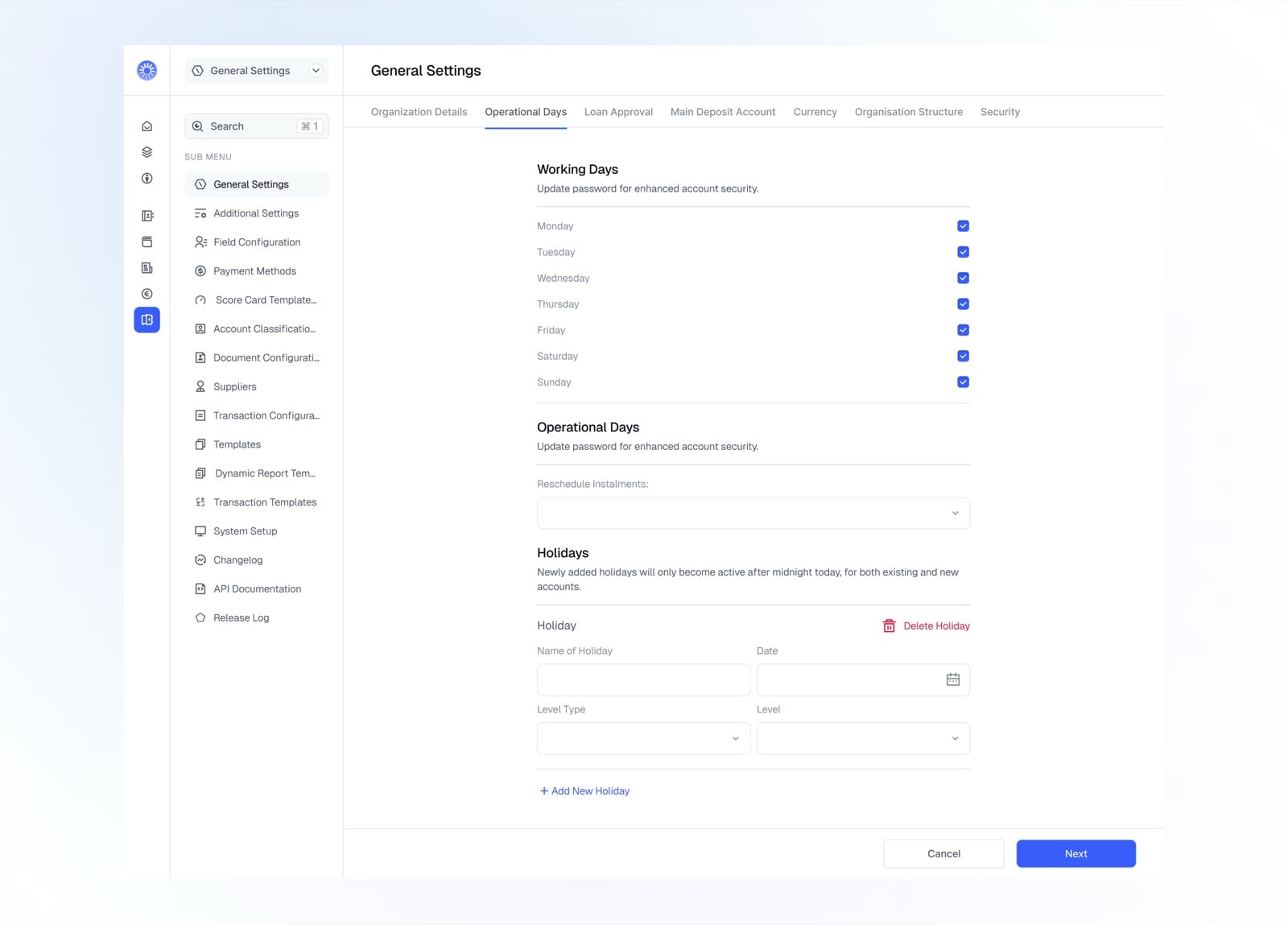
Define working days, operational days, and holidays
Payment Method
Payment methods control how money can move for each transaction type, toggling disbursement, repayment, recovery, deposit, and withdrawal per method.
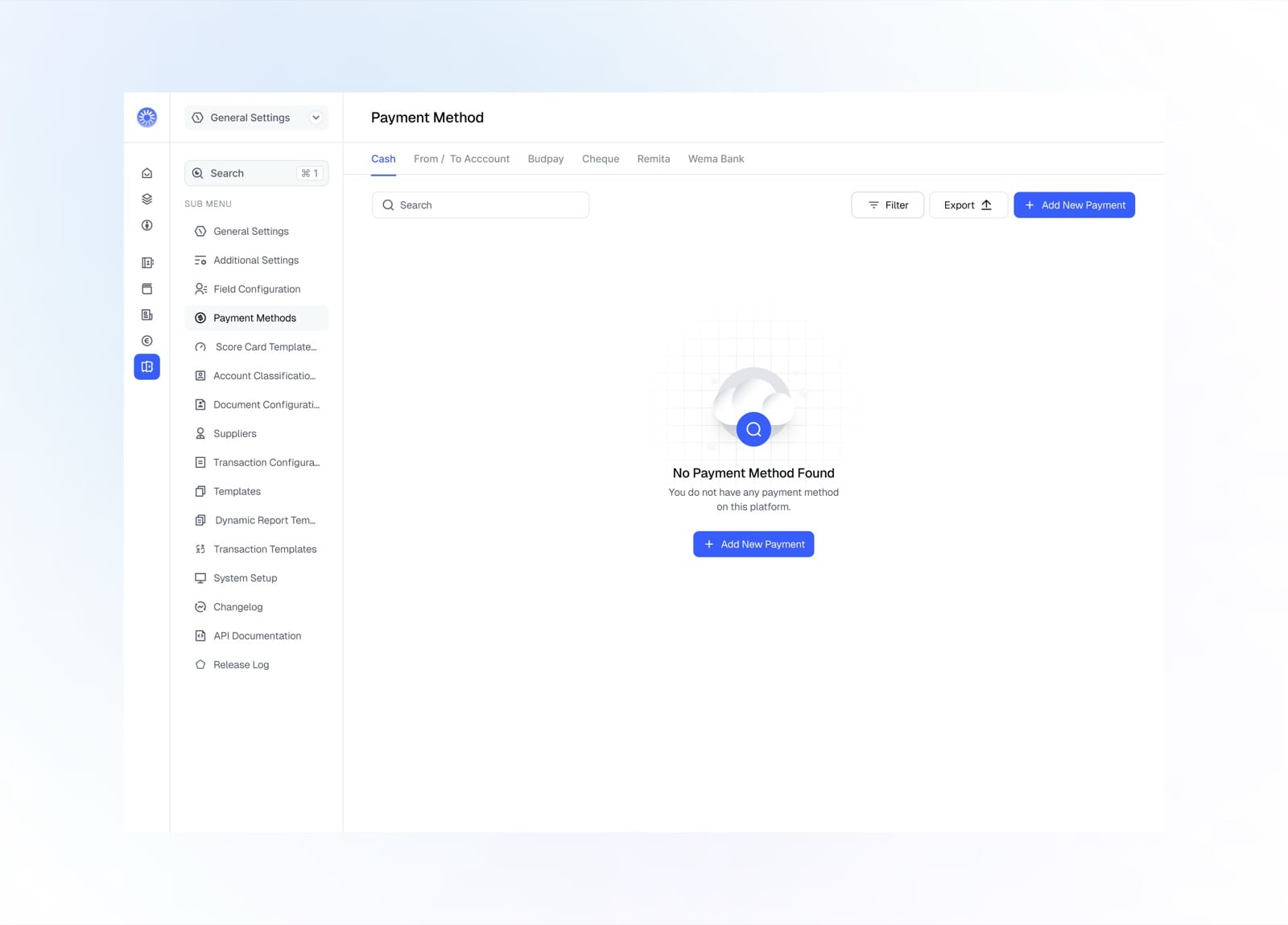
Empty state prompting you to add a payment method
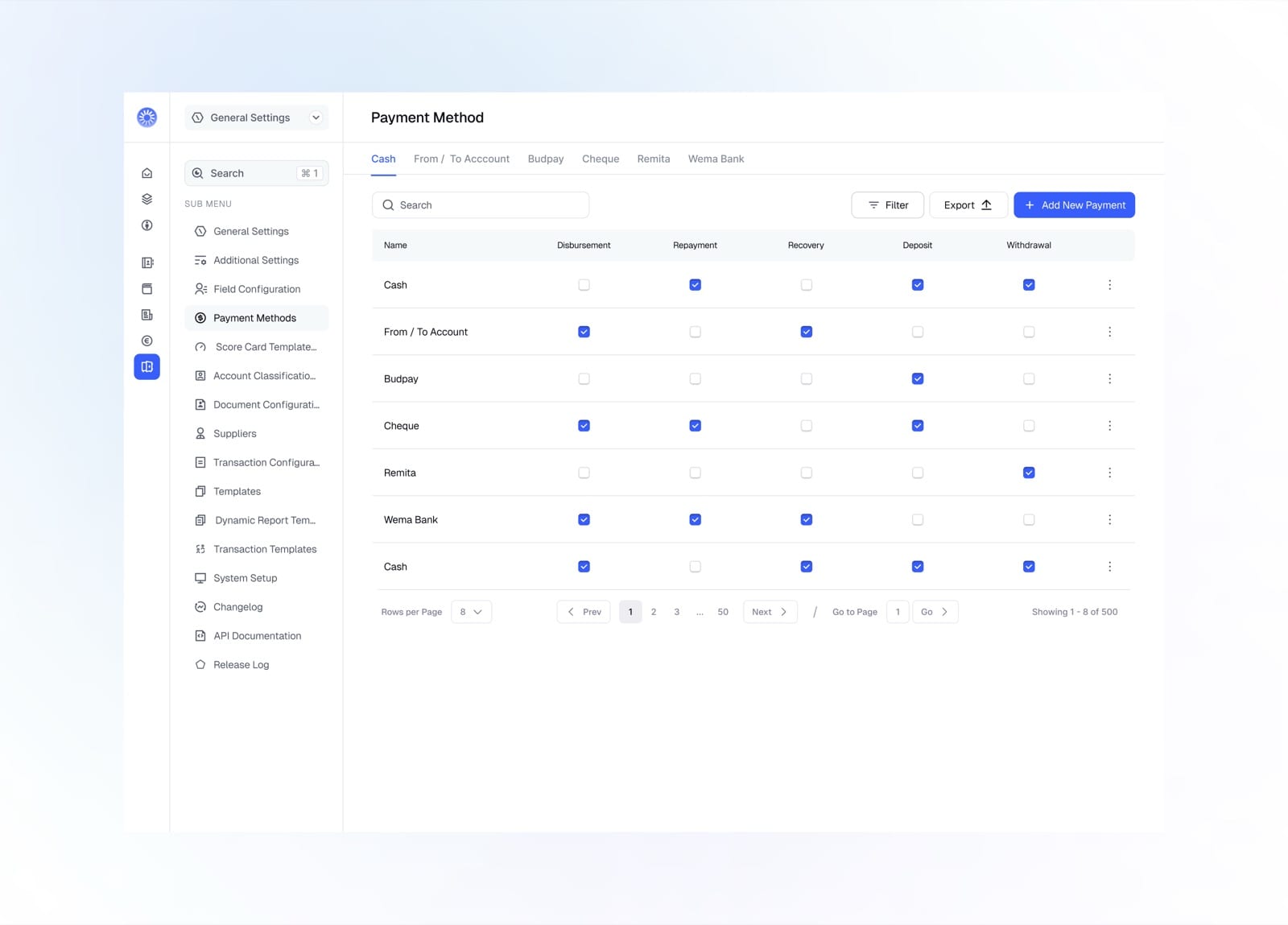
Enable each method per transaction type in a matrix
Designing a social coordination app that helps friend groups plan, vote and show up to real-life events